Footwear
Footwear businesses: size runs, cartons and broken sets
Footwear is bought in cartons of mixed sizes and sold one pair at a time. Broken size runs, seasonal styles and retailer returns decide how much of the stock actually turns into money.
- A label on every pair
- Articles shared as a catalogue
- Retailer rates by type
- Works on top of your Tally
Start free trialBook a free demo
Works with your TallyPrime14-day free trialJaipur team, call +91 70738 53555
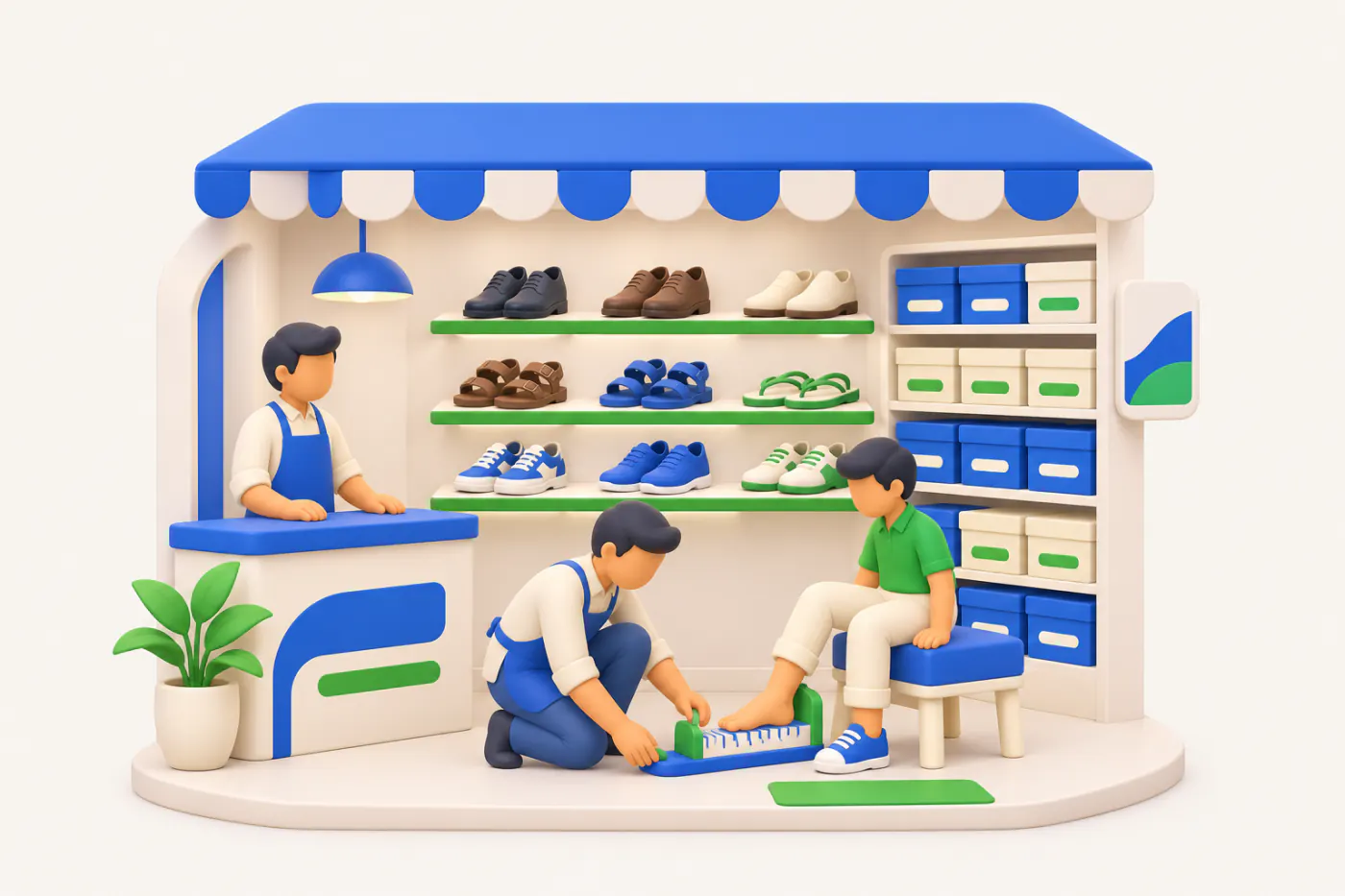
Built for footwear businesses
Who it’s for
- Footwear wholesalersCartons and sets to retailers in city markets
- Brand distributorsOne brand's articles across a territory, on credit
- Manufacturers and private labelsOwn articles sold in size sets to retailers
- Multi-brand footwear storesSingle pairs, trials and exchanges at the counter
- School shoe suppliersBulk orders and size runs before the term starts
- Sports shoe storesFast-changing styles in many sizes
- Slipper and chappal wholesalersHigh volume, low value, mixed-size bags
Pain → fix
The problems we fix
The everyday headaches of footwear businesses, and what changes when the books are on every phone.
- The problemSize 9 asked for, nobody knows if it's in stock
Staff search three racks while the customer waits, then guess.
With Cashflow OSScan the pair's label and see the itemBarcode labels per item or per piece, printed on thermal or A4 printers and scanned with the phone camera.
See how it works - The problemNew articles sent as loose photos on WhatsApp
Retailers reply with screenshots, and nobody can tell which article code they mean.
With Cashflow OSCatalogue link with photos and article namesRetailers browse your items with photos and display names without the app, and enquire on WhatsApp.
See how it works - The problemRetailers get different rates from different staff
One retailer hears of another's rate and asks for the same on every bill.
With Cashflow OSRetailer types A, B, C fill the ratePrice lists with layered discount rules fill rates on orders and documents automatically.
See how it works - The problemCartons opened, pairs never moved into stock
The carton is still in stock on paper while its pairs are on the shelf.
With Cashflow OSStock journal from the phone: carton into pairsWith writing to Tally switched on, record the stock journal from the phone and Tally validates it.
See how it works - The problemRetailers argue over returns and the balance
Defective pairs were taken back, but the retailer's balance still shows them.
With Cashflow OSParty statement on WhatsApp, Tally format or HindiSend the retailer's ledger with credit notes as a PDF in Tally's format or a simple Hindi हिसाब page.
See how it works - The problemSixty days of credit quietly becomes a hundred
Season-end payments slip, and the next season's order is already booked.
With Cashflow OSAgeing per retailer, oldest bills firstBill-wise outstanding with ageing from Tally shows who to supply and who to chase.
See how it works
Features
How Cashflow OS works for footwear businesses
Labels per pair, scanning at the counter
How it works. Print barcode labels per item or per piece on a thermal or A4 printer. Staff scan with the phone camera to bring up the item.
- Each pair carries its own label
- Fewer wrong sizes billed at the counter
- No separate scanner needed to look up an item
In practiceArticle 7712 in black arrives as a carton of sizes 6 to 10; Pooja prints a label for each of the 24 pairs before they go on the shelf.
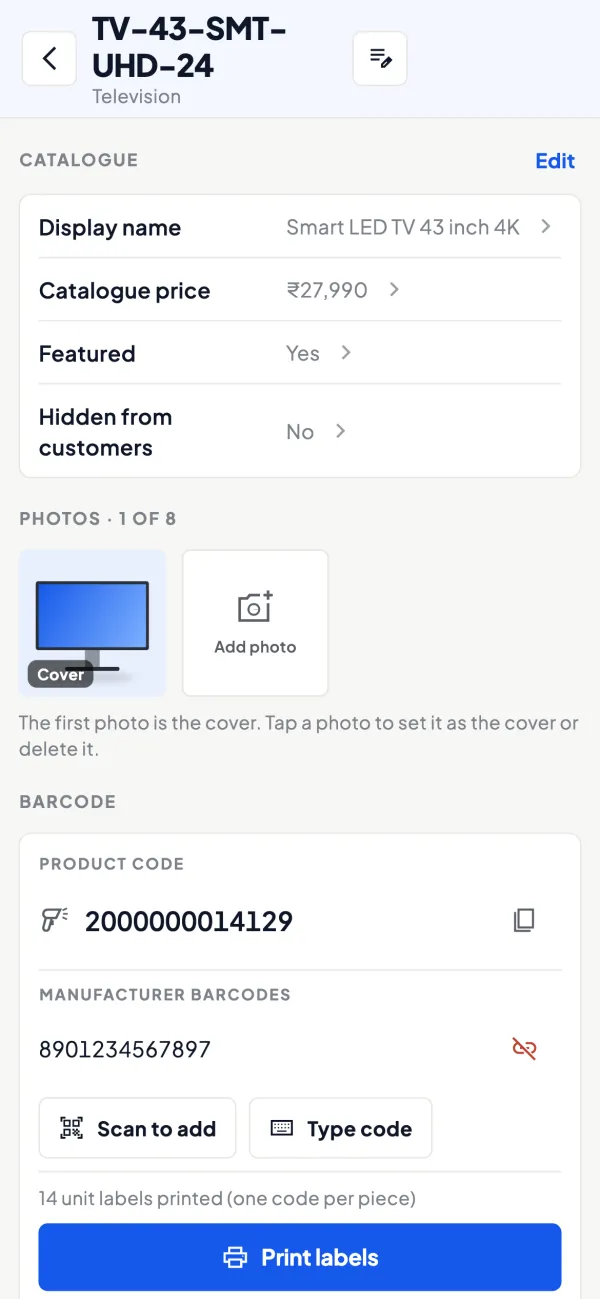
Your articles as a catalogue
How it works. Items carry photos and your own display names beside the Tally name, grouped by Tally stock groups. Share one link retailers can browse without the app.
- Article codes stay attached to the right photo
- Grouped by men's, women's, kids' or school
- Enquiries arrive on WhatsApp
In practiceBefore the monsoon, an Agra wholesaler shares its rain footwear group as a catalogue link and a retailer in Gwalior enquires for 10 sets of two articles.

Orders from agents and salesmen
How it works. Agents and salesmen book orders with lines, retailer rates and GST from the staff app. Orders post to Tally as sales orders, with approval if you want it.
- No order slips retyped at the office
- Rates from the retailer's price list
- Agents see their own retailers only
In practiceSalesman Imran books 6 sets of school shoes for Shree Footwear in Kota at the B rate, and the order is in Tally as a sales order that evening.

Retailer credit with ageing
How it works. Bill-wise outstanding for each retailer, synced from Tally, with ageing buckets. Share a statement on WhatsApp when there is a dispute over returns.
- See which bills passed 60 days
- Credit notes for returns visible on the ledger
- Statements in Tally's format or Hindi
In practiceNew Style Footwear in Nehru Bazaar owes ₹2,14,000, and ₹88,000 of it is from the last winter season, so the new order waits for part payment.

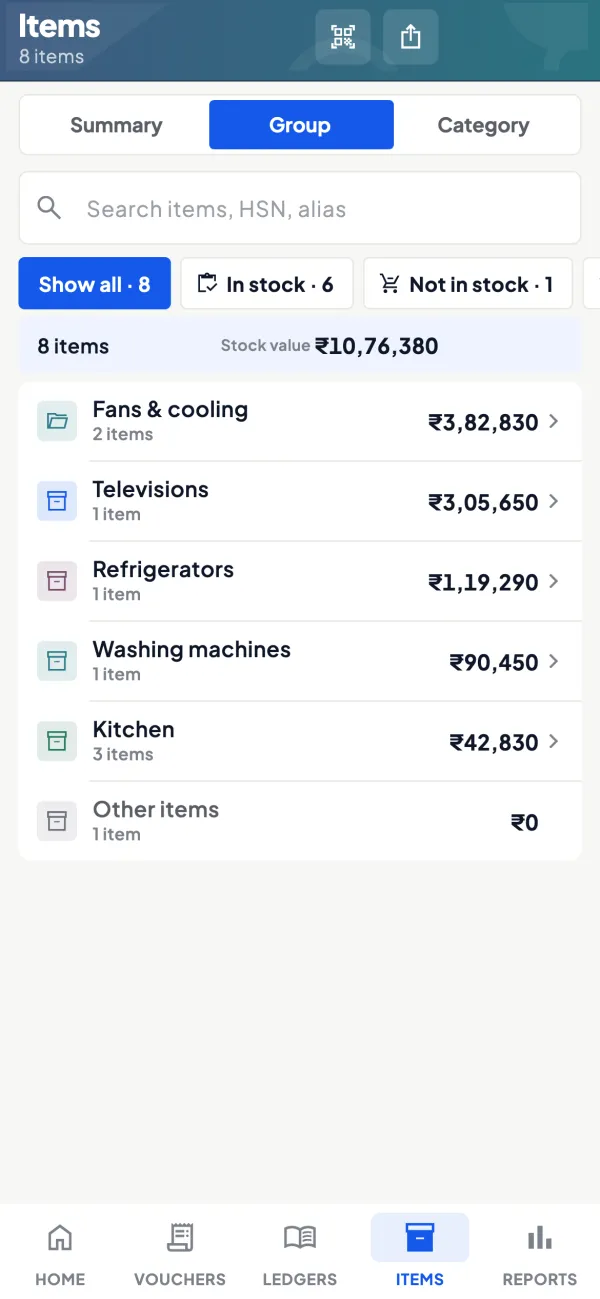
Stock by group at a glance
How it works. Stock and item summaries from Tally show what is left in each group and item, so broken size runs stand out before the season ends.
- Spot slow articles mid-season
- Check stock by group from anywhere
- Export to Excel or PDF for the buyer
In practiceMid-May, the owner sees sizes 5 and 11 left in four sandal articles and moves them to the sale rack at the second store.
Know your trade
A guide for footwear businesses
How the business works, where money gets stuck, and the GST points to watch.
How footwear is supplied
Footwear comes from large brands with their own distributors, from manufacturing clusters producing for regional brands and private labels, and from importers. Distributors and wholesalers supply multi-brand footwear stores, general stores in small towns, and online sellers. Brands may also run their own exclusive outlets or franchise stores, which follow brand-defined systems.
Wholesale orders are placed in sets or cartons, where one carton holds an assortment of sizes in a standard ratio, for example sizes 6 to 10 with more pairs in the middle sizes. Retailers buy by the set, but customers buy by the pair.
Size runs and the item master
Each article (style) comes in several colours and sizes. Some businesses keep one item per article-colour-size; others keep one item per article-colour and track sizes informally. The first gives accurate size-wise stock at the cost of a long item list; the second is simpler but hides broken size runs until a customer asks for size 9 and there is none.
| Approach | Good for | Drawback |
|---|---|---|
| Item per article, colour and size | Stores and distributors who need size stock | Long item list, needs labels |
| Item per article and colour | Wholesale by full sets | No visibility of size gaps |
Whichever you choose, sets can be handled with a stock journal that converts a set into pairs when it is opened. See stock groups and categories for organising articles by brand and type.
Broken sizes and dead stock
The middle sizes sell first. After a few weeks, the shelf holds size 5 and size 11 of a style nobody else wants. These broken runs are the main source of dead stock in footwear. Watch them closely:
- Check size-wise stock of each style every month during the season.
- Reorder middle sizes only, if the supplier allows, instead of full sets.
- Move broken runs to a sale rack or another branch where those sizes sell.
- Agree with suppliers in advance whether size exchanges are allowed.
The guide on inventory turnover and dead stock shows how to spot slow styles early.
Seasons and occasions
Demand changes with the weather and the calendar: sandals and slippers in summer, closed shoes and boots in winter, rain footwear before the monsoon, school shoes at the start of the academic year, and festive and wedding footwear in those seasons. Sports shoes sell more around school sports seasons and the new year. Plan purchases for each window and be cautious with fashion styles, which have the shortest life.
Store counter routine
In a footwear store, most stock errors happen at the counter and in the trial area. A customer tries three sizes, takes one, and the other two boxes go back to the wrong shelf or with the wrong pair inside. Exchanges are done without a bill. A few habits help: keep one pair of each style on display and the rest boxed by size, label every box with the article, colour and size, scan the label on the box at billing rather than typing the article number, and record every exchange as a return and a fresh sale so stock stays right. At closing, put mismatched pairs aside and resolve them the next morning instead of leaving them in the stockroom. When the monthly count is done by scanning labels, it takes a fraction of the time of a manual count, and broken size runs show up immediately.
Retailer credit and returns
Wholesalers usually give retailers 30 to 60 days, and returns of defective pairs are common. Manufacturing defects such as sole separation are generally returned to the supplier, who may replace or credit them. Record each return with a credit note against the original bill, and keep defective pairs separate until the supplier settles. Unsold seasonal returns are a commercial decision; if you accept them, set the rules in advance. See returns and replacements.
GST points
GST on footwear has in the past depended on the price per pair, with different rates above and below a value threshold, and rates have been revised. Check the current rules on the GST portal for each price band, and remember that discounts can change the value per pair. Accessories such as socks, polish and insoles are separate items with their own HSN codes. This is general information, not tax advice.
Cashflow OS for footwear businesses
Cashflow OS syncs your TallyPrime books. Barcodes and labels can be printed per item or per piece, so each pair can carry its own label, and staff scan with the phone camera. Item photos and an online catalogue show your articles to retailers, who enquire on WhatsApp. For distributors, price lists by retailer type, field force tools and the staff app help salespeople book orders that post to Tally as sales orders. Retailer outstanding is visible on the phone. See barcodes and labels.
This page is general information for Indian businesses, not tax, legal or financial advice. Rules and rates change — check the official portals or your CA before acting.
Set-up
Up and running in 4 steps
No new software to learn for your accountant — Tally stays as it is.
- 1
Install the Tally Connector on the PC where TallyPrime runs
- 2
Sign in with your mobile number and scan the connector's QR
- 3
Add photos and display names to your current season's articles
- 4
Print labels for incoming cartons and share the catalogue with retailers
Buyer’s checklist
What to look for in software for footwear businesses
Whatever you choose, check these before you commit.
- Size-wise stock for each article and colour, if you keep sizes as items
- Barcode labels per pair, and scanning at the counter
- Converts cartons and sets into pairs without breaking the stock
- Shows slow and broken size runs early from stock summaries
- Shares new articles with photos and article codes with retailers
- Separate rates for retailers, wholesalers and walk-in customers
- Returns recorded as credit notes against the original bill
- Retailer ageing so long credit does not run unchecked
Plans
Simple yearly plans
- 14-day free trial on your own books
- 3-year term saves up to 25%
- Premium modules (catalogue, field force, price lists, store…) priced extra
Start free trialGet the price for your business
Compare all plans- Growth₹3,000/year + GSTBooks, reports, outstanding and sharing
- Pro₹5,000/year + GSTEverything in Growth, plus entries into Tally
- Pro+₹7,000/year + GSTEverything in Pro, plus e-invoice and e-way bill
Why Cashflow OS
Why footwear businesses choose Cashflow OS
- Labels that fit footwearPer-piece labels mean every pair can be scanned.
- Catalogue from Tally itemsYour articles, photos and names, shared as one link.
- Rates by retailer typePrice lists fill the rate on orders and documents.
- Field orders into TallyAgents' and salesmen's orders post as sales orders.
- Long credit in viewBill-wise ageing for every retailer on the phone.
- 14-day free trialTry it on your own articles and Tally data first.