Feature
Barcodes and labels
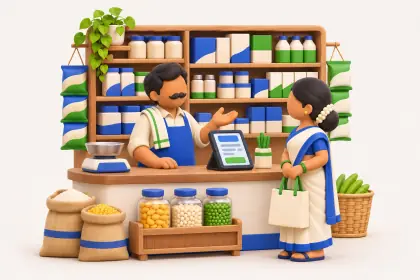
Barcodes take the guesswork out of picking the right item, at the counter, in the godown and on the showroom floor. Cashflow OS gives your Tally items a barcode per item or per piece, prints labels on a thermal printer or on A4 sheets, and scans them with the phone's camera, so you do not need a separate scanner to start.
- Per item or per piece
- Thermal or A4 label printing
- Scan with the phone camera
- Barcodes on your Tally items
Start free trialBook a free demo
Works with your TallyPrime14-day free trialJaipur team, call +91 70738 53555
Who it’s for
Who uses barcodes and labels
- Retail shopsFaster, more accurate counter work
- Furniture showroomsPer-piece labels where fabric or polish differs
- Hardware and electrical storesLook-alike sizes and codes told apart at a glance
- Appliance and electronics dealersEach unit told apart instead of misreading model codes
- Jewellery shopsEach piece with its own label
- Godowns and stockistsChecking dispatches and receipts at the bay
- DistributorsThe right pack size picked for each order
- Service centresSpare parts labelled and picked correctly
Pain → fix
The problems barcodes and labels solves
What goes wrong without it, and what changes with Cashflow OS.
- The problemWrong model picked from look-alike codes
The 1-ton AC goes out instead of the 1.5-ton because the codes differ by a character.
With Cashflow OSScan the label and the exact item comes upThe phone camera reads the barcode and opens the Tally item, with its photo and display name, so nobody picks by eye.
Item photos and display names - The problemCounter staff scrolling through 3,000 item names
The customer waits while someone searches a long list for the right size.
With Cashflow OSScan instead of search while billingScanning works wherever an item is picked in the app, so lines go on the voucher without typing names.
Create Tally vouchers from your phone - The problemTwo pieces of one item, each a little different
Same sofa, different fabric, and the customer was promised the grey one.
With Cashflow OSPer-piece barcodes for pieces you must tell apartEach piece gets its own label, so the exact piece goes on the wishlist and the order.
Wishlists - The problemBuying scanners before you can start
A scanner for every counter and salesperson is a cost most small shops put off.
With Cashflow OSEvery staff phone is already a scannerScanning uses the phone's camera inside the app, so each salesperson's phone works from day one.
Staff app - The problemStock counts that never match the books
Reading labels by eye misses some pieces and counts others twice.
With Cashflow OSScan pieces against the list during the countScanning helps people count accurately against your Tally items; it does not count stock automatically.
Tally on mobile - The problemLabels seem to need special printers and software
The project waits for equipment, and the mistakes keep happening meanwhile.
With Cashflow OSPrint on A4 sheets now, a thermal printer laterLabels print on ordinary A4 label sheets as well as on a thermal label printer.
What it does
What you can do with barcodes and labels
A barcode per item or per piece
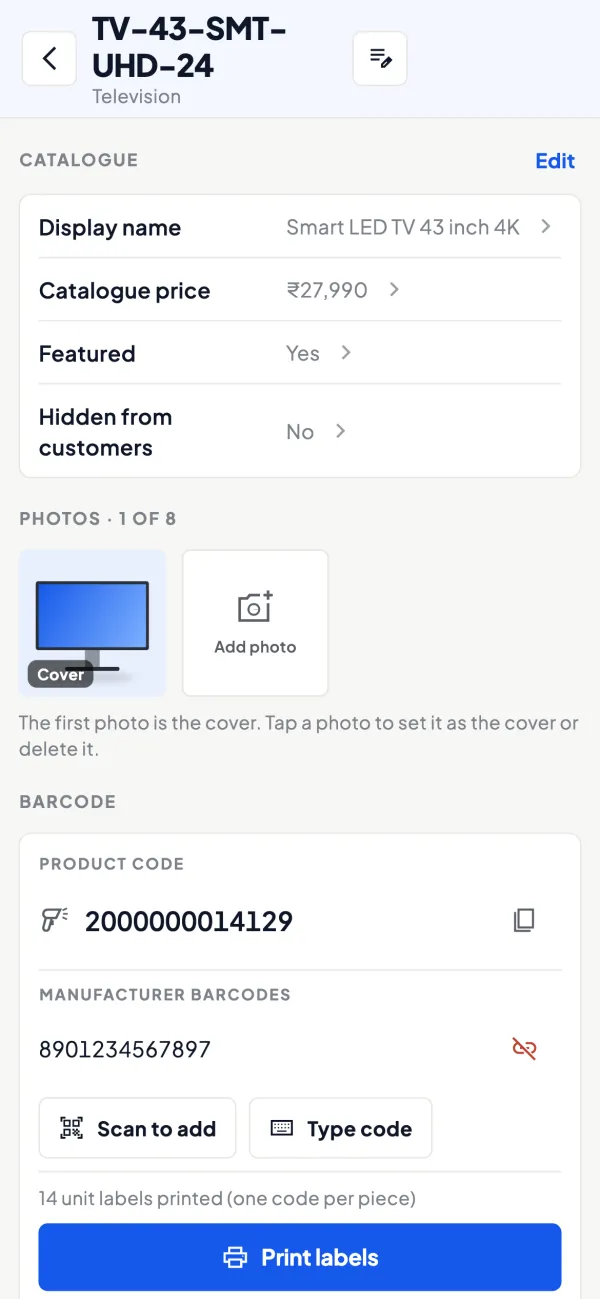
How it works. Choose for each item: one barcode shared by every unit, or a barcode for each individual piece when pieces differ in finish, weight or condition.
- Per item is quick for packaged and identical goods
- Per piece tells apart unique or high-value pieces
- Both are given to items already in your Tally
In practiceAgarwal Electricals labels its MCB boxes per item, but gives each inverter its own per-piece label because every unit must be told apart.
Labels on thermal rolls or A4 sheets
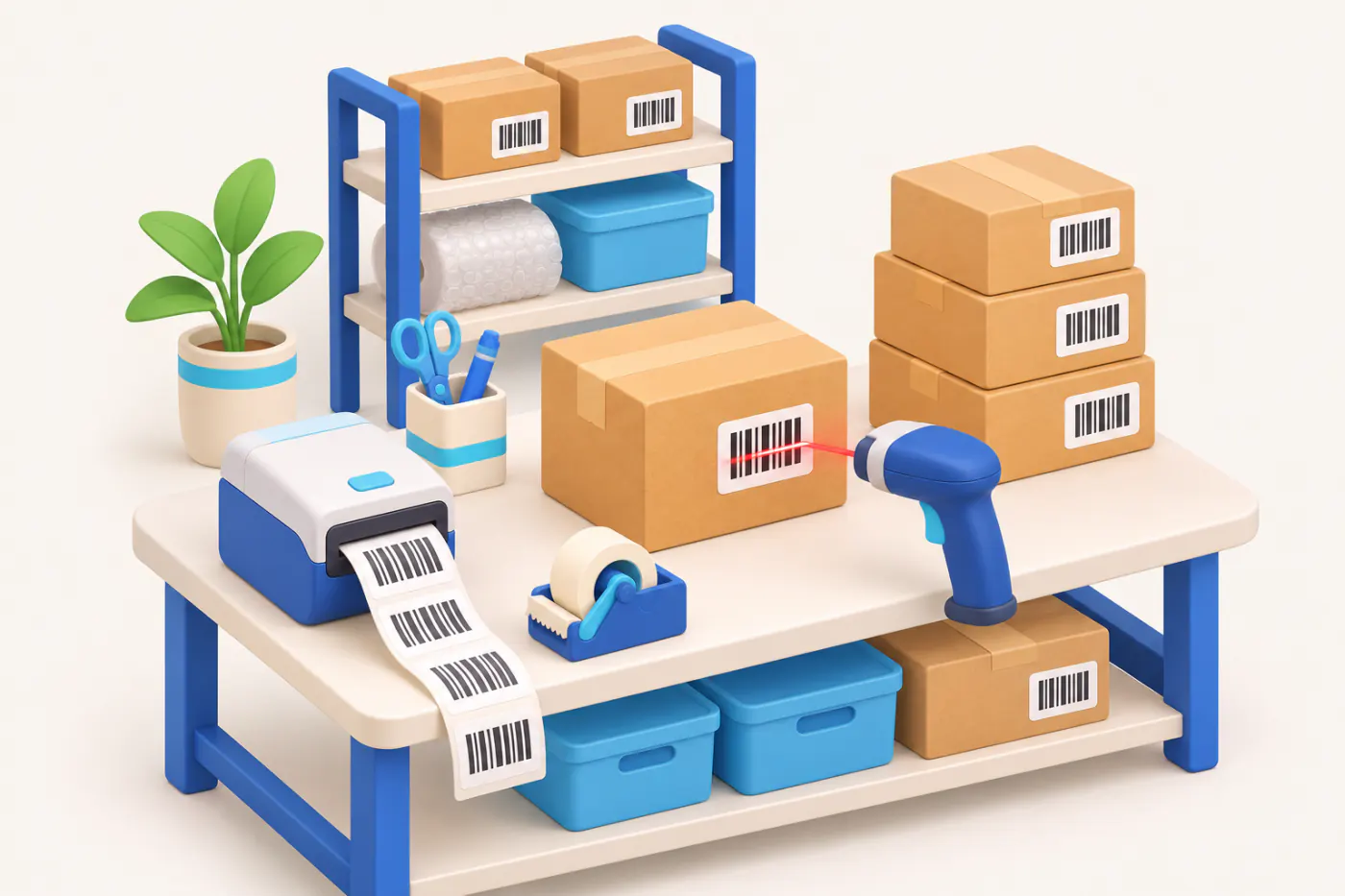
How it works. Print labels on a thermal label printer for regular labelling, or on A4 sheets on an office printer when you are starting out. Work one stock group at a time.
- Start with the printer you already have
- Label in batches by Tally stock group
- Spare labels for fast movers that get torn
In practiceA hardware store prints labels for its 80 fastest movers on A4 sheets over one Sunday, and buys a thermal printer later for stock arriving every week.

Scan with the phone camera
How it works. Point the phone at the label inside the app and the item opens: the Tally name, your display name and photos where you have added them.
- No separate scanner needed to start
- Staff see the photo and confirm the item
- Phone enquiries answered from the item on the shelf
In practiceA customer phones about a ceiling fan. The counter scans the box on the shelf and reads out the size and colour from the item's details.

Scan while billing and ordering
How it works. Wherever you pick an item in the app, for a sale or an order, scanning adds it instead of searching. With writing into Tally on, the voucher goes to Tally with GST worked out.
- Fewer wrong items on bills
- Faster lines for multi-item sales
- Same items as your Tally stock summary
In practiceAt the counter, Neha scans five items for a ₹3,860 sale instead of typing each name, and the sale goes into Tally once she saves it.

Scan on the showroom floor
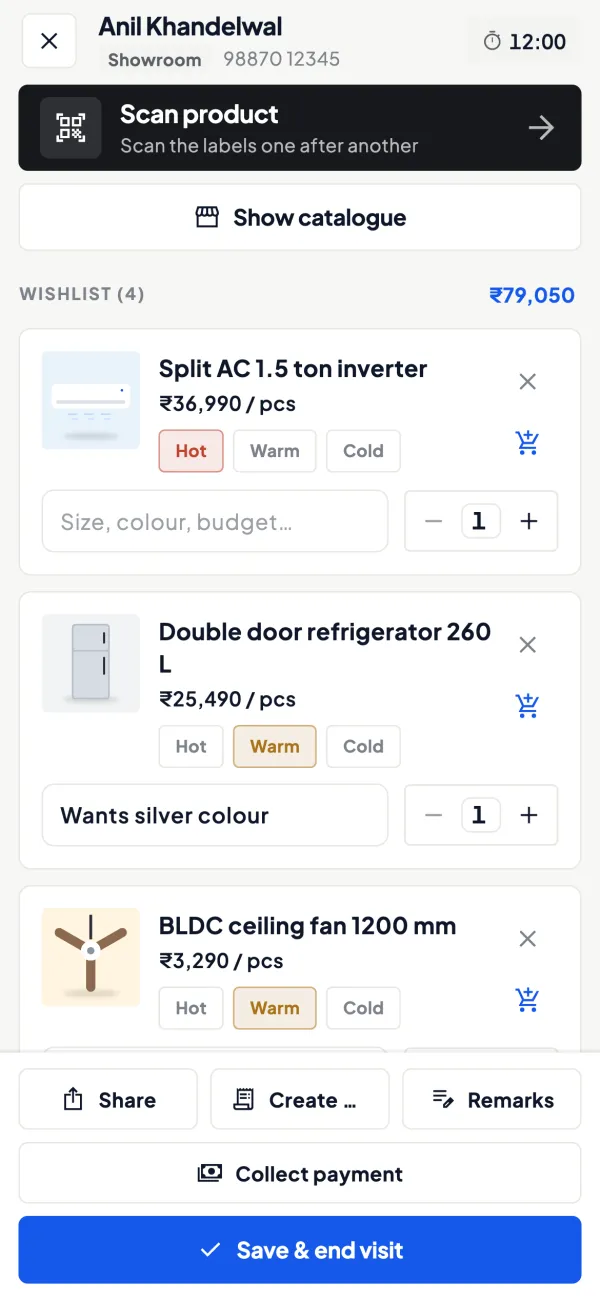
How it works. Salespeople scan a display piece to add it to a customer's wishlist with quantity, notes and interest level, so the exact piece is on record.
- No long descriptions typed on the floor
- The family sees the right piece on WhatsApp
- The order carries the piece that was shown
In practiceA couple shortlists a dining set. The salesperson scans that piece's label, adds it to their wishlist as 'hot' and shares it with them on WhatsApp.
Guide
Barcodes and labels: the full guide
How it works day to day, who does what, and the points to watch.
Why barcodes matter even in a small business
The cost of not having barcodes is hidden in small mistakes. A salesperson picks the 1.5-ton AC instead of the 1-ton one with almost the same model code. A godown helper dispatches the 6 mm sheet instead of the 8 mm. A counter clerk spends two minutes searching an item list of 3,000 names while the customer waits. None of these looks expensive on its own, but they add up as wrong deliveries, returns, stock mismatches and slow billing. See barcode systems for small businesses for a broader look.
Per item or per piece
| Option | What it means | Good for |
|---|---|---|
| Per item | Every unit of the same item carries the same barcode | Packaged goods, hardware, FMCG, stationery: anything where units are identical |
| Per piece | Each individual piece gets its own barcode | Furniture, jewellery, appliances, large or unique pieces you want to tell apart |
Per-item barcodes are quicker to set up. Per-piece barcodes take more labelling but let you identify an exact piece, which matters when two pieces of the same item differ in finish, weight or condition.
Printing and scanning
- Thermal printing: a thermal label printer gives quick, clean labels in rolls, suited to regular labelling.
- A4 printing: print sheets of labels on an ordinary office printer, handy when you are starting out or labelling occasionally.
- Camera scanning: scan with the phone's camera in the app, so every salesperson's phone is a scanner.
The items are your Tally items, so a scanned label leads to the same item that appears in your stock summaries and on Tally vouchers.
A worked example: labelling a showroom
A furniture showroom has 420 display pieces across 160 items. It chooses per-piece barcodes for sofas, beds and dining sets (about 180 pieces), because each piece's fabric or polish can differ, and per-item barcodes for chairs, side tables and decor (240 pieces across 110 items). Labels for the first lot are printed on A4 sheets over a weekend; a thermal printer is bought later for new arrivals.
On the floor, salespeople now scan a piece to add it to a customer's wishlist instead of searching for "3+1+1 sofa grey fabric RHS". When a sale is made, the exact piece is on the order. At the next stock count, scanning pieces against the list finds three display pieces that had been sold but never marked, worth about ₹96,000 at cost.
Rolling out labels without stopping the business
The usual fear is that labelling means closing the shop for a week. It does not have to. A phased plan works for most businesses:
- Week one: pick the 50 to 100 items that sell most or cause the most picking mistakes. Label those only, on A4 sheets.
- Week two: start scanning those items in daily work, at the counter and in the godown, and fix any label that will not scan cleanly.
- Weeks three and four: label one stock group at a time, ideally on quieter days.
- After that: make labelling part of receiving. New stock is labelled when it arrives, before it goes on the shelf, which is where a thermal printer starts to pay for itself.
By the end of the month the fast movers, which are most of your daily transactions, are covered, and the long tail can follow at its own pace.
Who uses it
- Retail shops that want faster, more accurate counter work.
- Showrooms using wishlists and walk-in records.
- Godowns checking dispatches and receipts.
- Service centres labelling spare parts.
Tips
- Fix item names and units in Tally first. A barcode on a duplicate item just makes the duplicate faster to pick.
- Label in batches by category, one stock group at a time, so you can check nothing was missed.
- Put labels where they can be scanned without unpacking: on the box or the tag, not under the product.
- Keep spare labels for items that move often; labels get torn.
- Use labels during stock audits; see the stock audit checklist.
What it does not do
- It does not need a separate scanner to start, but it also does not replace a full point-of-sale billing counter.
- It does not make up for items missing in Tally; only items that exist in your books can be labelled.
- It does not count stock automatically; scanning helps people count accurately.
- It is a module switched on per company.
This page is general information for Indian businesses, not tax, legal or financial advice. Rules and rates change — check the official portals or your CA before acting.
Set-up
Start using barcodes and labels in 4 steps
Works on top of your TallyPrime — nothing to migrate, no second set of books.
- 1
Install the Tally Connector so your items sync from TallyPrime
- 2
Switch on the barcodes module for the company
- 3
Choose per item or per piece, then print labels on thermal or A4
- 4
Stick labels on items, boxes or shelves and scan with the phone camera
Buyer’s checklist
What to look for in barcodes and labels software
Whatever you choose, check these before you commit.
- Works on the items already in your accounting software, not a second item list
- Choice of one barcode per item or one per individual piece
- Prints on a thermal label printer and on ordinary A4 label sheets
- Scans with a phone camera, so you can start without buying scanners
- A scanned label opens the same item used on invoices and stock reports
- Lets you label in batches, one category or stock group at a time
- Scanning works wherever staff pick items: billing, orders and wishlists
- Switched on only for the companies that need it
Plans
Simple yearly plans
- 14-day free trial on your own books
- 3-year term saves up to 25%
- Premium modules (catalogue, field force, price lists, store…) priced extra
Start free trialGet the price for your business
Compare all plans- Growth₹3,000/year + GSTBooks, reports, outstanding and sharing
- Pro₹5,000/year + GSTEverything in Growth, plus entries into Tally
- Pro+₹7,000/year + GSTEverything in Pro, plus e-invoice and e-way bill
Why Cashflow OS
Why use barcodes and labels in Cashflow OS
- Your Tally itemsBarcodes go on items that already exist in your books, so a scan leads to the same item on vouchers.
- No scanner to buyThe phone camera scans in the app, so every team member can start the same day.
- Per piece when it mattersTell apart pieces of one item that differ, not just item from item.
- Print on what you haveA4 sheets on an office printer now, a thermal label printer when labelling grows.
- Scanning replaces guessingStaff confirm the item from the label instead of reading look-alike codes by eye.
- Works with the selling toolsScans feed sales, orders and wishlists, alongside item photos and display names.