
Feature
Online catalogue
An online catalogue is a link you send to customers so they can browse your range on their own phone, without installing anything. Cashflow OS builds it from your Tally items, with photos and the names customers recognise, and any enquiry comes to you on WhatsApp.
- One link for your whole range
- Built from your Tally items
- Enquiries on WhatsApp
- No app for the customer
Start free trialBook a free demo
Works with your TallyPrime14-day free trialJaipur team, call +91 70738 53555

Who it’s for
Who uses online catalogue
- Wholesalers and distributorsRetailers browse the range between salesman visits
- ShowroomsFamilies see designs at home before they come back
- Sanitaryware and hardware dealersPlumbers and contractors pick products at site
- Garment and textile tradersRetailers see new designs without a sample bag
- Electrical and lighting dealersElectricians forward fittings to their clients
- Furniture dealersCustomers compare finishes and sizes on the phone
- Manufacturers with a dealer networkDealers see the current range with clear names
- Salespeople on the roadSend the link instead of a gallery of photos
Pain → fix
The problems online catalogue solves
What goes wrong without it, and what changes with Cashflow OS.
- The problemForwarded photos get lost and mixed up
The customer cannot find last month's picture, or orders from the wrong one.
With Cashflow OSOne catalogue link with every item's photosCustomers open one link and browse your range on their own phone, as often as they like.
Item photos and display names - The problemTally item codes mean nothing to customers
"WC-EWC-RIM-WHT-S" is clear to the godown and confusing to everyone else.
With Cashflow OSDisplay names customers understandGive each item a customer-facing name in Cashflow OS while the Tally name stays as your staff know it.
Item photos and display names - The problemA new product means a new round of forwards
Every launch is another day of sending the same photos to every buyer.
With Cashflow OSNew Tally items join the catalogue you already sharedThe catalogue starts from your Tally items; add a photo and a display name and the same link shows it.
- The problemThe whole range in one long scroll
A customer looking for basins has to scroll past 300 faucets to find them.
With Cashflow OSCategories from your Tally stock groupsStock groups become catalogue categories, with brands and custom fields such as size, finish or pack.
- The problemInterest from the catalogue goes nowhere
A customer likes three items, but nobody records it or follows up.
With Cashflow OSEnquiries arrive on WhatsApp, ready to quoteThe enquiry comes to you on WhatsApp; reply with a rate or turn it into a branded quotation.
Quotations - The problemCustomers want to order on their own
Some buyers would rather check out themselves than message you.
With Cashflow OSMove up to a store when you need checkoutThe online store is built from the same items and adds guest checkout and an order page by link.
Online store
What it does
What you can do with online catalogue
Photos and names customers recognise
How it works. Add photos to the items you want to show and give each a display name beside the Tally name. The catalogue shows the photo and the friendly name; Tally keeps its own.
- A plain-language name beside the factory code
- Several photos per item, shot on your own phone
- Tally item names and groups stay untouched
In practiceA sanitaryware dealer renames "BSN-CTR-600-WHT" as "Counter-top basin, 600 mm, white" for customers and adds two photos from the godown.

Categories from your Tally stock groups
How it works. Your Tally stock groups become the catalogue's categories, so customers browse the way your stock is already organised. Brands and custom fields add the detail buyers ask about.
- No second category list to maintain
- Brands and custom fields such as size or finish
- Fix a group in Tally and the catalogue follows
In practiceA lighting dealer's Tally groups (Panels, Downlights, Strips, Decorative) appear as four categories, each with brand filters for the customer.
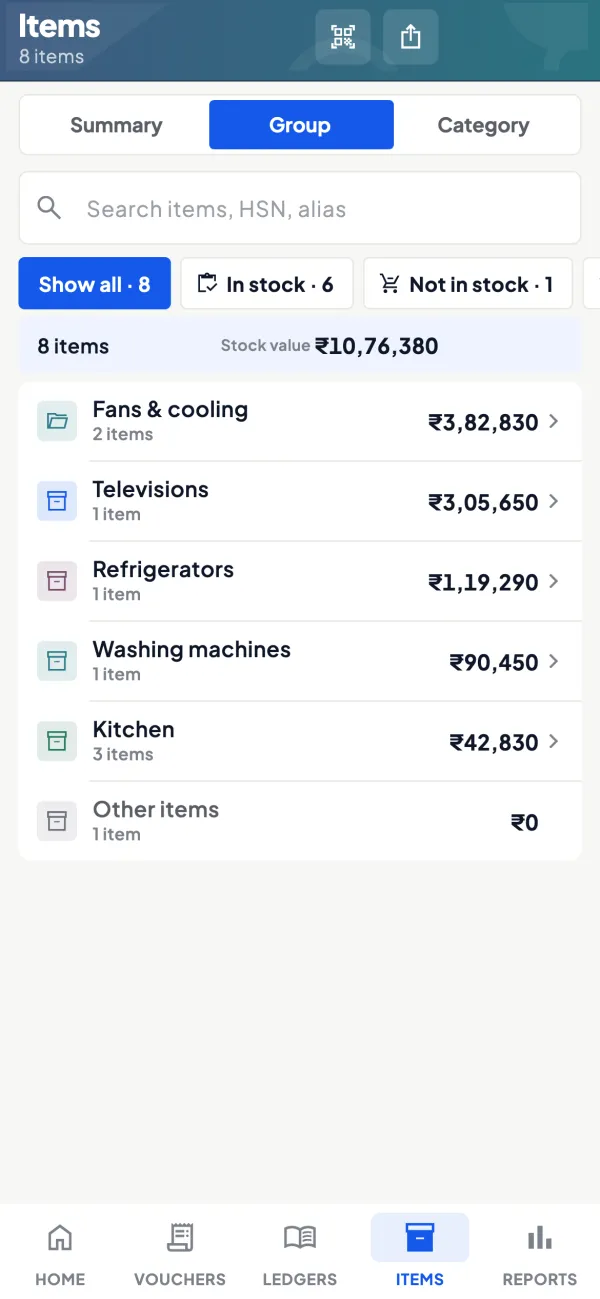
Choose what goes in, start small
How it works. You pick the items that belong in the catalogue. Many businesses start with their best 100 to 250 items with good photos and add more as photos come in.
- Internal and packing items stay out of sight
- Best sellers go first, the rest follow
- One link keeps working as the range grows
In practiceOut of 900 Tally items, a hardware wholesaler shows 220 that retailers reorder most, and adds about 20 more each week.

Enquiry on WhatsApp, quotation in minutes
How it works. The customer browses without the app and sends an enquiry on WhatsApp. You reply with rate and stock, and if they want it in writing, make a branded quotation from the same items.
- The conversation stays on WhatsApp, where it already is
- Quotation picks up the item and your branding
- Accepted quote converts into a sales order or invoice
In practiceContractor Imran Khan enquires about 12 ceiling fans from the catalogue; the dealer sends a quotation for ₹26,400 + GST the same afternoon.

Guide
Online catalogue: the full guide
How it works day to day, who does what, and the points to watch.
Why a link beats forwarding photos
Most Indian B2B selling already happens on WhatsApp, usually as a stream of forwarded photos with prices typed underneath. It works, but it has problems: photos get mixed up, old prices keep circulating, the customer cannot find the picture you sent last month, and every new product means another round of forwards. A catalogue link solves the organisation problem. The customer opens one link, browses by category, sees current names and photos, and messages you about what they want. The guide on catalogue sharing for B2B sales covers how businesses use this in practice.
What goes into the catalogue
- Your Tally items, so the catalogue starts from what you actually stock.
- Photos added in Cashflow OS.
- Display names: what the customer should read, while the Tally item name stays as your staff know it.
- Categories from your Tally stock groups.
- Brands and custom fields such as size, finish, pack or warranty.
Customers browse without the app. When they want something, the enquiry comes to you on WhatsApp, where the conversation continues as it always has.
A worked example
A sanitaryware dealer has about 900 items in Tally, named like "WC-EWC-RIM-WHT-S". He picks the 250 that sell to retail customers and plumbers, adds a photo to each, and gives them display names such as "Wall-hung WC, rimless, white". Tally stock groups (Closets, Basins, Faucets, Showers) become categories, and the brand is set for each item.
He then puts the catalogue link in his WhatsApp business profile and sends it to 60 plumbers he works with. A plumber at a site opens it, finds a basin and a mixer the client likes, and taps through to send an enquiry on WhatsApp. The dealer replies with the rate and stock, and makes a quotation if the plumber asks for one. Nothing changed in Tally; the catalogue just made the existing range easy to see.
Keeping the catalogue current
A catalogue goes stale in two ways: items that are no longer stocked stay visible, and new items never get photos. Because the catalogue is built from your Tally items, new stock items come from Tally as they always do; the work is adding the photo and the display name. A simple habit keeps it fresh. Whenever a new item is created in Tally, whoever receives the first lot photographs it at the godown and adds the picture and the customer-facing name the same day. Once a month, someone runs through the categories on their own phone, as a customer would, and notes anything that looks wrong: a missing photo, a confusing name, a discontinued product.
Ten minutes a month is enough for most small catalogues. The reward is a link you can send to a new customer without apologising for it, and a range that looks as organised online as it does on your shelves.
Catalogue or online store?
| Need | Catalogue link | Online store |
|---|---|---|
| Customers browse your range | Yes | Yes |
| Enquiry on WhatsApp | Yes | Orders through the store |
| Checkout and order page | No | Yes, guest checkout |
| Payment | Agreed with you directly | Your own payment gateway, or cash on delivery or agreed terms |
Many B2B businesses prefer the catalogue, because prices and terms are negotiated anyway. Retailers selling to consumers may want the online store.
Tips
- Start small. A catalogue of your 100 best items with good photos beats 2,000 items with none.
- Shoot photos on a plain background in daylight; consistency matters more than a fancy camera.
- Fix stock groups in Tally first. Since they become categories, a messy group structure becomes a messy catalogue.
- Decide your price conversation. If dealers get different rates, it is often simplest to discuss price in the WhatsApp reply rather than expect one public number to suit everyone.
- Share it everywhere you already talk to customers: WhatsApp status, invoices, the shop board.
What it does not do
- It does not take orders or payments; enquiries come on WhatsApp. Use the online store for checkout.
- It does not create listings on marketplaces.
- It does not change item names or groups in Tally; display names and photos live in Cashflow OS.
- It is a module switched on per company.
This page is general information for Indian businesses, not tax, legal or financial advice. Rules and rates change — check the official portals or your CA before acting.
Set-up
Start using online catalogue in 4 steps
Works on top of your TallyPrime — nothing to migrate, no second set of books.
- 1
Switch on the catalogue module for the company
- 2
Add photos and display names to the items you want customers to see
- 3
Check that your Tally stock groups make sense as categories
- 4
Share the catalogue link on WhatsApp, your status and your bills
Buyer’s checklist
What to look for in online catalogue software
Whatever you choose, check these before you commit.
- Built from the items in your accounting books, not a separate product list
- Customers browse on their phone without installing any app
- Customer-facing names, so internal codes stay internal
- Categories you already use, such as your Tally stock groups
- Brands and fields like size, finish or pack shown with each item
- You choose which items are visible and can start with a small set
- Enquiries reach you where you already talk to customers, such as WhatsApp
- A clear path to quotations, orders or a store when buyers are ready
Plans
Simple yearly plans
- 14-day free trial on your own books
- 3-year term saves up to 25%
- Premium modules (catalogue, field force, price lists, store…) priced extra
Start free trialGet the price for your business
Compare all plans- Growth₹3,000/year + GSTBooks, reports, outstanding and sharing
- Pro₹5,000/year + GSTEverything in Growth, plus entries into Tally
- Pro+₹7,000/year + GSTEverything in Pro, plus e-invoice and e-way bill
Why Cashflow OS
Why use online catalogue in Cashflow OS
- Starts from your TallyItems and stock groups come from your TallyPrime books, so the catalogue matches what you stock.
- Nothing for the customer to installThey open a link and browse on their own phone.
- Your names, your photosDisplay names and photos live in Cashflow OS without changing Tally.
- Enquiries on WhatsAppInterest reaches you in the chat you already use with that customer.
- Quotation and order nextTurn an enquiry into a branded quotation, then a sales order or Tally invoice.
- 14-day free trialTry it on your own items first. The catalogue is a module priced on top of the plan.



