Running the business Selling
Catalogue sharing for B2B sales
A B2B catalogue should let a dealer find an item, see what it looks like, know its code and pack size, and ask for it in one message. A current, searchable link does this better than a thick PDF that is out of date the week after it is made.
- Distributors and wholesalers
- Manufacturers selling to dealers
- Sales teams on the road
- Showrooms with B2B buyers
- Brand owners with many SKUs

On this page 11
What dealers look for
- Clear photo of the actual product, with variants (colours, sizes).
- Item code and name the way they will order it. If your billing name is "FAN CLG 1200 WHT", show a readable name too.
- Pack size and unit: box of 10, carton of 24, per sq ft.
- Category and brand, so they can browse.
- Rate, if you share rates openly; otherwise "price on request".
- Availability, at least whether the item is currently supplied.
- A way to enquire that does not need them to type the whole item name.
PDF catalogue vs online link
| Online link | ||
|---|---|---|
| Works offline | Yes | Needs internet |
| Stays current | No, must resend | Yes, update once |
| Search and filter | Limited | Usually yes |
| File size on WhatsApp | Often large | Just a link |
| Good for | Printed trade-fair copies, small fixed ranges | Large or changing ranges |
Many businesses keep both: a printed or PDF brochure for the main lines and a link for the full range.
Building the catalogue from your item master
The most reliable catalogue is built from the same item list you bill from. Then every item a dealer orders already exists in your books with the right code, unit and GST rate.
- Clean up item names and groups in your accounting software. Stock groups usually become catalogue categories; see Tally stock groups and categories.
- Add a good photo for each item. A phone photo on a plain background in daylight is enough.
- Add a customer-friendly display name where the billing name is cryptic.
- Hide items you do not want to offer: discontinued lines, internal items, spares.
- Decide whether to show rates, and at which level. If different dealer types get different rates, a public list price with dealer discounts applied at order time is common.
Handling enquiries
Reply within working hours with the rate for that dealer, stock position and dispatch date. Turn a firm enquiry into a quotation or order the same day. An enquiry answered the next morning is often an order lost.
Keep a short list of standard replies for common questions: minimum order quantity, delivery areas and days, payment terms and how to become a dealer. Quick replies save time and keep answers consistent across staff.
Online catalogue in Cashflow OS
Cashflow OS can publish an online catalogue link built from your TallyPrime items, with photos, your own display names, Tally stock groups as categories, and brands. Customers browse it without installing an app, and their enquiries come to you on WhatsApp. Items can be shown or hidden. If you want customers to place orders and pay online, there is also a hosted online store option. See online catalogue and item photos.
Avoid these
Common mistakes
- MistakeSending a heavy PDF that is out of date in a weekDo this instead
Share a link built from your item master for the full range, and keep PDFs for printed copies of main lines.
- MistakeShowing cryptic billing names to dealersDo this instead
Add a readable display name beside the billing name and keep the code visible for ordering.
- MistakeLeaving discontinued items visibleDo this instead
Hide discontinued, internal and spare items before sharing, and check again whenever lines change.
- MistakePutting dealer-specific rates in a public catalogueDo this instead
Show list prices or price on request, and give each dealer's rate in the quotation or order.
Keep handy
Checklist
Catalogue sharing for B2B sales — 8 checks. Tick them as you go.
In Cashflow OS
How Cashflow OS helps
Cashflow OS puts your TallyPrime books on every phone in the team. Where it fits this topic:
A catalogue link from your Tally items
Publish a link built from TallyPrime items with photos, display names, stock groups as categories and brands. Customers browse without the app and enquire on WhatsApp.
See Online catalogue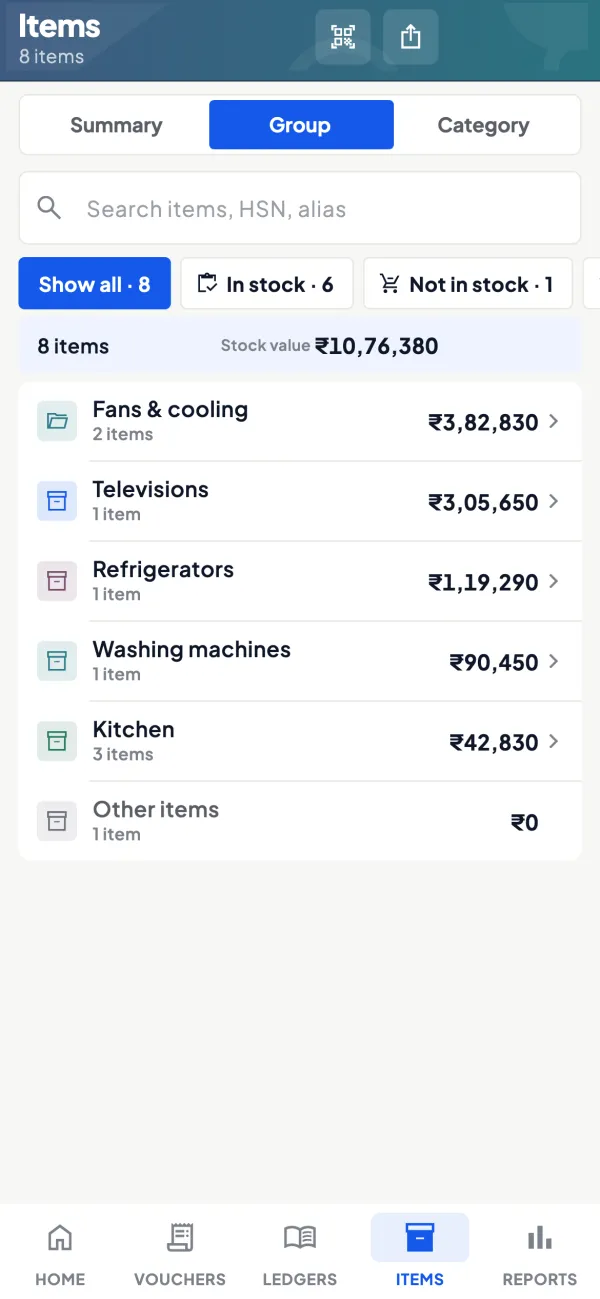
Photos and display names on items
Add photos and your own display name beside the Tally name, and show or hide items in the catalogue.
See Item photos and display names
Questions people ask
Should a B2B catalogue show prices?
How often should a catalogue be updated?
Do I need professional photos?
How do I stop dealers sharing my catalogue with competitors?
Should I make one catalogue or one per brand?
What photo size works for WhatsApp catalogues?
How do I handle items with many variants?
Can salespeople use the catalogue during visits?
This page is general information for Indian businesses, not tax, legal or financial advice. Rules and rates change — check the official portals or your CA before acting.