Feature
Party ledger statements
When a customer asks "how much do I owe?", the answer should take seconds, not a trip to the Tally PC. Cashflow OS shows every party's ledger with a live balance and lets you share a statement as a PDF in Tally's format, or as a simple Hindi हिसाब page, on WhatsApp.
- Statement in seconds
- PDF in Tally's format
- Hindi हिसाब page too
- Shared on WhatsApp
Start free trialBook a free demo
Works with your TallyPrime14-day free trialJaipur team, call +91 70738 53555

Who it’s for
Who uses party ledger statements
- Distributors and wholesalersMonth-end statements to every retailer with a balance
- Retailers giving udhaarRegular customers who ask "kitna baaki hai?"
- Agri input and kirana suppliersShopkeepers and farmers who prefer a Hindi account
- Building material suppliersContractors who dispute balances site by site
- AccountantsBalance confirmations and year-end reconciliation
- Owners away from the officeAnswer a customer's call without the Tally PC
- Purchase staffCheck a supplier's ledger before releasing a payment
- Auditors and CAsParty ledgers for any year or custom range
Pain → fix
The problems party ledger statements solves
What goes wrong without it, and what changes with Cashflow OS.
- The problem"How much do I owe?" takes a day to answer
The accountant is busy and the Tally PC is in use, so payment waits too.
With Cashflow OSOpen the party and share the statement in secondsParty ledgers with live balances are on the phone, and the statement goes out on WhatsApp right away.
Tally on mobile - The problemSmall shopkeepers cannot read an English ledger
A statement the customer cannot follow invites another round of arguments.
With Cashflow OSA simple Hindi हिसाब pageSend the plain Hindi account of what was taken and what was paid, from the same Tally data.
Hindi and English - The problemCustomer says a payment is missing
He paid ₹50,000 last week and insists the balance should be lower.
With Cashflow OSEvery bill and receipt with the running balanceThe statement shows the receipt and the new bills together, so the balance explains itself.
- The problemStatements sent only when someone asks
Disputes pile up through the year and all land in March.
With Cashflow OSA monthly statement routine from your phonePick the parties with a balance from receivables and send last month's statement to each.
Outstanding receivables - The problemSupplier's statement does not match yours
Their closing balance differs and nobody knows which bill is missing.
With Cashflow OSSupplier ledgers work the same wayOpen the supplier's ledger for the same range and compare it bill by bill before you pay.
Payables tracking - The problemLast year's ledger needs a trip to the old data
The auditor asks for a party's ledger from two years ago.
With Cashflow OSAny financial year or a custom rangeChoose any year, or a custom range that spans several financial years, and share it.
Financial reports from Tally
What it does
What you can do with party ledger statements
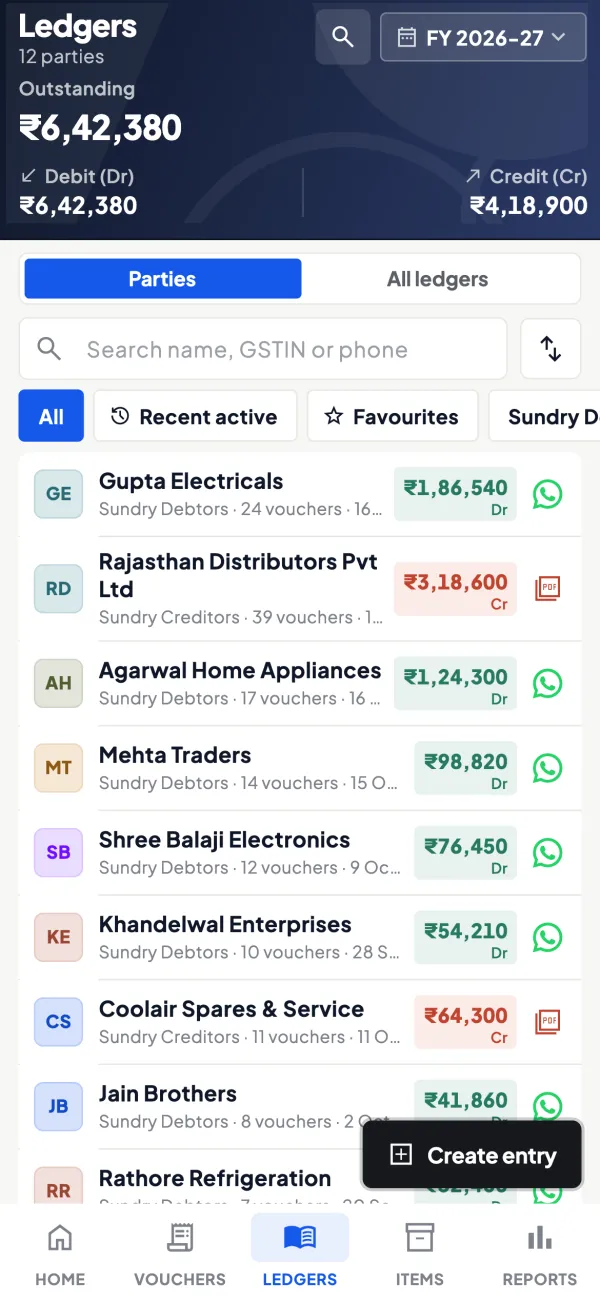
Live party ledger on the phone
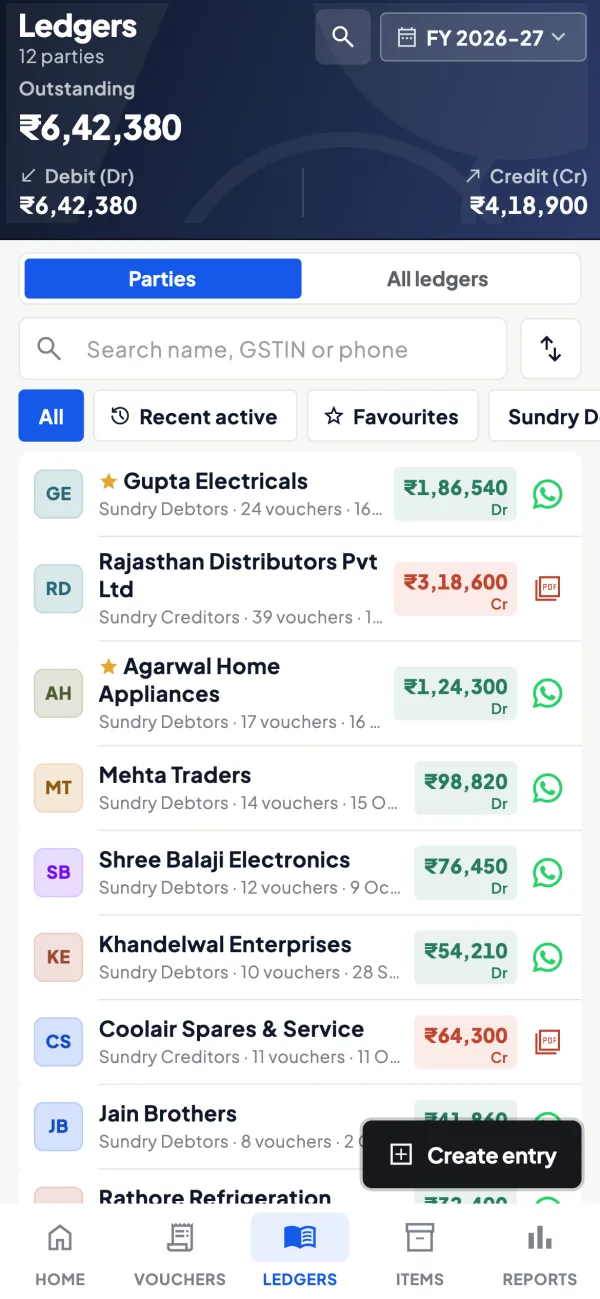
How it works. Search a party by name or open it from Ledgers. You see the opening balance, every bill and payment, and the running balance from your synced Tally books.
- Same entries as Tally's ledger
- Search by name, no scrolling through hundreds
- Works on the phone app and the web app
In practiceDuring a call, the owner opens Verma Kirana's ledger and sees opening ₹82,600, two bills of ₹31,400 and ₹18,750 and a ₹50,000 receipt.

PDF in Tally's format
How it works. Share the statement as a PDF laid out the way Tally prints ledgers, for business customers, accountants and auditors who are used to that layout.
- Familiar format for the other side's accountant
- Date range of your choice
- Sent on WhatsApp or saved
In practiceA pharma distributor sends Shree Medical Agencies its October statement as a Tally-format PDF, and their accountant confirms the ₹2,14,300 balance.
Hindi हिसाब page for everyday customers
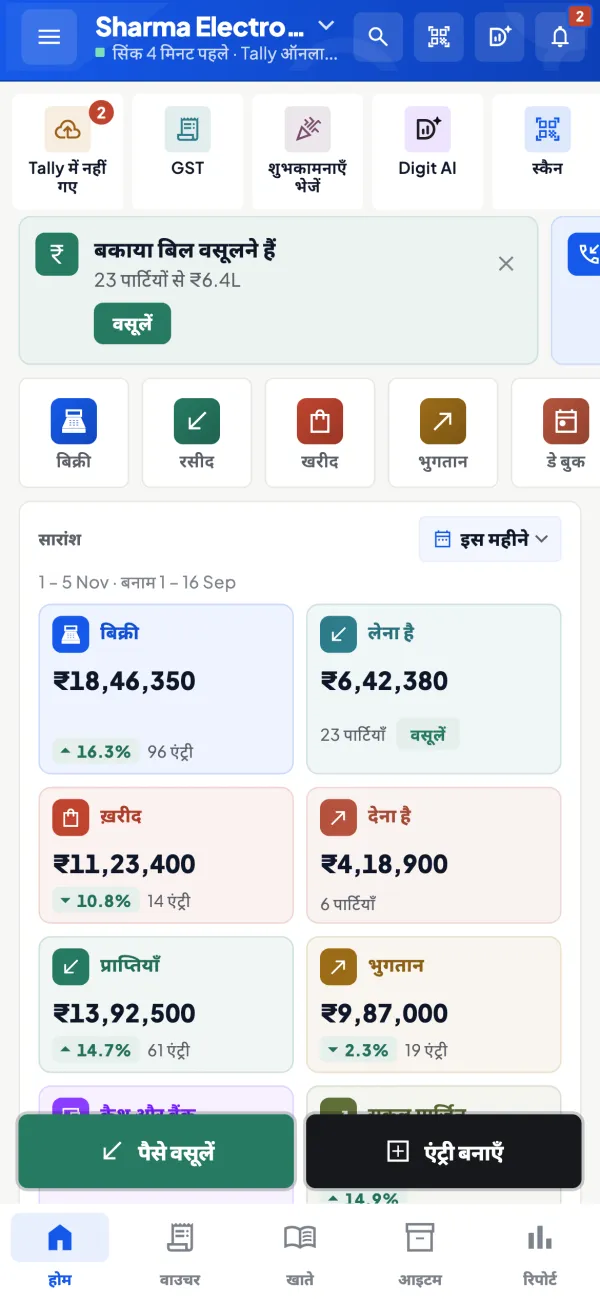
How it works. For shopkeepers, contractors and farmers, share a simple Hindi हिसाब page that lists what was taken and what was paid. The app itself can also run in Hindi.
- Plain Hindi that small buyers follow easily
- Same numbers as the Tally ledger
- Each staff member picks their own app language
In practiceA fertiliser dealer in Sikar sends Ramkishan ji his हिसाब page before the rabi season, and he clears ₹36,000 of last season's dues.
Any year, any range
How it works. Pick the current month with its opening balance, a whole financial year, or a custom range across years for a project or an audit.
- Short ranges keep statements easy to read
- Year-end balance confirmations made quickly
- Projects that run past March in one statement
In practiceFor a builder's project from August 2025 to January 2027, the accountant shares one statement covering the whole period.
Guide
Party ledger statements: the full guide
How it works day to day, who does what, and the points to watch.
Why statements matter more than they seem
A party statement is the single document that settles most payment arguments. A buyer who sees every bill, every payment and the running balance in front of him has very little left to dispute. Yet in many businesses, getting a statement out takes a day: the accountant is busy, the Tally PC is in use, someone has to print and photograph or export it. The longer that takes, the longer payment waits. Our guide on customer ledger statement best practices covers what a good statement should show.
Two formats for two kinds of reader
| Format | Best for |
|---|---|
| PDF in Tally's format | Business customers, accountants, auditors, anyone used to Tally's ledger layout |
| Hindi हिसाब page | Shopkeepers, contractors, farmers and anyone who prefers a plain Hindi account of what was taken and what was paid |
Both come from the same synced Tally data, so the numbers match what Tally shows. The app itself also works in English or Hindi, and each user picks their own language.
Who uses it
- Owners answering a customer's call while away from the office.
- Accountants sending month-end statements to a list of parties.
- Salespeople, whose role is limited to items and their own customers, so they talk about dues with the right facts and nothing more.
- Purchase staff checking a supplier's ledger before a payment, because supplier ledgers work the same way.
A worked example
A hardware retailer calls to say he paid ₹50,000 last week and his balance should be lower. You open his ledger, set the range to the current month and see: opening balance ₹82,600, two bills of ₹31,400 and ₹18,750, and a receipt of ₹50,000 three days ago. Closing balance ₹82,750. You share the PDF on WhatsApp. He sees that the payment is there and that the two new bills explain the balance. The call ends with an agreement to pay the older bill this week. Without the statement the same conversation could have taken several days of calls. For wording that helps, see payment reminder message templates.
Statements as a monthly habit
The businesses that collect best tend to send statements before anyone asks. A simple monthly routine looks like this. In the first week of the month, the accountant opens the receivables list, picks the parties with a balance, and sends each one the previous month's statement on WhatsApp with a one-line note: "Namaste, please find your account statement up to 31 October. Kindly confirm the balance." Parties who reply with a difference are the ones worth a call; parties who say nothing have, in practice, accepted the balance.
This also helps at year-end. Balance confirmations for the auditor are much easier when parties have seen their statements every month and disagreements have been sorted out along the way rather than all in March. If you sell in both Hindi-speaking and other markets, send the format each party prefers: the Hindi हिसाब page to the shopkeeper in a small town and the Tally-format PDF to the company that has its own accountant.
Tips
- Use bill-wise details in Tally so statements show bills and what was settled against them.
- Send statements before the customer asks. A short monthly routine for your top parties prevents most disputes.
- Match the language to the reader. A Hindi हिसाब page often gets a faster response from a small shopkeeper than an English PDF.
- Pick sensible date ranges. A whole year is often too long; the current month plus the opening balance is clearer.
- Check before you send. If a receipt has not been entered in Tally yet, the statement will not show it.
What it does not do
- It does not send statements automatically on a schedule; you share them when you choose.
- It shows what is in Tally. Missing or wrong entries must be corrected in Tally (or from the app, if writing is switched on).
- It does not collect payment from the customer; it shows what is due.
This page is general information for Indian businesses, not tax, legal or financial advice. Rules and rates change — check the official portals or your CA before acting.
Set-up
Start using party ledger statements in 4 steps
Works on top of your TallyPrime — nothing to migrate, no second set of books.
- 1
Install the Tally Connector on the PC where TallyPrime is open
- 2
Sign in with your mobile number and scan the connector's QR
- 3
Open a party from Ledgers or search it by name
- 4
Pick the range and share the Tally-format PDF or the Hindi हिसाब page
Buyer’s checklist
What to look for in party ledger statements software
Whatever you choose, check these before you commit.
- Statements taken from your accounting books, so they match the ledger
- A layout business customers and auditors recognise
- A simple local-language format for customers who prefer it
- Sharing on WhatsApp from the phone, not printing and photographing
- Any financial year and custom ranges across years
- Works for supplier ledgers as well as customers
- Role control over who can see and send party balances
- Saved copies available when the network is weak
Plans
Simple yearly plans
- 14-day free trial on your own books
- 3-year term saves up to 25%
- Premium modules (catalogue, field force, price lists, store…) priced extra
Start free trialGet the price for your business
Compare all plans- Growth₹3,000/year + GSTBooks, reports, outstanding and sharing
- Pro₹5,000/year + GSTEverything in Growth, plus entries into Tally
- Pro+₹7,000/year + GSTEverything in Pro, plus e-invoice and e-way bill
Why Cashflow OS
Why use party ledger statements in Cashflow OS
- Matches your TallyStatements come from your synced Tally data; the PDF follows Tally's format.
- Two formatsTally-format PDF for businesses, Hindi हिसाब page for everyday buyers.
- Seconds, not a dayShare from the phone while the customer is still on the call.
- Customers and suppliersThe same statements work for supplier ledgers before you pay.
- English or HindiEach person uses the app in the language they read best.
- 14-day free trialSend your first statement from your own Tally data before you pay.