Feature
Financial reports from Tally
Cashflow OS gives you the reports you usually open Tally for, Profit & Loss, Balance Sheet, Trial Balance, Day Book and more, on your phone and the web app. They come from the same synced books, for any financial year or a custom range, in English or Hindi.
- P&L that matches your Tally
- Any year or across years
- Excel and PDF export
- English or Hindi, per person
Start free trialBook a free demo
Works with your TallyPrime14-day free trialJaipur team, call +91 70738 53555

Who it’s for
Who uses financial reports
- OwnersDaily pulse on Home, Profit & Loss every month
- AccountantsDay Book daily, Trial Balance at month-end
- Partners and family membersProfit & Loss and Balance Sheet in their own language
- CAsThe full set for review, loan and audit files
- Traders and distributorsTop customers, cash and bank, stock summaries
- ManufacturersExpenses and stock read against sales
- Businesses applying for a loanSeveral years of figures for the bank in one export
- Owners with several companiesEach company's reports, a switch away
Pain → fix
The problems financial reports solves
What goes wrong without it, and what changes with Cashflow OS.
- The problemReports only on the Tally PC in the office
Any question about the business waits until someone is back at that desk.
With Cashflow OS20+ reports on the phone and the web appProfit & Loss, Balance Sheet, Trial Balance, Day Book and more come from the synced copy of your Tally books.
Tally on the web - The problemThe bank wants three years of figures
Three exports from three financial years, stitched together by hand.
With Cashflow OSCustom date ranges across several financial yearsPick one range that spans the years and export it to Excel or PDF.
Reports in Excel and PDF - The problemProfit on paper, no money in the bank
The Profit & Loss looks healthy while the bank balance keeps falling.
With Cashflow OSP&L, cash and bank book and dues read togetherCash and bank movement, growing receivables and the stock summary explain where the profit is sitting.
Outstanding receivables - The problemA partner who cannot read English reports
The elder partner waits for someone to explain the figures, or stops asking.
With Cashflow OSReports in Hindi for whoever prefers itEach person picks English or Hindi, and both see the same figures.
Hindi and English - The problemA big payment due and no view of cash ahead
Advance tax, a stock build-up and supplier dues all land in the same month.
With Cashflow OSA cashflow forecast from the synced dataSee money expected in and out ahead, as a planning aid built from your books.
Payables tracking - The problemSeveral companies, several places to look
Each firm's figures sit in a different Tally company and a different login.
With Cashflow OSSwitch between Tally companies in one accountSeveral Tally companies sit in one Cashflow OS account, each with its own reports.
Multiple Tally companies in one account
What it does
What you can do with financial reports
Profit & Loss and Balance Sheet that match Tally
How it works. Open Reports, pick Profit & Loss or Balance Sheet, set a financial year or a custom range, and read the same figures your Tally holds.
- Same numbers as your TallyPrime books
- Any financial year, or a range across years
- Export to Excel or PDF for the bank or CA
In practiceBefore a loan meeting, Vikas exports Profit & Loss for 1 April 2023 to 31 March 2026 as one PDF instead of three separate ones.

Home: today against the period before
How it works. Home shows sales, purchases, receipts, payments, cash and bank for today, the month or the year, against the period before.
- A two-minute daily check
- Comparisons already worked out
- Tap through to the report behind a figure
In practiceOn a Monday morning the owner sees receipts at ₹2,10,000 for the month so far, against ₹3,05,000 at the same point last month, and calls the accountant about collections.

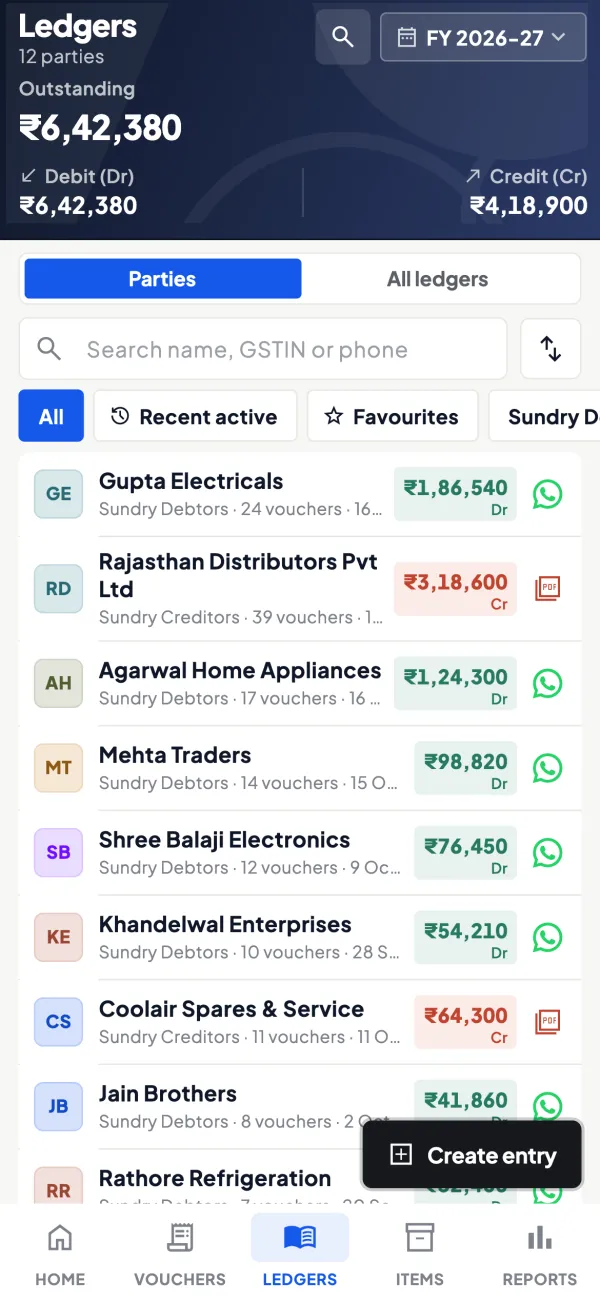
Ledgers, Day Book, cash and bank
How it works. Day Book for what was entered on a day, ledger reports for one account, and the cash and bank book for where money came from and went.
- Check the Day Book when staff enter from the app
- Match the bank book to the bank statement
- Any ledger's movement for any period
In practiceThe accountant checks the week's Day Book on Saturday and finds a ₹12,500 payment posted to the wrong expense head before the month closes.
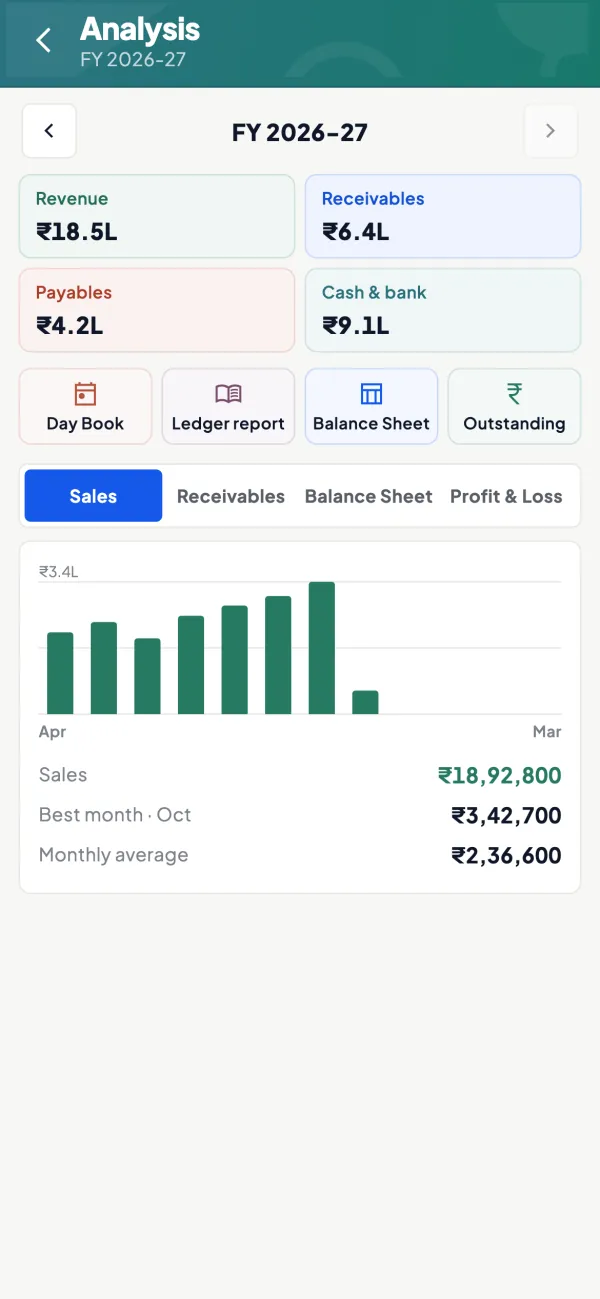
Sales, receivables and the year at a glance
How it works. The analysis view shows revenue, receivables, payables and cash and bank for the year, with sales by month and links to Day Book, ledger report, Balance Sheet and outstanding.
- Best month and monthly average at a glance
- Receivables and payables beside revenue
- One tap to the Balance Sheet or Profit & Loss
In practiceA trader sees revenue of ₹18.5 lakh for the year with ₹6.4 lakh in receivables, and decides to chase dues before buying more stock.
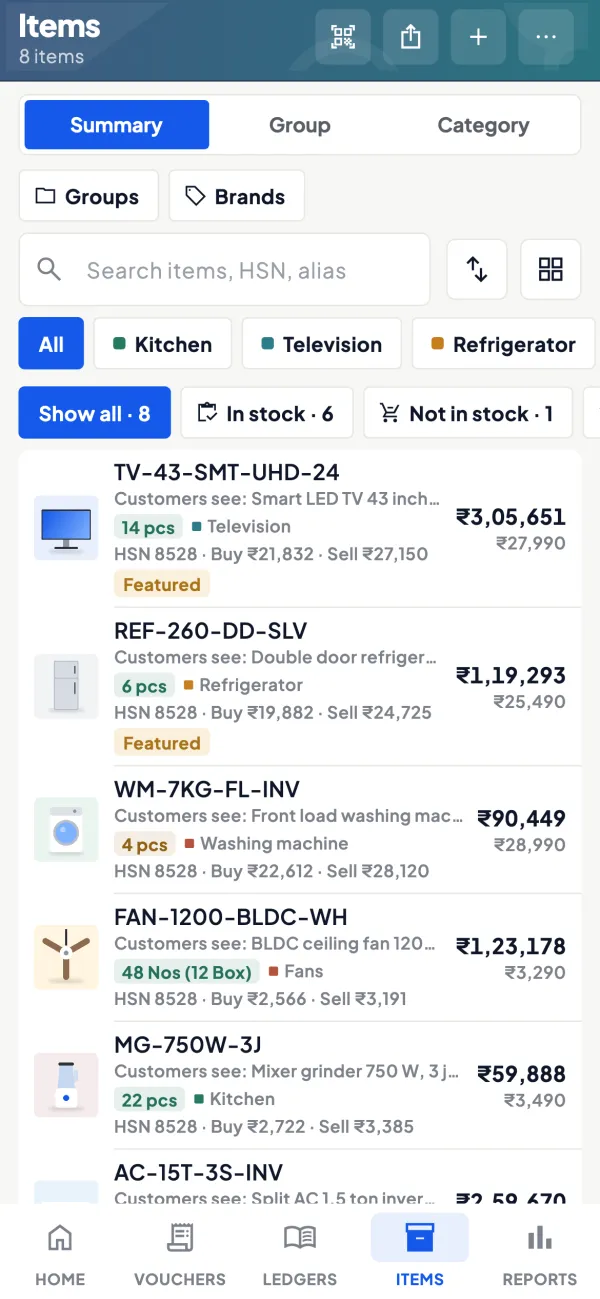
Stock and item summaries
How it works. Stock and item summaries show what you hold and what is moving, grouped by your Tally stock groups, alongside expenses and top customers.
- Stock value by group from your Tally
- Slow items visible at the monthly review
- Top customers for the period
In practiceAt the monthly review, the owner sees ₹1,50,000 more stock than at the start of the quarter, mostly in one group, and slows purchases there.
Guide
Financial reports: the full guide
How it works day to day, who does what, and the points to watch.
Which reports are included
| Report | Answers the question |
|---|---|
| Profit & Loss | Did the business make money in this period? |
| Balance Sheet | What does the business own and owe on a date? |
| Trial Balance | Do all ledgers balance, and what is in each? |
| Day Book | What was entered on a given day? |
| Cash and bank book | Where did cash and bank money come from and go? |
| Ledger report | What happened in one account? |
| Stock and item summaries, expenses, top customers | What is selling, what it costs to run, who buys most |
| Cashflow forecast | What money is expected in and out ahead? |
All are exportable to Excel and PDF.
Any year, or across years
Reports work for any financial year, and for custom date ranges that span several financial years. That second part is unusual and useful. A bank asking for three years of sales by month, or an owner wanting to compare Diwali season this year with the last two, does not need three separate exports stitched together. Our guide on Tally reports across financial years explains why this is normally awkward in Tally itself.
Who uses which report
- Owners: Home for the daily pulse, Profit & Loss monthly, cashflow forecast before big purchases.
- Accountants: Day Book daily, Trial Balance at month-end, cash and bank book against bank statements.
- Partners and family members: Profit & Loss and Balance Sheet in the language they prefer; each user can choose English or Hindi.
- CAs: the full set during review and for loan or audit files.
For a short guide to reading these, see Tally reports every owner should check.
A worked example: why profit and cash differ
A trader's Profit & Loss for the quarter shows a net profit of ₹4,20,000, yet the bank balance has fallen. The reports explain it in three steps. The cash and bank book shows ₹6,10,000 paid out against ₹4,90,000 received. Receivables have grown by ₹2,80,000 because two large customers have not paid. And the stock summary shows ₹1,50,000 more stock than at the start of the quarter. Profit was real, but it is sitting in debtors and in the godown, not in the bank. Looking at Profit & Loss alone would have hidden this; looking at the three together makes the next step obvious: collect from the two customers and slow down purchases. Read more in cash vs profit.
A monthly reporting rhythm
Reports are most useful when they are read on a schedule rather than when something has already gone wrong. A rhythm that suits most small businesses:
- Daily, two minutes: Home, comparing today's sales, receipts and cash and bank with the period before.
- Weekly, ten minutes: Day Book for the week, cash and bank book against the bank's own statement, and the expenses report for anything unusual.
- Monthly, half an hour: Profit & Loss against the previous month and the same month last year, top customers, and stock summaries for slow items.
- Quarterly: Balance Sheet and Trial Balance with the accountant or CA, and the cashflow forecast for the coming quarter's big payments such as advance tax or a stock build-up before the season.
None of this needs the Tally PC. The owner can do the daily and weekly parts on the phone, and the monthly part on the web app with a cup of tea, which is usually the difference between reports being read and reports being printed and filed.
Tips
- Close the month in Tally before reading month-end reports: purchases entered, bank entries made, closing stock handled the way your CA advises.
- Compare against the same period before. Home already does this for sales, purchases, receipts and payments.
- Use exports for meetings. A PDF of Profit & Loss on WhatsApp is often enough for a quick discussion with a partner.
- Check the Day Book weekly if staff enter vouchers from the app; it shows everything entered on a day.
What it does not do
- It does not change accounting treatment. Reports show what Tally holds; adjustments and closing entries are made in Tally, or from the app if writing is switched on.
- It is not an audit or a certification of the accounts.
- The cashflow forecast is based on the synced data; it is a planning aid, not a guarantee of what will be paid.
- Figures are as current as the last sync from the connector.
This page is general information for Indian businesses, not tax, legal or financial advice. Rules and rates change — check the official portals or your CA before acting.
Set-up
Start using financial reports in 4 steps
Works on top of your TallyPrime — nothing to migrate, no second set of books.
- 1
Install the Tally Connector on the PC where TallyPrime is open
- 2
Sign in with your mobile number and scan the connector's QR
- 3
Open Reports, pick a report and a year or a custom date range
- 4
Invite your accountant or CA, and export to Excel or PDF as needed
Buyer’s checklist
What to look for in financial reports software
Whatever you choose, check these before you commit.
- Profit & Loss and Balance Sheet that agree with your Tally figures
- Trial Balance, Day Book, cash and bank book and ledger reports included
- Any financial year, plus date ranges that span more than one year
- Excel and PDF export for the bank, the CA or partners
- Stock, expense and top-customer views, not only the statutory reports
- Readable on a phone, with a fuller view in a browser
- Each user reads reports in the language they are comfortable with
- Clear about freshness: figures are as current as the last sync
Plans
Simple yearly plans
- 14-day free trial on your own books
- 3-year term saves up to 25%
- Premium modules (catalogue, field force, price lists, store…) priced extra
Start free trialGet the price for your business
Compare all plans- Growth₹3,000/year + GSTBooks, reports, outstanding and sharing
- Pro₹5,000/year + GSTEverything in Growth, plus entries into Tally
- Pro+₹7,000/year + GSTEverything in Pro, plus e-invoice and e-way bill
Why Cashflow OS
Why use financial reports in Cashflow OS
- Same numbers as TallyReports come from the synced copy of your TallyPrime books.
- 20+ reportsProfit & Loss to Day Book, stock summaries to a cashflow forecast.
- Across financial yearsOne custom range can span several years for the bank or a comparison.
- English or HindiEach person reads the reports in the language they prefer.
- Excel and PDFExport any report to share with the CA, the bank or a partner.
- Phone and webDaily checks on the phone, the monthly review on the web app.