Feature
Payables tracking
Most owners watch what customers owe them and lose track of what they owe suppliers. Cashflow OS shows bill-wise payables with ageing from your TallyPrime books, so you know which supplier bills fall due this week before the supplier calls.
- Supplier dues bill by bill
- Ageing from your Tally
- Plan the week's payments
- Payment voucher from phone
Start free trialBook a free demo
Works with your TallyPrime14-day free trialJaipur team, call +91 70738 53555

Who it’s for
Who uses payables tracking
- DistributorsCompany bills on 15 to 30 days that protect the supply line
- WholesalersMany suppliers, each with its own credit period
- ManufacturersRaw material, packing and job-work bills falling due
- RetailersBrand and wholesaler bills against a tight bank balance
- Owners who sign paymentsSee the week's dues in one place before approving
- AccountantsPayment lists checked against suppliers' statements
- Purchase managersSupplier balance known before the next order
- Businesses buying from MSMEsKeep an eye on bills from micro and small suppliers
Pain → fix
The problems payables tracking solves
What goes wrong without it, and what changes with Cashflow OS.
- The problemPaying whoever calls first
The loudest supplier gets paid while the one that matters waits.
With Cashflow OSBills due soonest, supplier by supplierBill-wise payables with ageing show which bills fall due this week, from your Tally books.
- The problemSupplier's balance known only to the accountant
You place a new order without knowing ₹2 lakh is already overdue.
With Cashflow OSSupplier ledger with live balance on the phoneOpen the supplier's ledger before you order or pay, from the synced Tally data.
Party ledger statements - The problemTheir statement and our books never match
The supplier's closing balance differs and nobody knows which bill is missing.
With Cashflow OSCompare bill by bill with their statementOpen the supplier's bills for the same period and spot the debit note or scheme credit one side missed.
- The problemPayments entered days after they are made
Payables overstate and a supplier is chased twice internally.
With Cashflow OSPayment voucher into Tally from the appOnce writing is on, pick the supplier, bank and bills settled; Tally validates the entry.
Create Tally vouchers from your phone - The problemPaying out while customers pay late
Suppliers are funded from the bank limit while receivables keep ageing.
With Cashflow OSLook at payables and receivables togetherThe same bill-wise view on the customer side shows whether money is coming in to cover what goes out.
Outstanding receivables - The problemBills from today's orders surprise you later
Goods ordered on the phone turn into bills nobody planned for.
With Cashflow OSStart with a written purchase orderPurchase orders set the rate and payment period up front, so the bill and its due date are expected.
Purchase orders
What it does
What you can do with payables tracking
Payables by age
How it works. See the total you owe suppliers and how it splits across age buckets, then supplier by supplier with the amount due and the oldest bill.
- The week's dues in one screen
- Overdue suppliers stand out at once
- Matches Tally's bill-wise details after each sync
In practiceOn Wednesday, a paint dealer with ₹6,00,000 in the bank sees the brand company's ₹4,20,000 bill falls due on Friday.

Bill by bill for each supplier
How it works. Open a supplier to see each pending bill with number, date, amount and days since the bill, and the supplier's ledger with its live balance.
- Know exactly which bills a payment should settle
- Check the balance before a new order
- Statement PDF to compare with the supplier's own
In practiceKumar Tools sends a statement showing ₹42,800; the dealer's books show ₹38,500, and the gap is a ₹4,300 debit note for returned brushes.

Record the payment from the phone
How it works. With writing switched on, create a payment voucher from the phone or web app: supplier, bank or cash ledger, and the bills being settled. Tally validates it; a refused entry comes back with Tally's reason.
- Payments in Tally the day they are made
- Bills settled against the right invoices
- Accountant can still do it in Tally if you prefer
In practiceAfter the NEFT of ₹4,20,000 goes through, the owner records the payment against the brand company's bill from his phone.
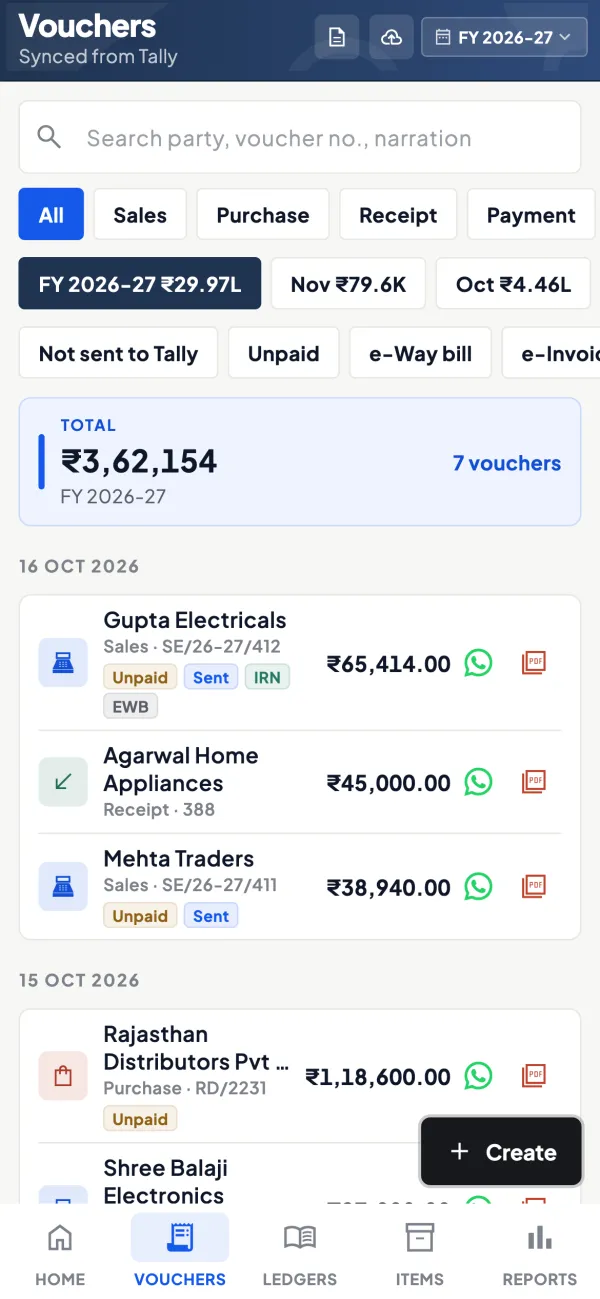
Cash in versus cash out
How it works. Use the cashflow forecast and the receivables view beside payables to see whether expected collections cover the bills falling due.
- Spot weeks where payments outrun receipts
- Decide which bills can safely wait
- Export to Excel for the weekly payment meeting
In practiceWith ₹4,80,500 due this week and ₹3,10,000 expected from customers, the owner pushes the packing supplier's ₹65,000 bill to its due date.

Guide
Payables tracking: the full guide
How it works day to day, who does what, and the points to watch.
Why payables deserve the same attention as receivables
Supplier credit is the cheapest money most small businesses have. A distributor who buys on 30 days and pays on day 30 keeps his rate, his priority on short-supply items and his supplier's goodwill. One who pays on day 55 every time slowly loses all three, often without anyone telling him why. Meanwhile, paying too early drains cash that could have bought stock or cleared a bank limit.
Payables tracking is about paying the right bill at the right time. That needs the same thing receivables need: bill-wise detail and ageing, not just a closing balance on the supplier's ledger. Our guide on the working capital cycle shows how supplier days and customer days together decide how much cash the business ties up.
What you see
- Total payable across suppliers and how it splits by age.
- Supplier by supplier, the amount due and the oldest bill.
- Bill by bill within a supplier: bill number, date, amount pending and days since the bill.
- The supplier's ledger with its live balance, and a statement as a PDF in Tally's format if you want to compare it with the supplier's own statement.
The figures come from Tally's bill-wise details through the connector, so they match Tally. Receivables have the same view on the customer side.
A worked example: planning Friday's payments
A paint dealer has ₹6,00,000 in the bank on Wednesday and sees this in payables:
| Supplier | Bill amount | Days since bill | Agreed credit |
|---|---|---|---|
| Brand company (main supply) | ₹4,20,000 | 13 | 15 days |
| Brush and tools wholesaler | ₹38,500 | 41 | 30 days |
| Transporter | ₹22,000 | 28 | 30 days |
| Packing material supplier | ₹65,000 | 9 | 45 days |
The company bill falls due on Friday and protects the main supply line, so it goes first. The tools wholesaler is already 11 days late and gets paid with it. The transporter is due in two days and is a small amount; pay it to keep deliveries smooth. The packing bill has five weeks left and can wait. Total out: ₹4,80,500, leaving about ₹1,19,500 for the week's expenses. Without the bill-wise view, the owner would likely have paid whoever called first.
Who uses it
- Owners who sign cheques or approve transfers and want to see the week's dues in one place.
- Accountants preparing a payment list and checking it against suppliers' statements.
- Purchase managers who want to know a supplier's balance before placing a new order.
Tips
- Enter purchase bills on the day they arrive. A bill sitting in a drawer does not show up as payable, and its due date passes quietly.
- Use bill-wise details for creditors in Tally and settle each payment against specific bills, not on account. See bill-wise details explained.
- Reconcile with the supplier's statement monthly. Differences are usually a debit note, a scheme credit or a bill one side has not booked.
- Look at receivables and payables together. If payables are rising while receivables age, you are funding customers out of suppliers' patience.
- Watch micro and small suppliers. Payments to MSME suppliers have a legal time limit; see the MSME 45-day payment rule. This is general information, not tax or legal advice.
Making payments from the app
Once the owner switches writing into Tally on for the company, payment vouchers can be created from the phone or web app and posted into Tally through the connector. You pick the supplier, the bank or cash ledger and the bills being settled; Tally validates the entry, and a refused one comes back with Tally's reason. Many owners prefer to keep payments with the accountant and use the app only to decide what to pay. Both work.
What it does not do
- It does not make bank transfers or connect to your bank; it shows what Tally says you owe.
- It does not remind suppliers or schedule payments automatically.
- It is only as complete as the purchase bills entered in Tally and the last sync from the connector.
This page is general information for Indian businesses, not tax, legal or financial advice. Rules and rates change — check the official portals or your CA before acting.
Set-up
Start using payables tracking in 4 steps
Works on top of your TallyPrime — nothing to migrate, no second set of books.
- 1
Install the Tally Connector on the PC where TallyPrime is open
- 2
Make sure bill-wise details are on for supplier ledgers in Tally
- 3
Sign in, scan the connector's QR and open Payables
- 4
Switch on writing into Tally if you want to record payments from the app
Buyer’s checklist
What to look for in payables tracking software
Whatever you choose, check these before you commit.
- Bill-wise payables with ageing, not just a balance on the supplier's ledger
- Figures that come from your accounting books, so they match
- Supplier ledger and statement handy to reconcile with their statement
- Receivables and payables in the same app, to plan cash both ways
- Payment entries recorded into the books against the right bills
- Clear limits: it records payments; it does not move money from your bank
- Role control, so salesmen and staff do not see what you owe suppliers
- Export to Excel or PDF for a weekly payment review
Plans
Simple yearly plans
- 14-day free trial on your own books
- 3-year term saves up to 25%
- Premium modules (catalogue, field force, price lists, store…) priced extra
Start free trialGet the price for your business
Compare all plans- Growth₹3,000/year + GSTBooks, reports, outstanding and sharing
- Pro₹5,000/year + GSTEverything in Growth, plus entries into Tally
- Pro+₹7,000/year + GSTEverything in Pro, plus e-invoice and e-way bill
Why Cashflow OS
Why use payables tracking in Cashflow OS
- Straight from TallyBill-wise supplier dues and ageing from your TallyPrime books.
- Pay the right bill on timeSee what falls due this week before the supplier calls.
- Reconcile with suppliersLedger and statement in Tally's format, ready to compare.
- Payments back into TallyRecord payment vouchers from the phone once writing is on.
- Private by roleSalespeople see items and their customers, not your payables.
- 14-day free trialSee your own supplier dues first. Plans from ₹3,000 a year + GST.