Feature
Purchase orders
A purchase order is your written promise to buy at an agreed rate and quantity. Cashflow OS makes one with your logo, letterhead and signature, shares it with the supplier as a PDF on WhatsApp or by email, and can post the purchase order into TallyPrime so your books know what is on the way.
- Rate and quantity in writing
- Branded PDF to the supplier
- PO posted into Tally
- Check deliveries against it
Start free trialBook a free demo
Works with your TallyPrime14-day free trialJaipur team, call +91 70738 53555

Who it’s for
Who uses purchase orders
- ManufacturersRaw material and packing bought in regular lots
- Traders and distributorsStock orders to principal companies and wholesalers
- RetailersSeasonal and festival buying from several suppliers
- Owners and purchase managersOrder placed on a call, confirmed in writing
- Godown and stores staffCheck what arrives against what was ordered
- Purchase clerksMatch the supplier's bill rate with the PO
- Contractors and project buyersMaterial ordered per site with delivery dates
- Restaurants and institutionsWeekly orders to fixed vendors
Pain → fix
The problems purchase orders solves
What goes wrong without it, and what changes with Cashflow OS.
- The problem"Same rate as last time" on the phone
The bill arrives at a new rate and there is nothing in writing.
With Cashflow OSA branded PO with rate, quantity and dateMake the PO from your Tally items and share it as a PDF so the supplier has the terms in writing.
- The problemShort supply noticed after the bill is entered
Four rolls missing and the bill paid in full.
With Cashflow OSGodown checks the delivery against the POWith the PO on the phone, receiving staff count against it and record a receipt note in Tally.
Create Tally vouchers from your phone - The problemBooks do not know what is on the way
Stock looks low and someone orders the same thing twice.
With Cashflow OSPO posted into Tally as a voucherOnce writing is on, the purchase order goes into Tally through the connector, and Tally validates it.
- The problemSupplier bills ₹3 more than agreed
Small rate differences on large quantities quietly add up.
With Cashflow OSRates on the PO to check the bill againstThe purchase clerk compares the billed rate with the PO and raises a debit note if needed.
- The problemBills from orders fall due unnoticed
Payment terms were agreed on a call and nobody remembers them.
With Cashflow OSPayment period on the PO, dues in payablesBill-wise payables with ageing show when the bills from these orders are due.
Payables tracking - The problemNot sure what to reorder
Orders are placed on memory, not on what is moving.
With Cashflow OSCheck stock summaries before raising POsStock and item summaries from Tally show what is moving and what is low.
Financial reports from Tally
What it does
What you can do with purchase orders
A branded purchase order in a minute
How it works. Pick the supplier, add items from your Tally items with quantities and agreed rates, and add terms such as delivery date and payment period. The PDF carries your logo, letterhead and signature.
- Supplier sees the same item names you stock
- Rate, quantity and date in writing
- Terms set once and reused
In practiceA Rajkot manufacturer orders 2,000 five-ply boxes at ₹38, 40 stretch film rolls at ₹410 and 300 BOPP tapes at ₹42, delivery by Friday.

Shared on WhatsApp or email
How it works. Send the PO as a PDF on WhatsApp or by email from the phone or the web app, while you are still on the call with the supplier.
- Supplier has the order the same minute
- PO number to quote on the delivery
- Works from the supplier's office or the road
In practiceAfter agreeing rates on a call, the owner shares PO-0412 with Shree Packaging on WhatsApp before hanging up.

Into Tally, then the rest of the buying chain
How it works. With writing switched on, the PO is posted into Tally as a purchase order voucher. Receipt notes, purchase vouchers and debit notes can also be made from the app as goods and bills arrive.
- Books know what is pending from suppliers
- Receipt note entered at the godown on delivery
- Tally validates every entry and gives reasons
In practiceThe godown records 36 of 40 film rolls received; the clerk spots tape billed at ₹45 instead of ₹42 and raises a ₹900 debit note.
Know what to order and when it is due
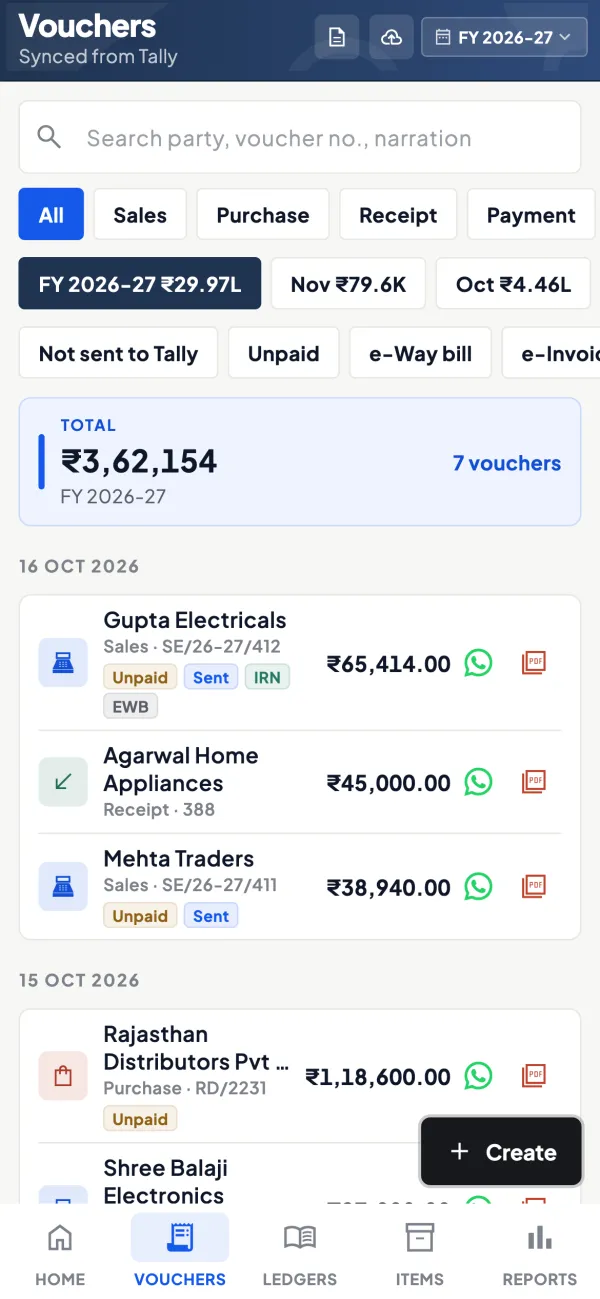
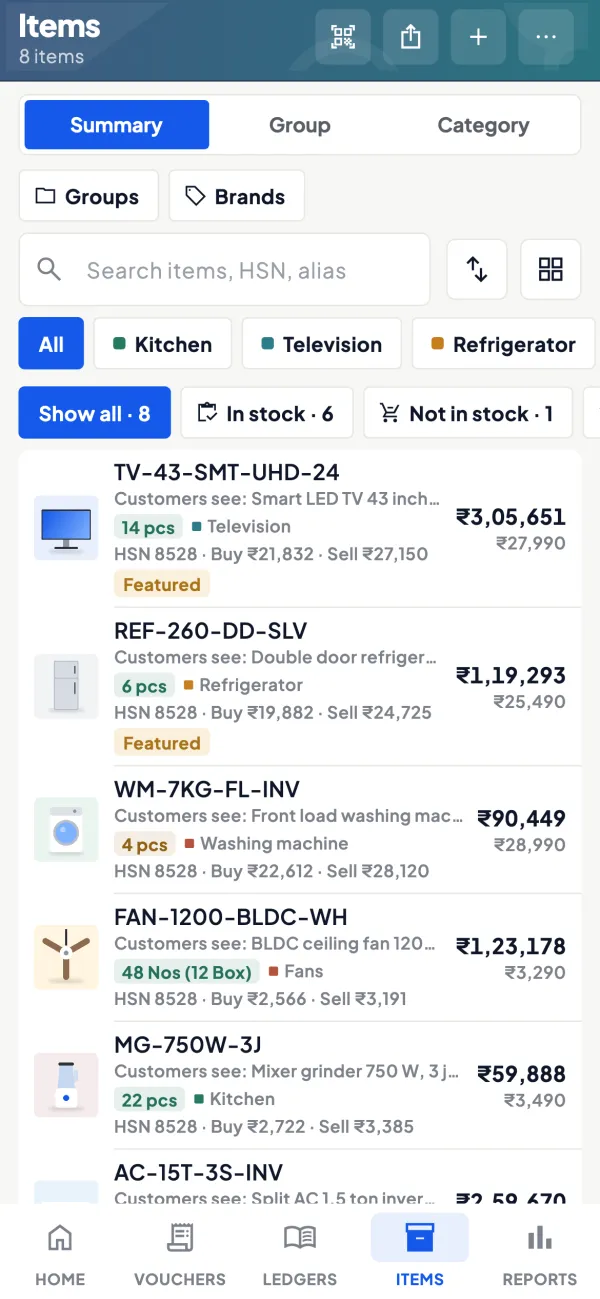
How it works. Before raising POs, check stock and item summaries from Tally. After billing, payables with ageing show when each supplier is due.
- Reorder based on what is moving
- Payment dates planned, not remembered
- Suppliers paid on time earn better terms
In practiceEvery Monday, the purchase manager checks fast movers in the item summary, raises five POs and reviews next week's payables on Friday.
Guide
Purchase orders: the full guide
How it works day to day, who does what, and the points to watch.
Why write a purchase order at all
Many small businesses order on a phone call: "send 50 bags, same rate as last time". It works until it does not. The supplier sends 45 bags, or bills at a new rate, or delivers a week late, and there is nothing in writing to point to. A purchase order fixes the three things that cause most supplier disputes: what was ordered, at what rate, by when. It also gives the person receiving goods at the godown something to check the delivery against. For a standard layout, see purchase order format, and for how it differs from the selling side, sales order vs purchase order.
What Cashflow OS does
- A branded document: your logo, colours, letterhead, signature, and bank and UPI details on the PDF.
- Items from your Tally books, so the names the supplier sees match the items you will receive into stock.
- Sharing on WhatsApp or by email from the phone or the web app.
- Purchase order voucher in Tally: once writing is switched on, a purchase order can be created in Tally through the connector. Tally validates it like any other entry.
- The rest of the buying chain: receipt notes, purchase vouchers and debit notes can also be created from the app, so receiving and billing do not wait for someone at the Tally PC.
A worked example: checking a delivery against the PO
A small manufacturer orders packing material:
| Item | Ordered | Rate | Received | Billed rate |
|---|---|---|---|---|
| Corrugated boxes 5-ply | 2,000 | ₹38 | 2,000 | ₹38 |
| Stretch film roll | 40 | ₹410 | 36 | ₹410 |
| BOPP tape | 300 | ₹42 | 300 | ₹45 |
With the PO on the phone, the godown spots four rolls short and the purchase clerk spots tape billed ₹3 higher than agreed: ₹900 on 300 rolls. Both go back to the supplier with the PO as evidence, and a debit note or a corrected bill follows. Without the PO, the bill would most likely have been entered as received.
A weekly buying routine
Purchase orders work best as part of a rhythm rather than one-off documents. A routine many small businesses can follow:
- Monday: look at the stock and item summaries for fast-moving items and anything near its reorder level. Our guide on reorder levels and safety stock explains how to set those levels.
- Monday afternoon: raise POs for what is needed, with rates agreed on the phone, and share them on WhatsApp so the supplier has them the same day.
- On delivery: the godown checks quantities against the PO and records a receipt note.
- When the bill arrives: the purchase clerk checks rates against the PO before the purchase voucher goes into Tally.
- Friday: review payables due next week so suppliers who delivered on time are also paid on time.
Paying on time against clean POs is often what earns a small buyer better rates and priority supply in a shortage season.
Who uses it
- Owners and purchase managers who place orders while at the supplier's office or on a call.
- Manufacturers buying raw material and packing material in regular lots.
- Traders and distributors placing stock orders with principal companies or wholesalers.
- Godown staff who check what arrives against what was ordered.
Tips
- Always write the rate. A PO without rates protects only the quantity.
- Put the payment period on the PO. It sets expectations before the bill arrives and helps when you later review payables.
- Number POs in one series and quote the PO number on the receipt note.
- Close old POs. At month-end, check what was ordered but not received and either chase or cancel it.
- Watch the payables side. Bill-wise payables with ageing show when the bills from these orders fall due; see payables tracking.
What it does not do
- It does not send the PO to the supplier's own software; the supplier receives a PDF.
- It does not write into Tally unless the owner has switched writing on and the connector is running.
- It does not approve or reject supplier bills on its own; matching is still a human check, made easier by having the PO to hand.
- It does not make payments to suppliers.
This page is general information for Indian businesses, not tax, legal or financial advice. Rules and rates change — check the official portals or your CA before acting.
Set-up
Start using purchase orders in 4 steps
Works on top of your TallyPrime — nothing to migrate, no second set of books.
- 1
Switch on the documents module and set your logo, letterhead and signature
- 2
Pick a supplier, add items, quantities and agreed rates
- 3
Add delivery date and payment period, then share the PDF
- 4
Switch on writing to post POs and receipt notes into Tally
Buyer’s checklist
What to look for in purchase orders software
Whatever you choose, check these before you commit.
- Items picked from your stock list, so names match what you receive
- Rate, quantity, delivery date and payment terms on every PO
- A branded PDF shared on WhatsApp or email from the phone
- The PO recorded in your accounting books, not only as a PDF
- Receipt notes and purchase bills entered against what was ordered
- Debit notes for short supply or rate differences without delay
- One PO number series, quoted on deliveries and bills
- Payables with ageing, so bills from these orders are paid on time
Plans
Simple yearly plans
- 14-day free trial on your own books
- 3-year term saves up to 25%
- Premium modules (catalogue, field force, price lists, store…) priced extra
Start free trialGet the price for your business
Compare all plans- Growth₹3,000/year + GSTBooks, reports, outstanding and sharing
- Pro₹5,000/year + GSTEverything in Growth, plus entries into Tally
- Pro+₹7,000/year + GSTEverything in Pro, plus e-invoice and e-way bill
Why Cashflow OS
Why use purchase orders in Cashflow OS
- From your Tally itemsItems and suppliers come from your TallyPrime books.
- Looks like your businessLogo, letterhead, signature and terms on every PO.
- Posted into TallyPurchase order vouchers go into Tally once writing is switched on.
- The whole buying chainReceipt notes, purchase vouchers and debit notes from the app as well.
- Payables in viewSee when the bills from your orders fall due.
- 14-day free trialRaise a PO from your own items first. Entries into Tally need a Pro plan or above.