Mobile retail
Mobile phone shops: IMEI stock, EMI sales and accessory margins
A mobile shop turns stock fast but on very thin handset margins, so the accessories counter, scheme payouts and tight control of every IMEI decide whether the month is profitable.
- Barcodes for every accessory
- Repairs as service jobs
- Day's cash and UPI on phone
- Alerts when bills change
Start free trialBook a free demo
Works with your TallyPrime14-day free trialJaipur team, call +91 70738 53555
Built for mobile phone shops
Who it’s for
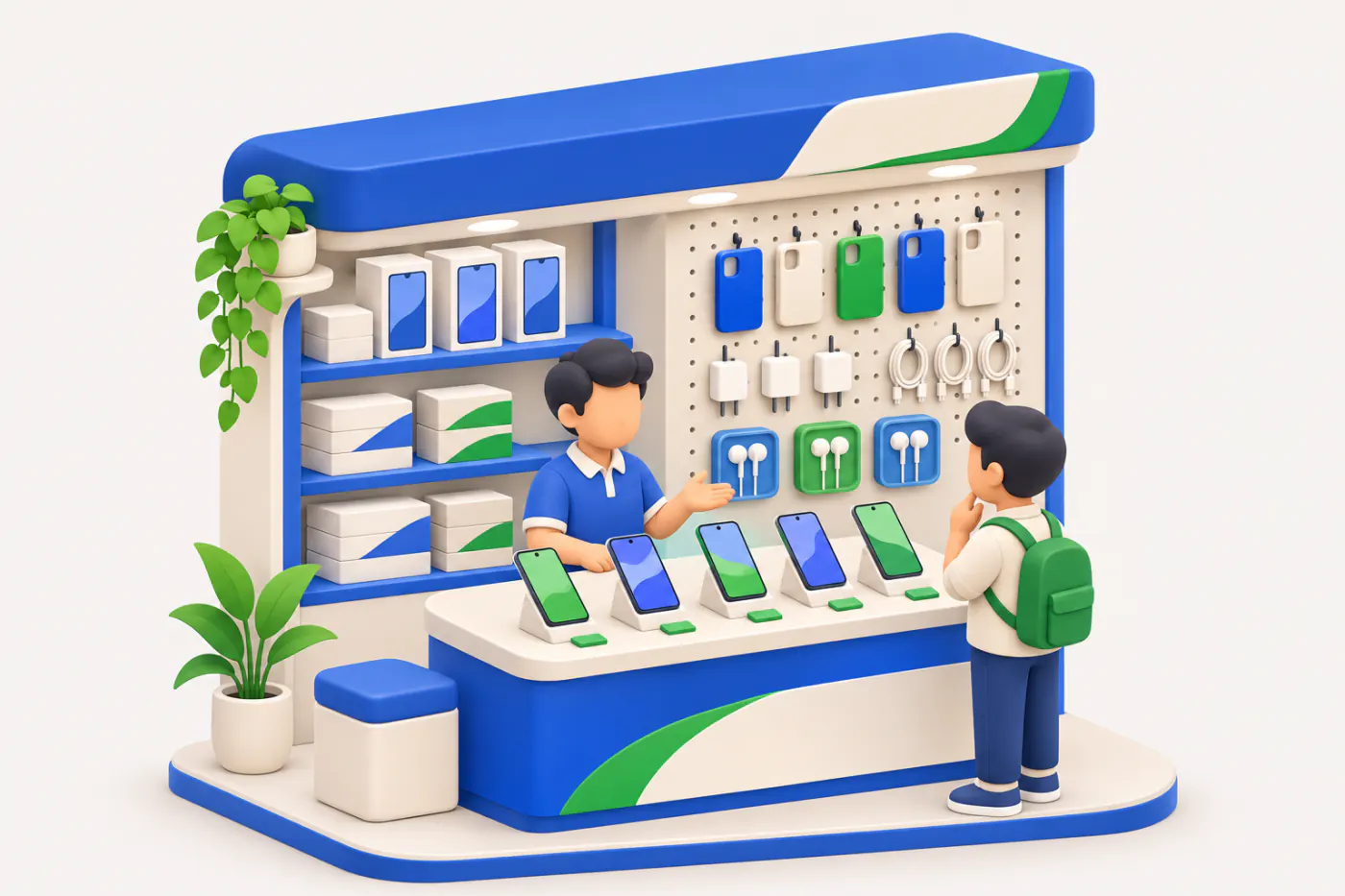
- Multi-brand mobile shopsHandsets, accessories and EMI sales at one counter
- Brand stores and franchise outletsSingle-brand counters with monthly sell-out targets
- Mobile accessories wholesalersCovers, glass, chargers and cables to retailers
- Repair and service countersScreens, batteries and software jobs
- Used and refurbished phone dealersExchange stock bought, checked and resold
- Mobile distributors and sub-distributorsRetailers supplied on short credit
- Phone-and-electronics storesPhones beside TVs, speakers and small appliances
Pain → fix
The problems we fix
The everyday headaches of mobile phone shops, and what changes when the books are on every phone.
- The problemCovers and glass sold without a bill
Accessory profit never reaches Tally, and stock of hundreds of small items stops matching.
With Cashflow OSScan the label, bill the accessoryPrint barcode labels per item or per piece and scan them with the phone camera at the counter.
See how it works - The problemScreen repairs tracked in a notebook
Phones in for repair, parts used and pending deliveries are written down and forgotten.
With Cashflow OSRepair jobs with parts and labour, then invoicedRecord the phone as a service job, add parts and service charges, then close and invoice it.
See how it works - The problemOwner away, no idea how the counter did
Cash, UPI and card sales are only known when someone calls the shop at night.
With Cashflow OSToday's sales, cash and bank on your phoneHome shows sales, receipts, cash and bank for today and the month, with an evening summary of the day.
See how it works - The problemA bill changed or deleted after closing
Edits made in Tally late in the evening go unnoticed until the stock count.
With Cashflow OSPush alert when a voucher is changed or deletedOwners get a notification when vouchers are added, changed or deleted in Tally.
- The problemFinance company payouts pending for days
EMI sales are paid out later, sometimes net of charges, and old ones are never chased.
With Cashflow OSFinance company balances bill by billKeep each finance company as a party in Tally; its open bills and ageing show in the app.
See how it works - The problemCustomers ask for models and covers on WhatsApp
Staff send blurry photos one by one, with prices typed in chat.
With Cashflow OSCatalogue link with photos and your own namesShare an online catalogue link customers browse without the app; enquiries come to you on WhatsApp.
See how it works
Features
How Cashflow OS works for mobile phone shops
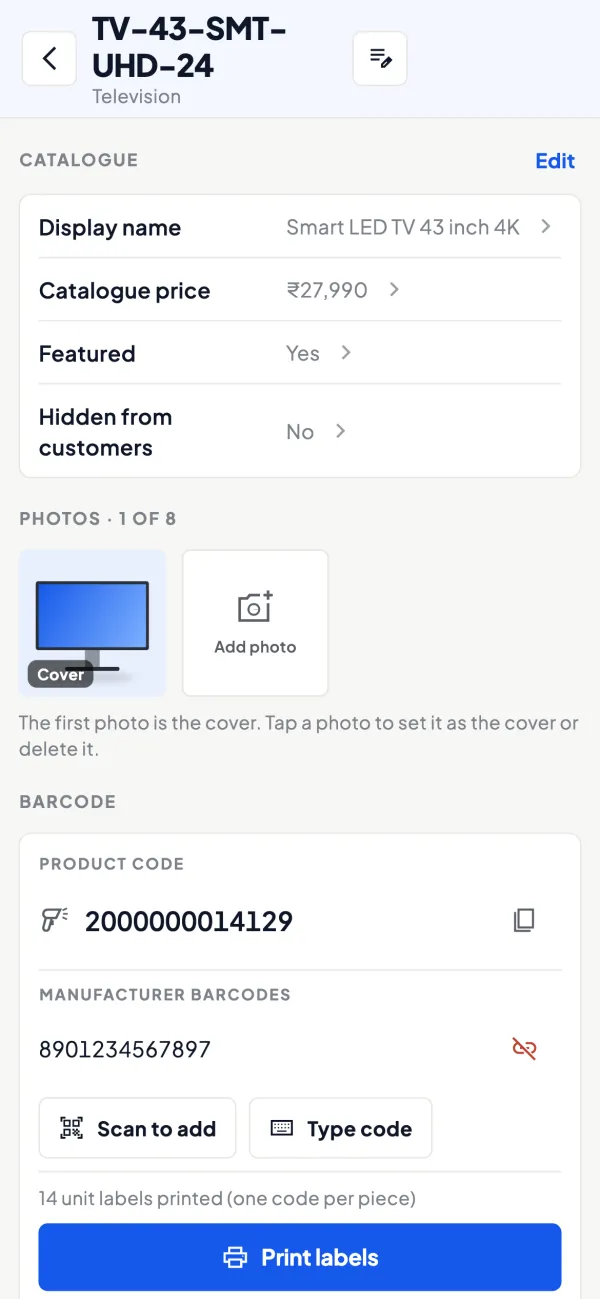
Barcode labels for the accessory wall
How it works. Print labels for covers, glass, chargers and cables on a thermal or A4 printer, and scan them with the phone camera when billing or counting.
- Fewer accessory sales slipping past the bill
- Faster monthly stock counts
- Labels per item or per piece
In practiceShree Mobiles in Lucknow labels 600 accessory items over a weekend; the next stock count takes an hour instead of a day.
Repair desk as service jobs
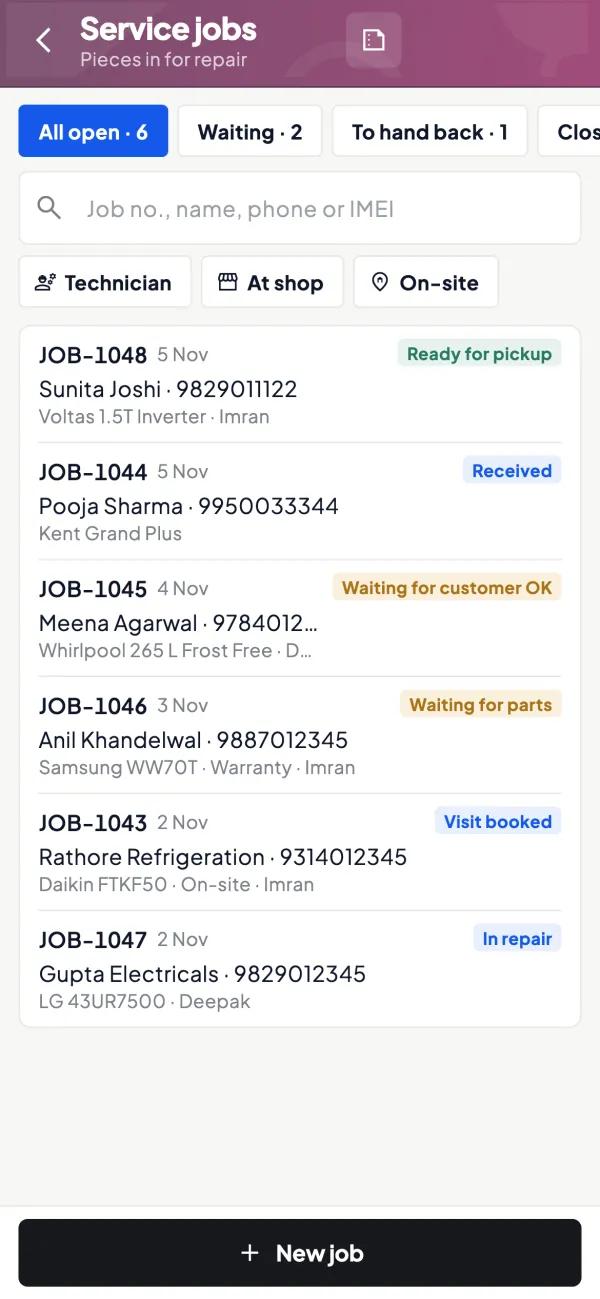
How it works. Open a job for each phone that comes in, add the part and labour, and close it with an invoice when the customer collects it.
- Pending repairs listed in one place
- Parts and labour billed together
- Job closes into an invoice
In practiceA screen replacement takes a ₹2,400 display and ₹500 labour; the job is closed and billed when Ankit collects his phone.
The counter on the owner's phone
How it works. Sales, receipts, cash and bank for today, the month and the year, against the period before, from your Tally books.
- Evening summary of the day
- Alerts on changed or deleted vouchers
- Several shops as separate Tally companies
In practiceThe owner of two shops in Surat checks each evening's sales and cash from home and switches between the two companies.

Distributor and finance company balances
How it works. Party ledgers and bill-wise outstanding show what you owe each distributor and what each finance company still has to pay.
- Price-protection credit notes visible in the ledger
- Old EMI payouts easy to spot
- Statements shared on WhatsApp
In practiceA finance company has ₹1,18,000 pending across 14 EMI sales; three are older than the usual settlement time and get chased first.

Models and covers to share
How it works. Items carry photos and your own display names; an online catalogue link lets customers browse without installing anything.
- Customers browse at home
- Enquiries arrive on WhatsApp
- Same photos and names as the counter
In practiceBefore Diwali, the shop shares its catalogue link of new launches and covers in the colony WhatsApp group.

Know your trade
A guide for mobile phone shops
How the business works, where money gets stuck, and the GST points to watch.
Where a mobile shop buys and how it pays
Most phone retailers buy from brand-appointed distributors or their sub-distributors, who supply on short credit, often a few days to two weeks, sometimes only against advance payment for fast-moving models. Accessories such as covers, tempered glass, chargers, earphones and power banks come from separate wholesalers, frequently in cash. Some shops also buy and sell used phones, which is a different business with its own records.
Handsets lose value quickly. When a brand cuts the price of a model, distributors may pass on price protection for unsold units as a credit note, but only for stock that the retailer can prove is on hand on the cut-off date. That is why knowing exactly which units, by IMEI, are in the shop matters so much.
Margins: handsets versus everything else
Handset margins are usually small and partly earned through monthly sell-out targets. Accessories, screen guards, extended warranty, repairs and data transfer services are where a shop actually makes money. A rough way to see this:
| Line | Monthly sales | Gross margin |
|---|---|---|
| Handsets | ₹12,00,000 | ₹48,000 |
| Accessories | ₹1,50,000 | ₹45,000 |
| Repairs and services | ₹60,000 | ₹30,000 |
The figures are only illustrative, but the pattern is common: a small counter can earn as much margin as the handset business. If accessories go out without a bill, that profit is invisible in Tally and stock never matches. Our guide on gross margin versus markup helps you price accessories sensibly.
IMEI, stock and returns
Every handset has one or two IMEI numbers. Many retailers record the IMEI on the sales invoice and keep it in Tally through batch or serial details, so a warranty or theft enquiry can be answered quickly. Accessories are best handled with barcodes because there are hundreds of small SKUs that look similar.
Dead-on-arrival and early-failure returns go back through the distributor. Keep the original invoice, the job sheet from the service centre and the credit note together; unreturned DOA units quietly become dead stock. A monthly physical count against Tally, using a stock audit checklist, catches missing pieces early.
Finance, EMI and festive peaks
A large share of mid and premium phones are sold on consumer EMI. The finance company or card issuer pays the shop after delivery, sometimes net of a dealer charge. Treat the finance company as a party with its own ledger, match each payout to the customer's bill, and chase anything older than the usual settlement period. Demand spikes around new launches, Diwali, and the start of college sessions; plan purchases so you are not stuck with old models when a successor launches.
GST points for phone shops
Handsets, accessories and repair services can attract different GST rates and HSN or SAC codes, so the bill should pick the right one per item. Repairs are services, and parts used in a repair may be billed separately or as part of the service, which your accountant should decide once and apply consistently. Rates can be changed by notification, so check the current rate before updating your item masters. This is general information, not tax advice.
A daily closing routine for the counter
Phone shops handle many small payments in many modes: cash, several UPI handles, card machines, EMI and exchange of old phones. A ten-minute closing routine saves hours at month end.
- Count cash and match it with the cash book for the day.
- Match UPI and card totals with the settlement reports from the bank or terminal provider.
- List every EMI sale of the day with the finance company's reference, so payouts can be matched later.
- Check that each handset sold has its IMEI on the bill.
- Note any phone taken in exchange with its value and the customer's ID copy, as your policy requires.
If one of these does not tally, find it the same evening. A ₹2,000 gap is easy to trace today and almost impossible after a week.
How Cashflow OS fits a mobile shop
With the connector on the Tally PC, Cashflow OS shows today's sales, cash, UPI and bank balances on the owner's phone, plus distributor payables and finance company dues. Barcodes and labels can be printed for accessories on a thermal printer and scanned with the phone camera. Item photos and an online catalogue link let you share models and covers with customers on WhatsApp. If you run a repair desk, service jobs let you record the phone, add parts and labour, close and invoice. IMEI or serial details remain in Tally if you keep them there; Cashflow OS shows what Tally has.
This page is general information for Indian businesses, not tax, legal or financial advice. Rules and rates change — check the official portals or your CA before acting.
Set-up
Up and running in 4 steps
No new software to learn for your accountant — Tally stays as it is.
- 1
Install the Tally Connector on the shop PC where TallyPrime runs
- 2
Sign in with your mobile number and scan the connector's QR
- 3
Print barcode labels for accessories and add photos to models
- 4
Invite counter staff with a link and limit what each role sees
Buyer’s checklist
What to look for in software for mobile phone shops
Whatever you choose, check these before you commit.
- Prints and scans barcodes for hundreds of small accessory items
- Works with IMEI or serial details you already keep in Tally
- Tracks repair jobs from intake to invoice
- Shows the day's cash, UPI and bank position away from the shop
- Alerts the owner when a bill is changed or deleted
- Shows finance company and distributor balances bill by bill
- Shares models and prices with customers on WhatsApp
- Lets counter staff bill without seeing the shop's full accounts
Plans
Simple yearly plans
- 14-day free trial on your own books
- 3-year term saves up to 25%
- Premium modules (catalogue, field force, price lists, store…) priced extra
Start free trialGet the price for your business
Compare all plans- Growth₹3,000/year + GSTBooks, reports, outstanding and sharing
- Pro₹5,000/year + GSTEverything in Growth, plus entries into Tally
- Pro+₹7,000/year + GSTEverything in Pro, plus e-invoice and e-way bill
Why Cashflow OS
Why mobile phone shops choose Cashflow OS
- Accessory margin on the booksBarcodes make billing small items as quick as handing them over.
- Repairs billed every timeService jobs carry each phone from intake to invoice.
- Eyes on the counterAlerts on changed or deleted vouchers and an evening summary of the day.
- Your Tally, not a new systemIMEI, stock and accounts stay in TallyPrime; the app shows what Tally has.
- More than one shopSeveral Tally companies sit in one account and switch in a tap.
- Start with a free trial14 days on your own data; yearly plans start at ₹3,000 for Growth.