Beverages
Beverage distributors: summer peaks, empties and coolers
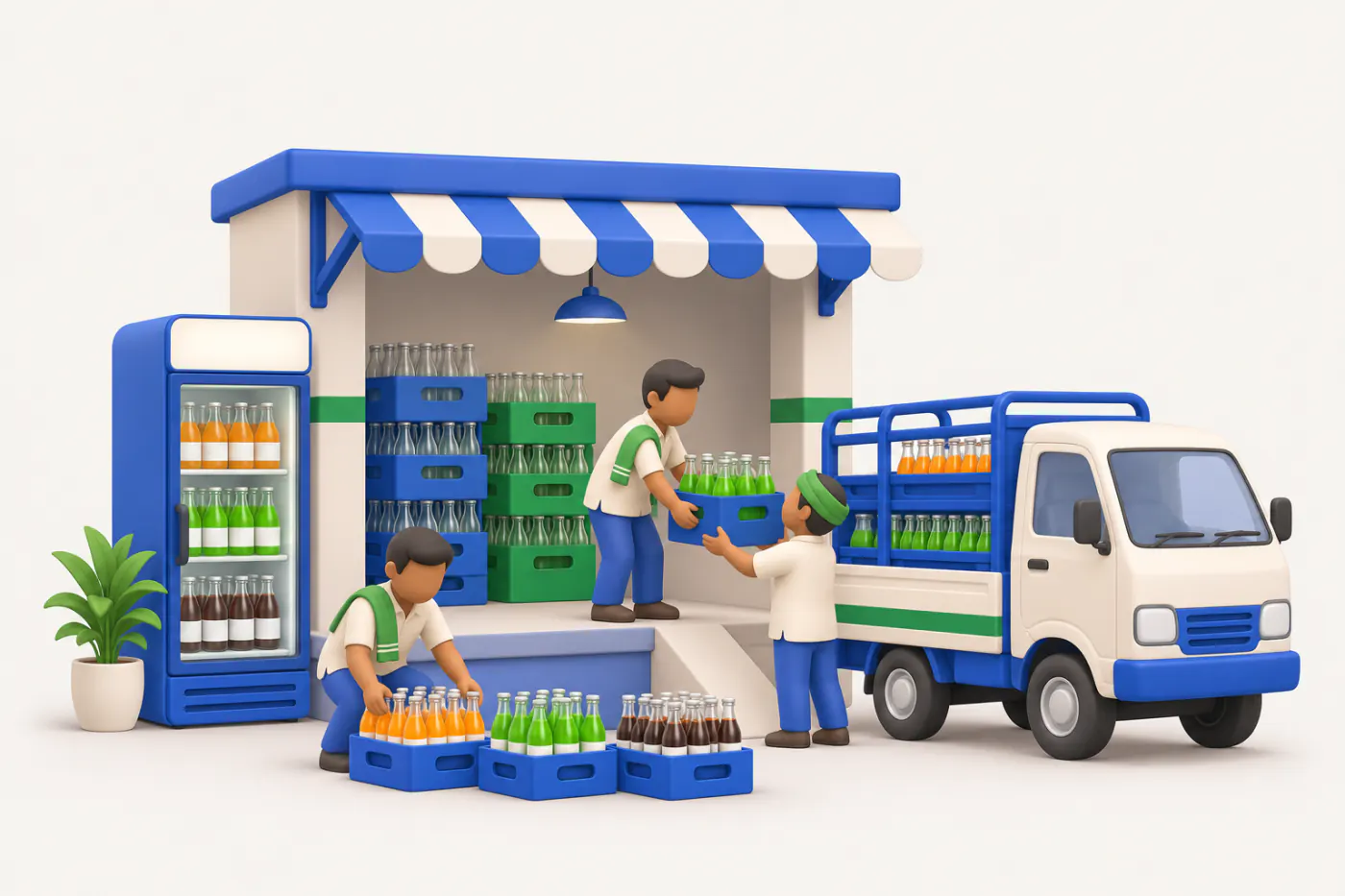
Beverage distribution is a volume game with a sharp summer peak. Cases, empties, coolers and schemes all have to be tracked across hundreds of outlets, many of them tiny.
- Daily beats, every outlet
- Van cash closed same day
- Orders straight into Tally
- Stays in your Tally
Start free trialBook a free demo
Works with your TallyPrime14-day free trialJaipur team, call +91 70738 53555
Built for beverage distributors
Who it’s for
- Soft drink distributorsPET, cans and glass to kirana, paan shops and eateries
- Packaged water distributorsJars, cartons and bottles on daily routes
- Juice and dairy drink distributorsShort best-before dates, chilled handling
- Energy and sports drink distributorsGyms, colleges, medical shops and modern trade
- Super stockistsSupplying sub-distributors and wholesalers in an area
- HoReCa beverage suppliersHotels, restaurants, canteens and caterers on credit
- Event and bulk suppliersWeddings, melas and functions, delivered to the venue
Pain → fix
The problems we fix
The everyday headaches of beverage distributors, and what changes when the books are on every phone.
- The problemSummer orders lost when salesmen miss outlets
In peak weeks a skipped outlet is a lost sale and an opening for another brand.
With Cashflow OSRoute plans and a Today list for every salesmanAreas, route plans and recommended visits show who should be visited today.
See how it works - The problemVan cash and UPI matched only at month end
Late or mixed-up collections become shortages nobody can explain.
With Cashflow OSCollections recorded on the route, seen the same daySalesmen and drivers record what they collected; the owner sees it before the van is back.
See how it works - The problemOrder book typed into Tally the next morning
Retyping hundreds of small orders in peak season delays loading and adds mistakes.
With Cashflow OSOrders post to Tally as sales ordersOrders from the staff app carry lines and GST and go into Tally through the connector.
See how it works - The problemNot sure the salesman visited the outlet at all
A filled order book does not show which outlets were skipped or why.
With Cashflow OSGPS check-ins with notes and photosVisit check-ins carry location and a geofence, with photos and notes, and the owner sees the team's activity.
See how it works - The problemHotel and canteen credit growing quietly
A few credit outlets can hold more money than all the cash outlets together.
With Cashflow OSBill-wise dues and ageing for credit outletsSee which bills are pending and how old they are, and share statements on WhatsApp.
See how it works - The problemDifferent rates for wholesalers and retailers
Slab rates and outlet discounts given from memory do not match the scheme.
With Cashflow OSPrice lists by outlet type fill the rateDealer types with layered discount rules fill the rate automatically on orders.
See how it works
Features
How Cashflow OS works for beverage distributors
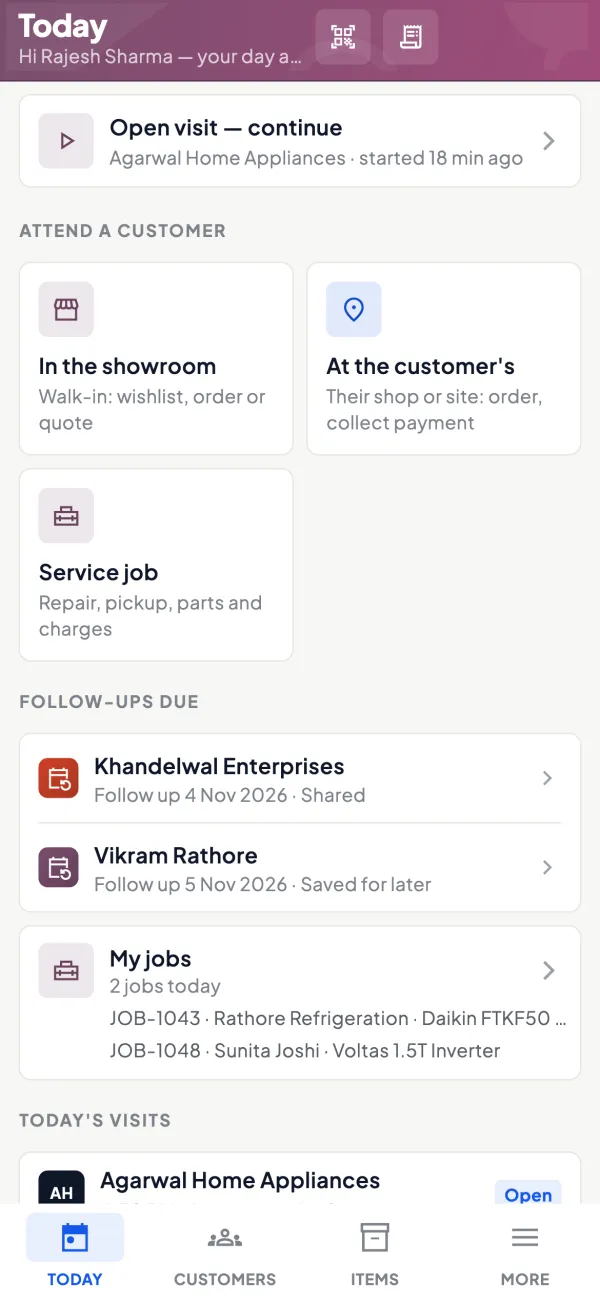
Today's outlets on the salesman's phone
How it works. The staff app's Today screen lists customers to attend, visits, orders and collections for the day, from the route plan.
- Outlets for the day from the route plan
- Orders and collections on the same screen
- Salesman sees his own customers, not your books
In practiceOn a May morning, Vikas's beat in Sector 14 lists 38 outlets; he books 412 cases and records ₹52,300 in cash and UPI by 4 pm.
Visits you can see
How it works. Each visit is a check-in with GPS location and geofence, notes and photos, so the owner sees where the team went and what happened.
- Location and geofence on every check-in
- Photos of the outlet and display
- Notes on why no order was taken
In practiceGupta Paan Bhandar gave no order on Thursday. The visit note says the cooler was off, so the owner sends a technician.
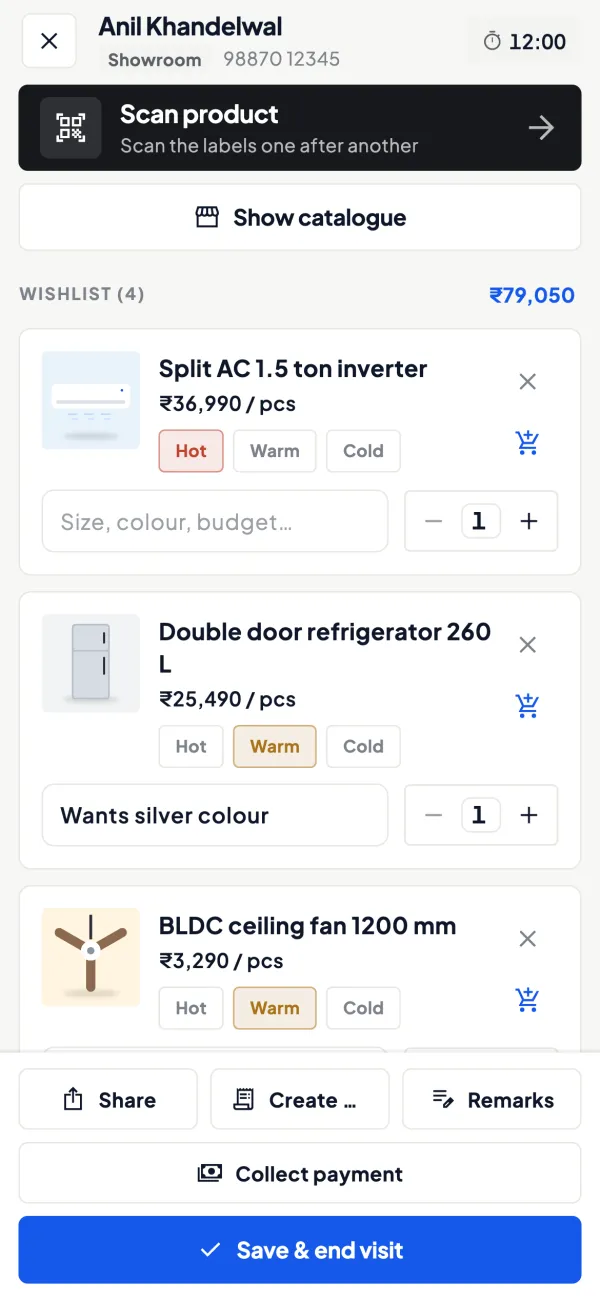
Beats and performance for the owner
How it works. Dealer locations on a map, areas and route plans, attendance and a performance view per salesman.
- Outlets on a map, grouped by area
- Attendance and leave in the same app
- Performance per salesman for the owner
In practiceComparing two routes in June shows one salesman covered 31 outlets a day and the other 19; the owner splits the slow beat.
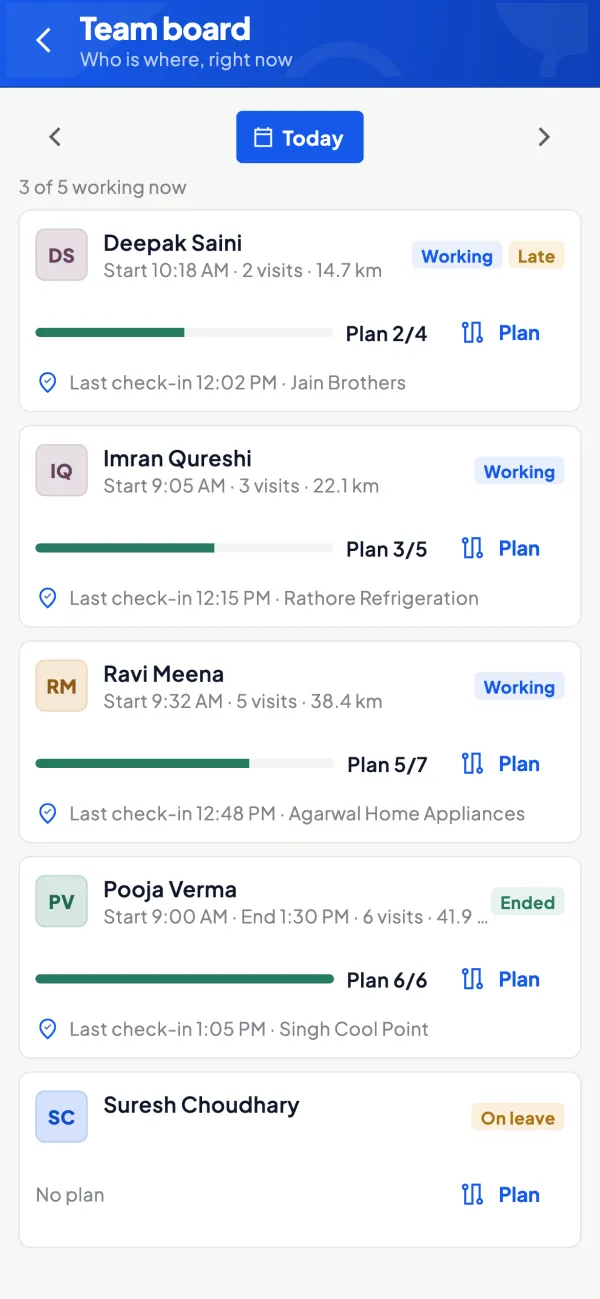
Credit outlets under control
How it works. Bill-wise outstanding and ageing come from Tally for every hotel, canteen and caterer on credit.
- Pending bills and ageing per outlet
- Statement on WhatsApp in Tally's format
- Same figure for the owner and the salesman
In practiceHotel Saffron owes ₹84,200, of which ₹31,000 is over 45 days; the weekly statement goes out before the next delivery.

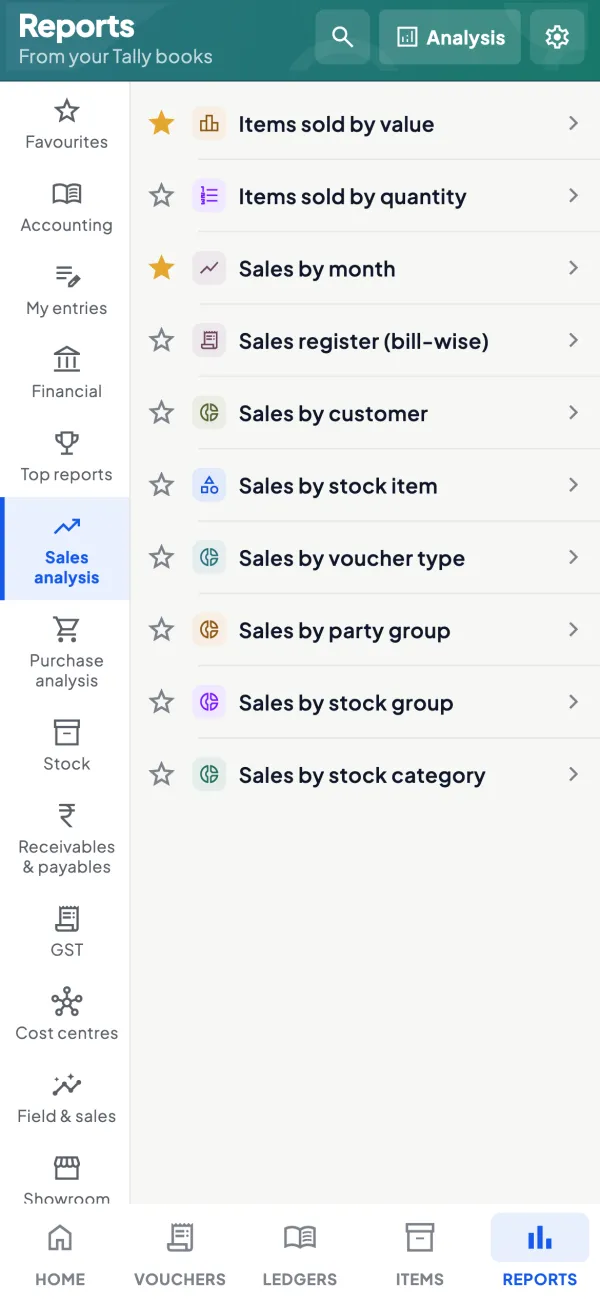
Season sales by pack and by period
How it works. Sales reports from Tally for any date range show which packs and outlets moved, with Excel and PDF export.
- Sales for any period, across financial years
- Top customers and item summaries
- Excel export for scheme and target working
In practiceComparing April to June with last year shows the 250 ml can grew while 2 litre PET fell, so the pre-summer order shifts.
Know your trade
A guide for beverage distributors
How the business works, where money gets stuck, and the GST points to watch.
How beverage distribution works
Soft drink, juice, energy drink and packaged water companies appoint distributors for an area, who buy from the company's plant or depot and supply grocery stores, paan shops, restaurants, hotels, canteens, event caterers and wholesalers. Some products come in returnable glass bottles, most in PET bottles and cans, and water in jars and cartons. The distributor runs vans or tempos on fixed routes and may also deliver bulk to events.
Company terms are usually tight, with advance payment or very short credit. The distributor's margin comes from the company's price structure plus target incentives and scheme reimbursements.
The summer peak
Beverage demand rises steeply from late winter through summer, with further spikes during heat waves, festivals, cricket tournaments and wedding seasons. In winter, sales of most chilled drinks fall sharply. Distributors need storage space and working capital for the peak, and the company often pushes stock in advance. Overstock carries risk because beverages have a best-before date and packaging can fade.
| Month band | Demand | Focus |
|---|---|---|
| Late winter | Rising | Pre-load fast packs, plan coolers |
| Summer | Peak | Daily replenishment, no stock-outs |
| Monsoon to winter | Lower | Clear older dates, collect dues |
See season stock planning for a worksheet.
Empties, deposits and coolers
Returnable glass bottles and crates carry a deposit. Retailers pay a deposit or return empties against each delivery, and the distributor reconciles empties with the company. Water jars work the same way. Track empties and crates as separate items per outlet, and record deposits as liabilities.
Companies often place visi-coolers at outlets through the distributor, against an agreement that the outlet will sell a minimum volume and keep the cooler for the brand. Keep a register of cooler locations, serial numbers, agreements and monthly volumes; a cooler at an outlet that sells little is better moved to one that sells more.
Events and bulk orders
Weddings, melas, sports events and corporate functions order beverages in bulk, often at short notice, with delivery to a venue at a fixed time. These orders can be very profitable but come with risks: credit to an organiser you do not know, unreturned empties and crates, and unsold stock returned after the event. Ask for an advance or full payment before delivery for new customers, list the empties and crates sent, and agree in writing whether unopened cases can be returned and at what value. Collect empties the day after the event, before they are scattered.
Schemes and claims
Beverage companies run trade schemes (free cases on slabs, outlet-level discounts, display payments) and consumer offers. The distributor passes many of these to retailers and claims them back. Keep a register of claims by scheme and month, submitted and settled, and match credit notes against it. Unclaimed or unsettled schemes can wipe out a distributor's thin margin. The guide on GST on discounts and schemes explains the tax side.
Routes and credit
Vans run fixed routes, often daily in summer. Fuel, helpers and vehicle costs per route should be compared with the margin each route earns; some routes cost more than they make. Most small outlets pay cash or UPI on delivery, while restaurants, hotels and canteens take credit. Keep credit outlets on a weekly statement, and do not let the delivery person extend credit without approval.
Daily route close
- Cases loaded, delivered and returned, by pack.
- Empties and crates collected per outlet.
- Cash and UPI collected, matched with the bills.
- New credit given, with approval noted.
GST points
Aerated drinks, juices, flavoured drinks and packaged water can fall under different HSN codes, and some carry a higher GST rate than others; rates have been revised, so check the current treatment of each product on the GST portal. Deposits on returnable bottles and crates have their own treatment; ask your accountant. This is general information, not tax advice.
Cashflow OS with Tally for beverage distributors
Cashflow OS syncs your TallyPrime books. Salesmen and delivery staff use the staff app to see the day's outlets, record visits, orders and collections, and check in with location. Route plans and recommended visits organise beats, and orders post to Tally as sales orders. The owner sees outlet dues, team activity and performance on the phone, and shares statements on WhatsApp. See field force tracking.
This page is general information for Indian businesses, not tax, legal or financial advice. Rules and rates change — check the official portals or your CA before acting.
Set-up
Up and running in 4 steps
No new software to learn for your accountant — Tally stays as it is.
- 1
Install the Tally Connector on the PC where TallyPrime runs
- 2
Sign in with your mobile number and scan the connector's QR
- 3
Mark outlet locations and build areas and route plans
- 4
Invite salesmen and drivers with a link, each with a role
Buyer’s checklist
What to look for in software for beverage distributors
Whatever you choose, check these before you commit.
- Works with the outlets, items and rates already in your Tally
- Route plans and a daily outlet list for each salesman
- Visit check-ins with location, so beats can be verified
- Orders from the field reach Tally without retyping
- Cash and UPI collections recorded the same day, per person
- Rates by outlet type applied automatically
- Bill-wise dues and statements for credit outlets
- A performance view so routes can be compared fairly
Plans
Simple yearly plans
- 14-day free trial on your own books
- 3-year term saves up to 25%
- Premium modules (catalogue, field force, price lists, store…) priced extra
Start free trialGet the price for your business
Compare all plans- Growth₹3,000/year + GSTBooks, reports, outstanding and sharing
- Pro₹5,000/year + GSTEverything in Growth, plus entries into Tally
- Pro+₹7,000/year + GSTEverything in Pro, plus e-invoice and e-way bill
Why Cashflow OS
Why beverage distributors choose Cashflow OS
- Built for beatsAreas, route plans, recommended visits and check-ins in one staff app.
- Orders into TallyField orders post as sales orders through the connector; Tally validates them.
- Cash seen same dayCollections recorded on the route are visible to the owner the same day.
- Roles that fitSalesmen see items and their own outlets; accounts stay with owner and accountant.
- Owner alertsA push when vouchers change in Tally, and an evening summary of the day.
- Try it this season14-day free trial on your own Tally data; support from Jaipur on call or WhatsApp.