Feature
Route planning
A good beat plan decides how much of the market your team actually covers. Cashflow OS lets you group dealers into areas, build route plans for your salespeople and see recommended visits, so important customers are not left out for weeks while easy ones get visited twice.
- Beats built from Tally parties
- Recommended visits each day
- GPS check-in at the dealer
- Skipped customers in view
Start free trialBook a free demo
Works with your TallyPrime14-day free trialJaipur team, call +91 70738 53555
Who it’s for
Who uses route planning
- FMCG and grocery distributorsFixed beats of kirana shops, visited weekly or fortnightly
- Electrical and hardware distributorsOld-market shops and highway towns on different days
- Pharma stockistsChemists and nursing homes covered on a set cycle
- Manufacturers with dealer networksArea salesmen covering dealers and sub-dealers
- Building material suppliersContractors, sites and retailers on one route
- Paint and sanitaryware dealersRetailers and fitters visited before the season
- Sales managersDesign territories, assign beats and check coverage
- Salespeople on the roadA clear plan for the day instead of deciding in traffic
Pain → fix
The problems route planning solves
What goes wrong without it, and what changes with Cashflow OS.
- The problemBig dealers visited twice, small ones never
Salesmen go where the tea is good and the orders are easy, and quiet shops drift away.
With Cashflow OSRecommended visits bring up who is dueSuggestions on the app keep customers who are due a visit from being missed week after week.
Field force tracking - The problemThe day's route is decided in traffic
Without a plan, half the morning goes in crossing town between two shops.
With Cashflow OSEach salesperson gets a route planDealers are grouped into areas and areas into route plans, which show on the salesperson's Today screen.
Staff app - The problemNo proof the planned shop was visited
A phone call to the dealer is not the same as standing in his shop.
With Cashflow OSCheck-in with GPS location and geofenceEach visit records the location at check-in against the dealer's marked location, with notes and photos.
Field force tracking - The problemSlow payers get a visit only after 60 days
By the time someone goes, the bill is old and the dealer has other priorities.
With Cashflow OSCheck dues before you finalise the week's beatBill-wise outstanding from Tally shows which dealers on the route have bills going old.
Outstanding receivables - The problemOrders from the route are retyped at the office
Order books come back in the evening and the billing clerk keys them in the next day.
With Cashflow OSBook the order at the shop; it goes to TallySales orders with lines and GST are posted into Tally through the connector once writing is switched on.
Sales orders to Tally - The problemCash collected on the route noted on paper
The office learns of a ₹15,000 collection only when the salesman remembers to mention it.
With Cashflow OSRecord what was collected at each stopCollections are recorded against the party during the visit, so the owner sees them the same day.
Collections
What it does
What you can do with route planning
Dealer locations and areas on a map
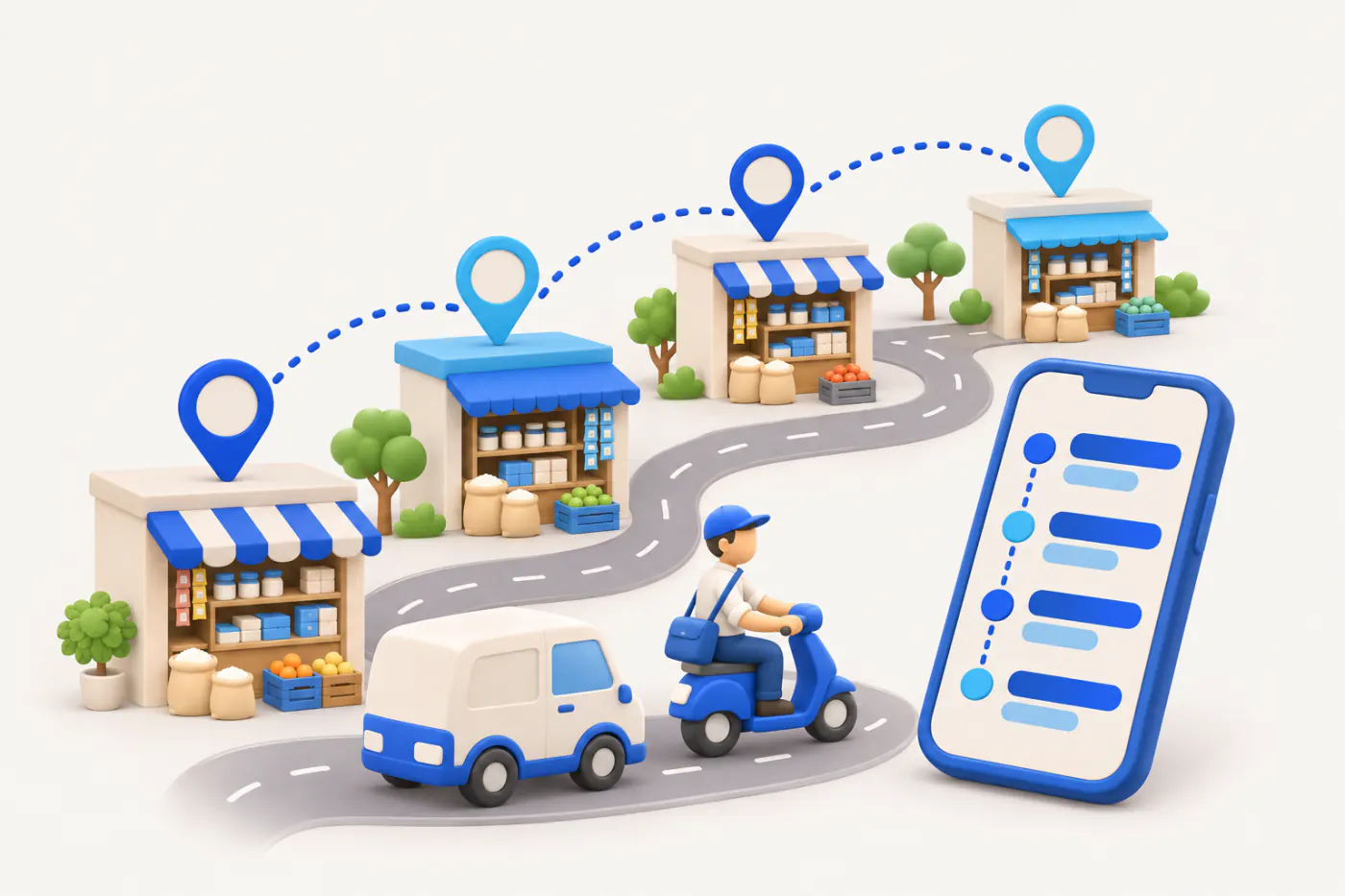
How it works. Mark locations for the parties you already have in Tally, then group them into areas by market, town or territory. The map shows how a territory actually spreads out.
- Built on your Tally party list, not a new one
- Areas small enough to finish in a day
- Duplicates in Tally show up before you plan
In practiceA Kanpur distributor maps 160 retailers and splits them into 12 areas, so no area needs more than 14 stops a day.
Route plans on the Today screen
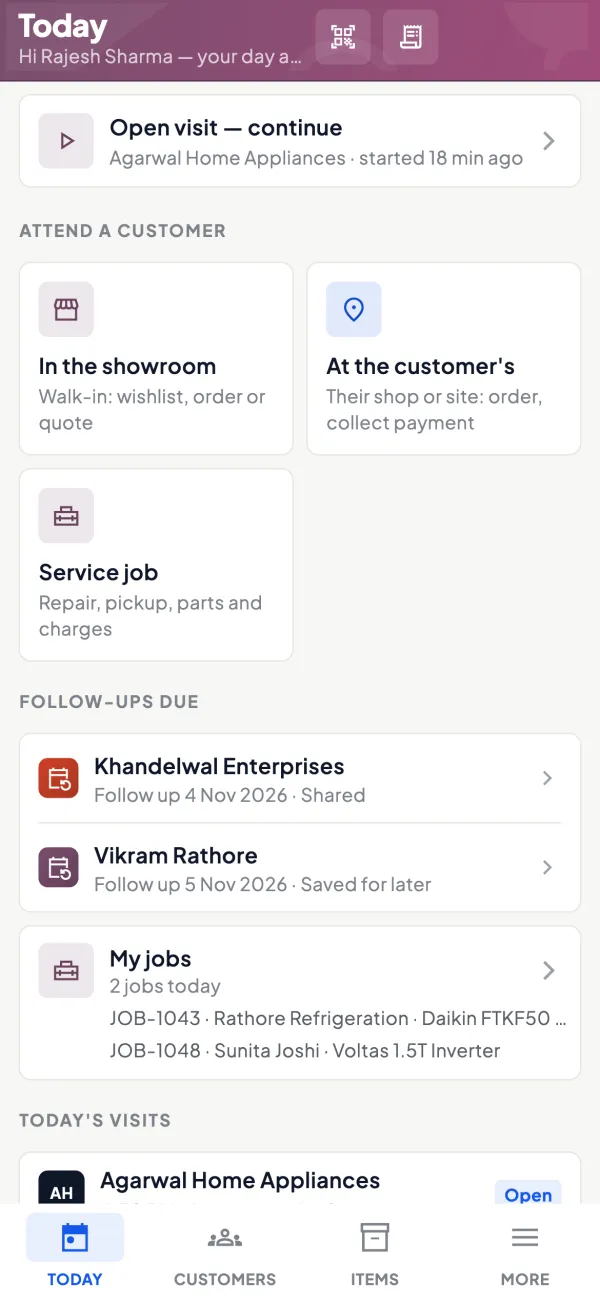
How it works. Build route plans from areas and customers and assign each to a salesperson. The plan and recommended visits show on the staff app's Today screen each morning.
- Different plans for different salespeople
- Recommended visits flag who is due
- Customers, visits, orders and collections together
In practiceOn Monday, Sanjay's Today screen shows the old market area: 14 shops, three flagged as recommended because nobody has visited them for over two weeks.
Check-in, notes and photos at each stop
How it works. At the shop, the salesperson checks in; the GPS location is recorded and checked against the dealer's geofence. Notes and photos record stock, displays, complaints or a competitor's scheme.
- Location at check-in, not all-day tracking
- Notes explain why a shop was skipped
- Photos of displays and shelf stock
In practiceImran checks in at Gupta Electricals, notes that the dealer wants 2-metre wire in 90 m coils, and photographs the empty shelf.
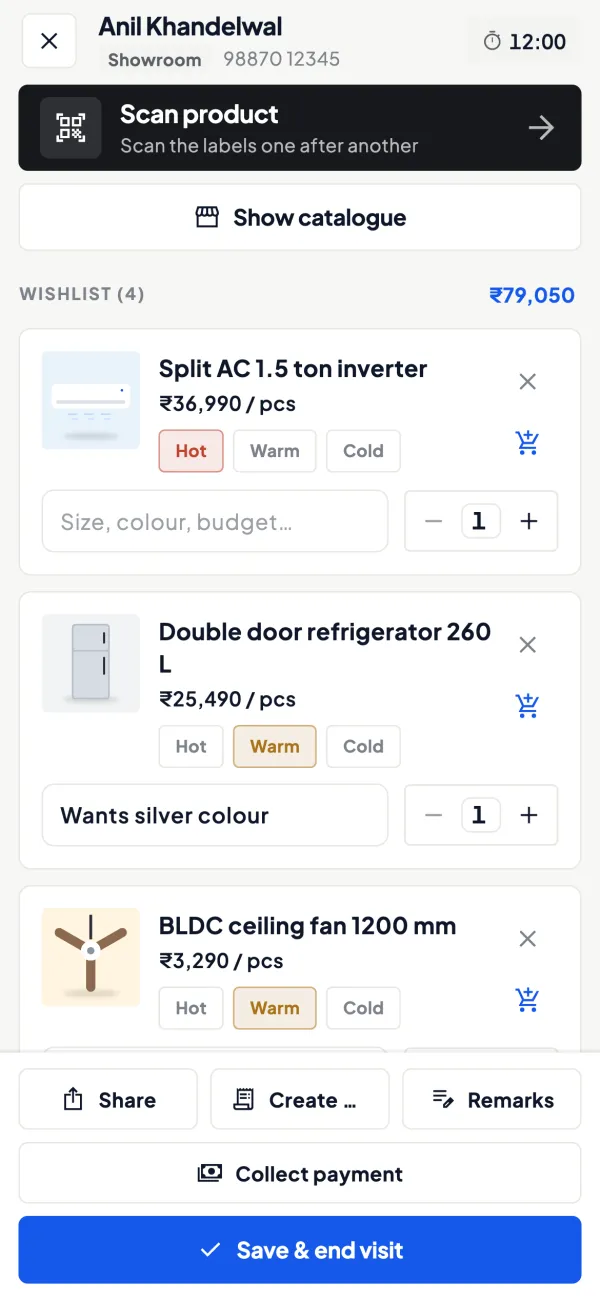
Orders and collections on the route
How it works. The salesperson books a sales order with lines and GST during the visit and records any collection against the party. With price lists on, the dealer's rate fills automatically.
- Orders reach the office without an order book
- Dealer's rate from the price list
- Collections recorded the same day
In practiceAt the third stop, Sanjay books 12 lines worth ₹48,600 and records ₹18,000 handed over against a bill that is 52 days old.

Guide
Route planning: the full guide
How it works day to day, who does what, and the points to watch.
What a route plan is for
In distribution and dealer sales, a route (often called a beat) is a fixed set of customers visited on a fixed day: Monday the old city market, Tuesday the highway towns, and so on. A good plan does three things. It makes sure every customer is visited at the frequency they deserve. It reduces travel, so more of the day is spent selling. And it makes the team predictable, so customers keep orders ready for the day the salesperson comes. Our guide on sales beat planning explains how to design beats from scratch.
What Cashflow OS provides
- Dealer locations for your customers, the same parties you have in Tally.
- Areas: group dealers by market, town or territory.
- Route plans: the sequence of areas and customers a salesperson should cover.
- Recommended visits: suggestions so that customers who are due a visit come up.
- Visit check-in with location, notes and photos, so you can see whether the plan was followed.
Salespeople see their day on the staff app's Today screen, with customers to attend, visits, orders and collections in one place.
Deciding visit frequency: a worked example
Not every customer needs the same attention. A simple way to set frequency is by monthly buying:
| Customer type | Typical monthly purchase | Suggested visits |
|---|---|---|
| Key dealer | Above ₹2,00,000 | Weekly |
| Regular retailer | ₹50,000 to ₹2,00,000 | Every two weeks |
| Small or occasional | Below ₹50,000 | Monthly, or by phone |
Now suppose a salesperson can make about 12 good visits a day, 6 days a week, so roughly 280 visits a month. If his territory has 20 key dealers (80 visits), 60 regulars (120 visits) and 80 small shops (80 visits), the plan fits exactly. Add 30 more small shops and something has to give: either a second salesperson or phone ordering for the smallest accounts. The thresholds here are only an illustration; use your own trade's numbers.
A week on the plan
Here is how a route plan plays out for a salesperson at an electrical goods distributor. On Monday morning his Today screen shows the old market area: 14 shops, with three flagged as recommended visits because they have not been seen for over two weeks. He starts with those three, checks in at each, notes stock levels and books two orders. One of them has a bill pending for 52 days, so he mentions it and records the ₹18,000 the shopkeeper hands over as a collection.
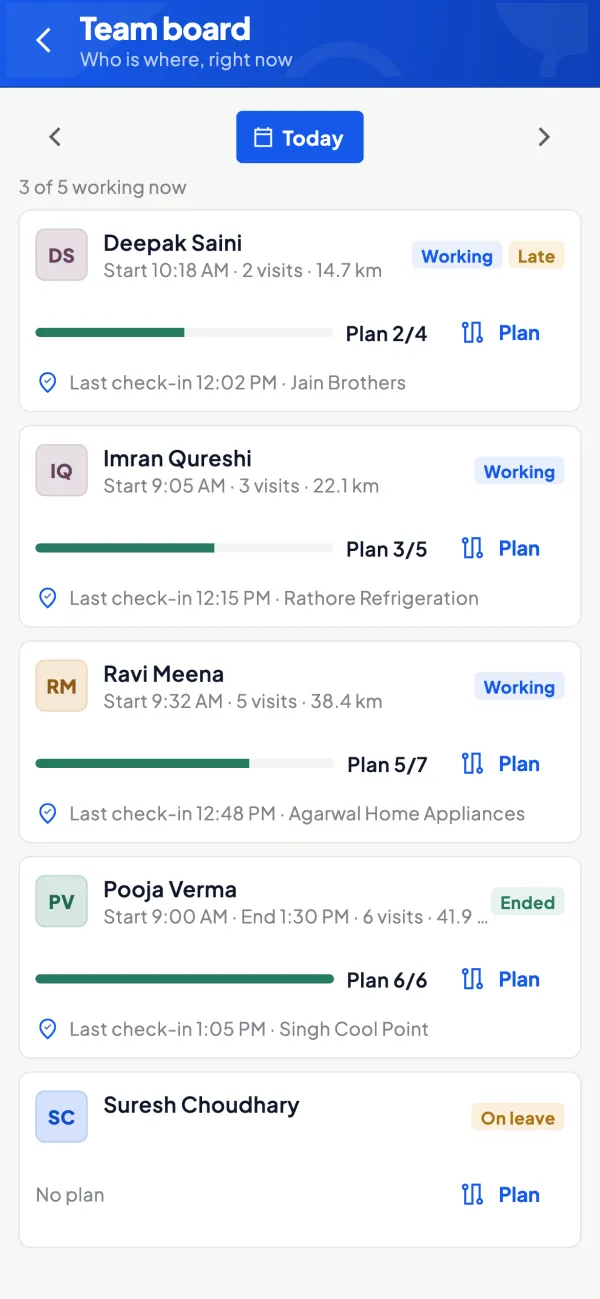
Tuesday is the highway towns, a longer drive with fewer, bigger dealers. Wednesday is a planned office day for follow-ups. By Saturday the owner can see which planned customers were visited, which were skipped, and why, from the notes. If one area is skipped week after week, the problem is usually the plan, not the person: the area is too large, too far, or full of customers who would be better served by phone. Adjust the plan, and the next week's recommended visits follow it.
Who uses it
- Owners and sales managers who design territories and assign beats.
- Salespeople who want a clear plan for the day instead of deciding on the road.
- Distributors, dealers and manufacturers selling to a spread-out network of retailers and sub-dealers.
Tips
- Start from the customer list in Tally. Clean up duplicate party ledgers before you map them, or you will plan visits to the same shop twice.
- Keep areas small enough to finish in a day. A route that never gets completed teaches the team to ignore the plan.
- Put slow payers on the route deliberately. A visit before a bill turns 60 days old does more than a phone call after. Check receivables before finalising each week's plan.
- Review quarterly. Customers grow, shrink and close; the beat should follow them.
- Watch skipped customers. The visit record and performance view show who was planned but not visited; see field force tracking.
What it does not do
- It does not give turn-by-turn navigation.
- It does not track salespeople continuously; location is recorded at visit check-in.
- It does not decide your territories for you; areas and plans are set by you, with recommended visits as a guide.
- It is a module switched on per company.
This page is general information for Indian businesses, not tax, legal or financial advice. Rules and rates change — check the official portals or your CA before acting.
Set-up
Start using route planning in 4 steps
Works on top of your TallyPrime — nothing to migrate, no second set of books.
- 1
Switch on the field force module for the company
- 2
Mark locations for your Tally parties and group them into areas
- 3
Build route plans and assign each one to a salesperson
- 4
Salespeople follow the plan and recommended visits from Today
Buyer’s checklist
What to look for in route planning software
Whatever you choose, check these before you commit.
- Routes built on the customer list you already keep in Tally
- Areas and plans that you define, not fixed by the software
- Separate route plans for each salesperson
- Suggestions for customers who are due a visit
- Location recorded at check-in, not round-the-clock tracking
- Visit notes and photos, so a skipped shop has a reason
- Customer dues visible before the salesperson walks in
- Orders taken on the route that reach Tally without retyping
Plans
Simple yearly plans
- 14-day free trial on your own books
- 3-year term saves up to 25%
- Premium modules (catalogue, field force, price lists, store…) priced extra
Start free trialGet the price for your business
Compare all plans- Growth₹3,000/year + GSTBooks, reports, outstanding and sharing
- Pro₹5,000/year + GSTEverything in Growth, plus entries into Tally
- Pro+₹7,000/year + GSTEverything in Pro, plus e-invoice and e-way bill
Why Cashflow OS
Why use route planning in Cashflow OS
- On your Tally partiesRoutes use the customers you already have in TallyPrime, once their locations are marked.
- Plans you controlYou set areas and route plans; recommended visits guide the day without overruling you.
- Check-in, not surveillanceLocation is recorded at visit check-in, which is easier to explain to the team.
- Dues on the routeBill-wise outstanding from Tally helps put slow payers on the beat before bills age.
- Orders straight to TallyOrders booked at the shop are posted through the connector once writing is on.
- English or HindiEach salesperson can use the app in the language they are comfortable with.