Feature
Showroom walk-ins
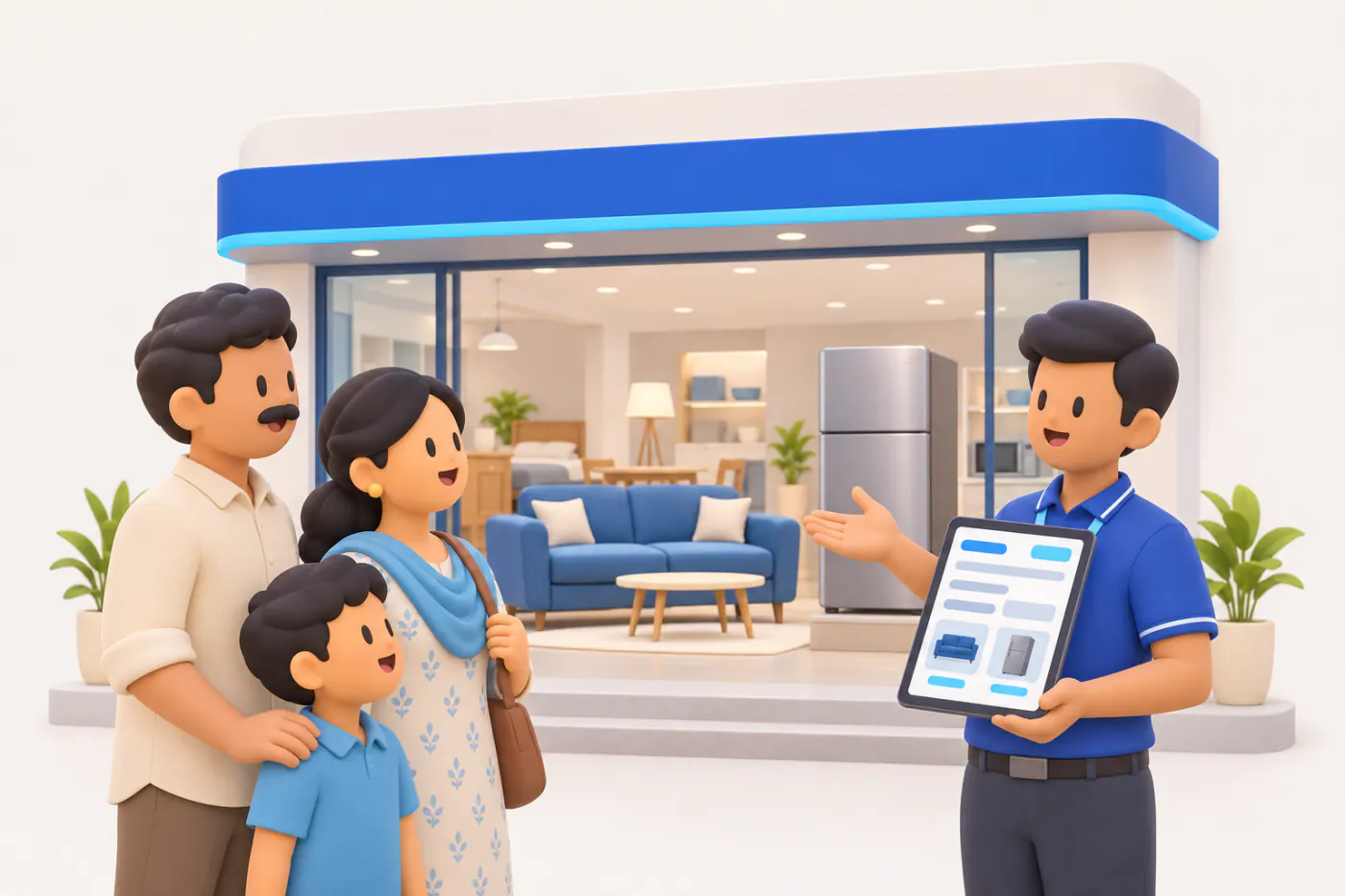
Most showroom customers come back before they buy, often to a different salesperson. The walk-ins module lets your staff look a customer up by mobile number and see past visits and wishlists, so the second conversation starts where the first one ended.
- Find a customer by mobile
- Every visit remembered
- Shortlist on WhatsApp
- From visit to Tally order
Start free trialBook a free demo
Works with your TallyPrime14-day free trialJaipur team, call +91 70738 53555
Who it’s for
Who uses showroom walk-ins
- Furniture and furnishing showroomsFamilies who visit three times before buying a sofa set
- Tile and sanitaryware showroomsHomeowners, architects and contractors on separate visits
- Lighting and electrical showroomsWhole-house lighting lists decided over weeks
- Electronics and appliance storesTVs, ACs and fridges for a new flat, bought in one go
- Jewellery storesDesigns shortlisted before a wedding, decided later
- Optical storesFrames tried today, chosen after a second look
- Modular kitchen and wardrobe studiosLong decisions with designers and family involved
- Dealers with a display areaCounter sales plus a showroom floor for retail buyers
- Showroom managersWhich visits turned into orders, and who followed up
Pain → fix
The problems showroom walk-ins solves
What goes wrong without it, and what changes with Cashflow OS.
- The problemThe second visit starts from zero
The customer remembers everything; your showroom remembers nothing.
With Cashflow OSTheir mobile number brings up past visitsStaff look the customer up by mobile and see earlier visits, notes and wishlists, whoever handled them.
Wishlists - The problemSalesperson on leave, customer walks out
The one person who knew the family's choices is off on the day they come back.
With Cashflow OSAny floor staff can pick up the conversationVisits are kept against the customer, not in one salesperson's head or phone.
Team roles and access - The problemFamily can't recall which design they liked
At home the discussion runs on vague memories and blurry photos.
With Cashflow OSShortlist with photos shared on WhatsAppThe wishlist goes to the customer's WhatsApp with items, quantities and the friendly names you set.
Item photos and display names - The problemHot buyers forgotten in the weekend rush
Monday comes, and nobody calls the couple who were ready to decide.
With Cashflow OSHot, warm and cold on every shortlistInterest levels show who needs a call within a day and who can wait for a reason to message.
Staff app - The problemSearching for items slows the floor
Staff scroll through hundreds of codes while the customer waits.
With Cashflow OSScan the item's label with the phone cameraLabelled items are added by camera scan; others are found by search or display name.
Barcodes and labels - The problemThe agreed order is retyped into Tally
Lines, quantities and discounts get changed on the way to the billing desk.
With Cashflow OSThe visit becomes a sales order in TallyA sales order with lines and GST is made from the visit or wishlist and posted once writing is on.
Sales orders to Tally
What it does
What you can do with showroom walk-ins
Look up the customer by mobile number
How it works. When a customer walks in, staff enter the mobile number and see past visits, what was discussed and any wishlists. A new customer starts a new visit in the same screen.
- Returning customers recognised in seconds
- Earlier notes visible to whoever is on the floor
- New visits started without paperwork
In practiceNeha enters a number on Wednesday and sees that Amit served the Kapoors on Saturday and marked two sofa sets and a dining table as warm.
Wishlists with photos and interest levels
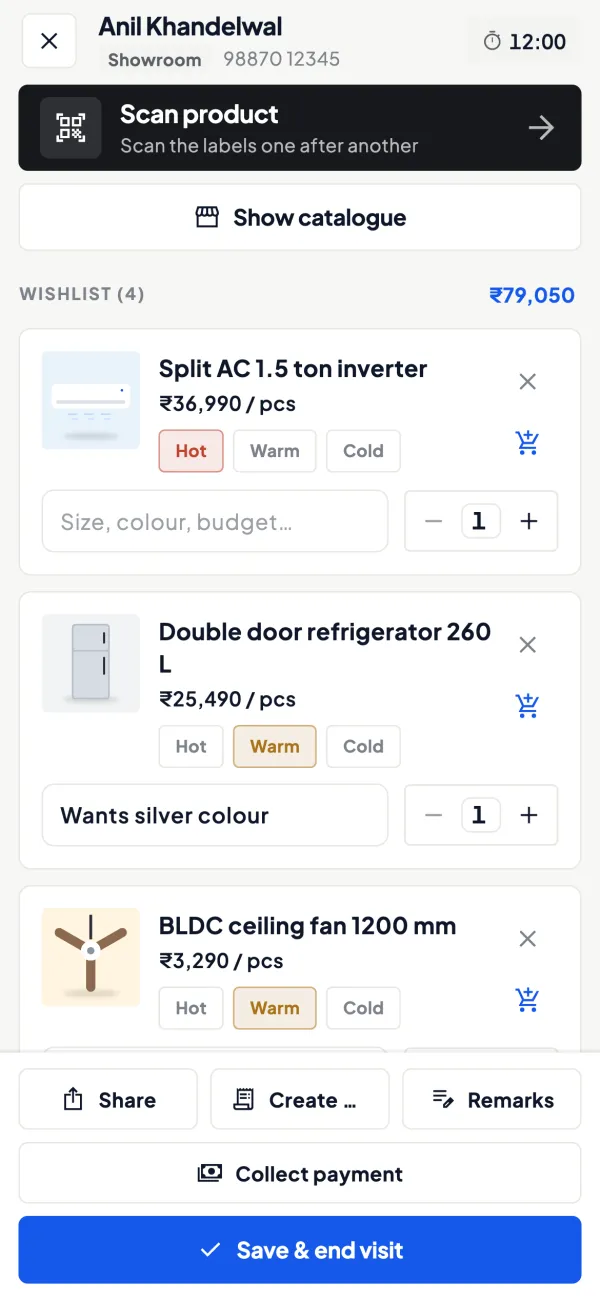
How it works. Add the items the customer liked with quantity, notes and an interest level of hot, warm or cold. Share the list on WhatsApp so the family has it at home.
- Photos and display names, not Tally codes
- Notes in the customer's own words
- Shared on WhatsApp before they leave
In practiceThe Kapoors' wishlist reads: sofa set ₹1,45,000, dining table ₹62,000, note 'grey fabric, decides with mother'. Marked hot after the second visit.

Scan labels on the floor
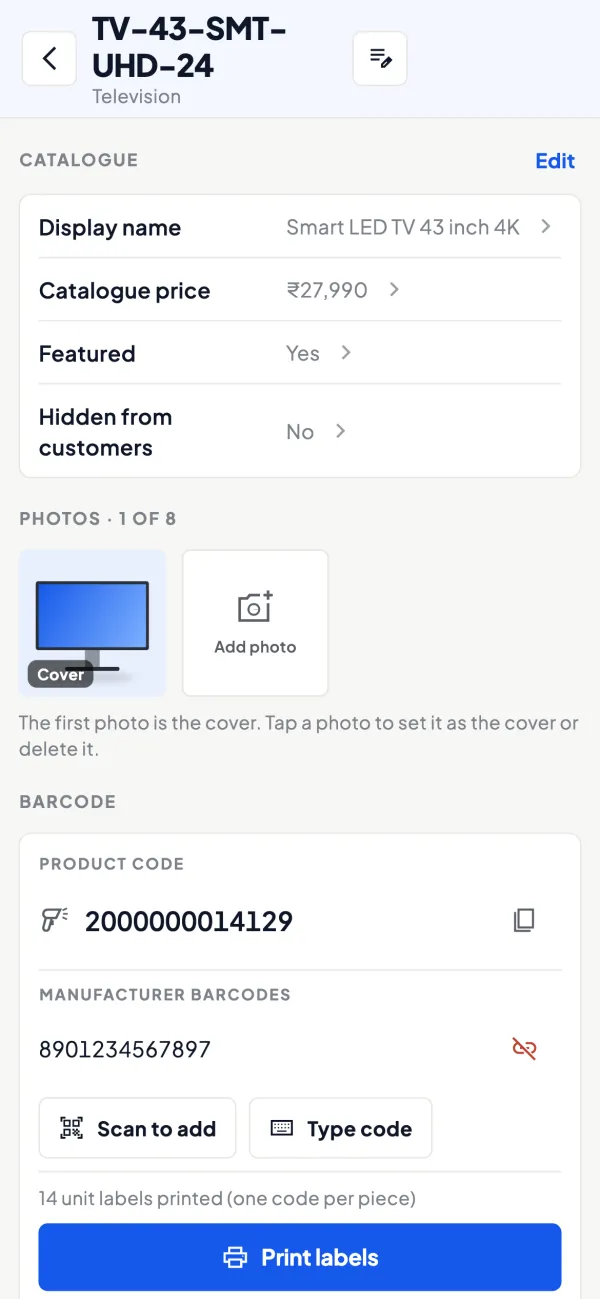
How it works. If items carry barcodes or labels, staff scan them with the phone camera to add them to a visit or wishlist. Unlabelled items are found by search.
- Right item, even in look-alike designs
- Faster on a crowded Sunday
- Works with labels you print yourself
In practiceIn a lighting showroom with 900 fittings on display, Ravi scans five pendant lights straight into Mrs Iyer's wishlist.
A sales order when they decide
How it works. When the customer is ready, make a sales order from the visit or wishlist with lines and GST. It is posted to Tally through the connector once the owner has switched writing on.
- No retyping between floor and billing
- GST from the item and the party's state
- Approval available for floor discounts
In practiceOn Sunday the Kapoors confirm the sofa set and the table. Amit converts the wishlist into a ₹2,07,000 sales order that goes to Tally.

Follow-ups for the floor team
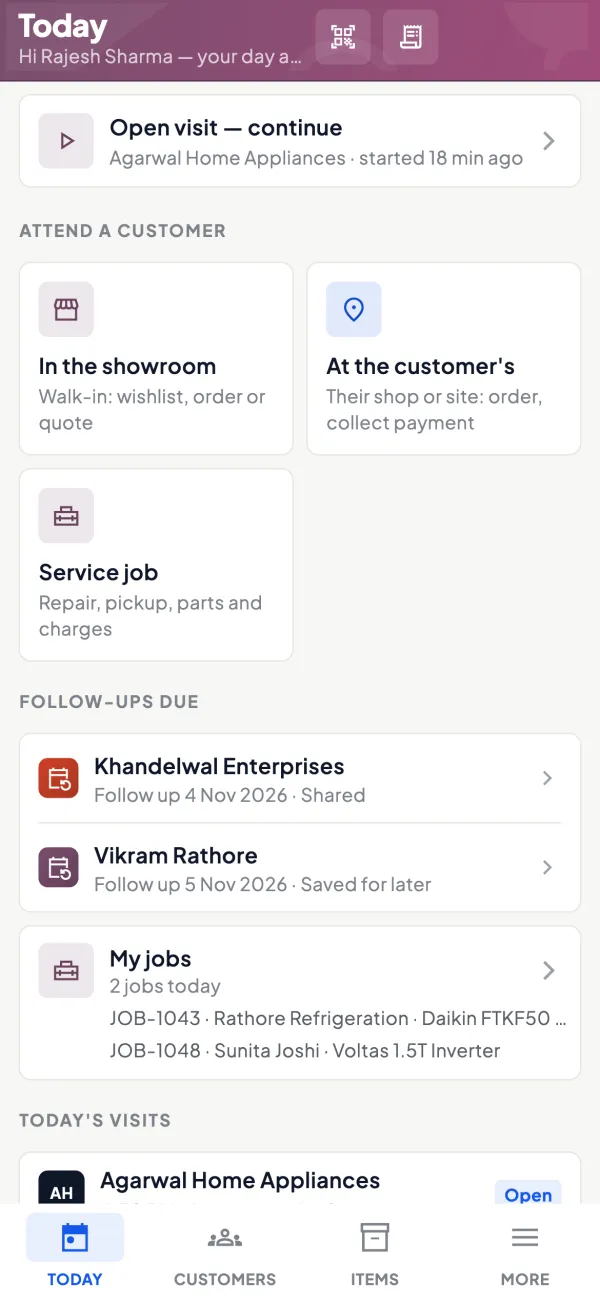
How it works. Salespeople work from the Today screen, with customers to attend alongside their visits and orders, so warm and hot customers get a call while they are still deciding.
- Customers to attend listed each morning
- Visits and orders in one place
- Owner can see the team's activity
In practiceMonday morning, Neha's Today screen lists four hot customers from the weekend. She calls them before the showroom gets busy.
Guide
Showroom walk-ins: the full guide
How it works day to day, who does what, and the points to watch.
Why walk-ins need a record
Think about the last big purchase a family makes for their home: a sofa set, a modular kitchen, an air conditioner for every room. They visit, compare, go home, discuss, maybe bring a relative or a contractor, and come back. In many showrooms, each of those visits starts from zero. The salesperson who spent an hour with them may be off that day. The price they were quoted is a number nobody wrote down. The customer feels unremembered and walks to the next showroom. A visit record keyed on the mobile number fixes this at almost no cost. See converting walk-in customers for the selling side.
What staff can do
- Look up by mobile number: the fastest way to identify a returning customer.
- See past visits and what was discussed, whoever handled them.
- See and build wishlists with quantity, notes and interest level (hot, warm or cold).
- Share the wishlist on WhatsApp so the family has it at home.
- Make a sales order from the visit or wishlist, with lines and GST, posted to Tally through the connector once writing is switched on.
- Scan barcodes with the phone camera if items are labelled.
A worked example: three visits, one sale
| Visit | Who | What happened |
|---|---|---|
| Saturday | Customer and spouse, with salesperson Amit | Liked two sofa sets and a dining table; wishlist made, marked warm, shared on WhatsApp |
| Wednesday | Customer with interior designer, salesperson Neha (Amit off) | Neha looks up the number, sees the wishlist, shows fabric options for the shortlisted sofa; marked hot |
| Sunday | Customer, Amit | Order for one sofa set (₹1,45,000) and the table (₹62,000); sales order with GST goes to Tally |
Without the record, Neha would have started over on Wednesday, and the designer's visit could easily have ended at a different showroom.
Measuring what the showroom converts
Once visits are recorded, a showroom owner can answer questions that were guesses before. How many people who came in this month left with a wishlist? How many of the hot ones became orders? Which salesperson's customers come back a second time? A simple monthly count is enough to start:
- Visits recorded in the month, say 220.
- Visits with a wishlist, say 140.
- Wishlists marked hot, say 45.
- Sales orders made from visits or wishlists, say 32.
Thirty-two orders from 220 visits tells you more than total sales ever could. If the hot-to-order step is weak, follow-up is the issue. If few visits produce a wishlist, the floor conversation needs work. And if one salesperson's numbers are very different from the others', the visit notes usually show why. These counts are done by the owner from the records; treat them as a habit rather than a report the software produces for you.
Who uses it
- Furniture, tiles, sanitaryware, lighting and electronics showrooms.
- Jewellery and optical stores where customers come back to decide.
- Dealers with a display area alongside counter sales.
Showroom staff can work with the salesperson role, which sees items and their own customers, not the company's accounts. That matters on a busy floor where phones are passed around: the app can also be locked with fingerprint, face or PIN, and the owner can see the team's activity in the app.
Tips
- Ask for the number early, naturally: "Shall I send you photos of these on WhatsApp?" Most customers say yes.
- Write notes in the customer's words: budget, room size, colour preference, who decides.
- Be honest with interest levels; a list where everyone is hot is no list at all.
- Follow up warm and hot customers within days. The guide on showroom customer follow-up has a calling schedule.
- Keep approval on for orders from frontline staff if discounts are negotiated on the floor.
What it does not do
- It does not count footfall automatically; visits are recorded by staff.
- It does not send automatic follow-up messages; staff share wishlists and follow up themselves.
- It does not write orders into Tally until the owner switches writing on and the connector is running.
- It is a module switched on per company.
This page is general information for Indian businesses, not tax, legal or financial advice. Rules and rates change — check the official portals or your CA before acting.
Set-up
Start using showroom walk-ins in 4 steps
Works on top of your TallyPrime — nothing to migrate, no second set of books.
- 1
Switch on the showroom module for the company
- 2
Add photos and display names to the items you show most
- 3
Invite floor staff with the salesperson role
- 4
Ask every walk-in for a mobile number and start a visit
Buyer’s checklist
What to look for in showroom walk-ins software
Whatever you choose, check these before you commit.
- Customer lookup by mobile number, the one detail every buyer shares
- Visit history any salesperson can open, not only the one who served
- Shortlists with quantity, notes and an honest interest level
- Sharing on WhatsApp, with nothing for the customer to install
- Item photos and friendly names instead of Tally codes on the floor
- Barcode scanning with the phone camera for labelled stock
- Orders that go into your Tally books, not a separate register
- Floor staff kept away from the company's accounts
Plans
Simple yearly plans
- 14-day free trial on your own books
- 3-year term saves up to 25%
- Premium modules (catalogue, field force, price lists, store…) priced extra
Start free trialGet the price for your business
Compare all plans- Growth₹3,000/year + GSTBooks, reports, outstanding and sharing
- Pro₹5,000/year + GSTEverything in Growth, plus entries into Tally
- Pro+₹7,000/year + GSTEverything in Pro, plus e-invoice and e-way bill
Why Cashflow OS
Why use showroom walk-ins in Cashflow OS
- On your Tally itemsItems, rates and GST come from your TallyPrime masters, with your own photos and names.
- Every visit rememberedVisits and wishlists stay with the customer's mobile number, whoever is on the floor.
- Shortlists that go homeWishlists reach the family on WhatsApp and keep selling after they leave.
- Order to Tally in one stepA decided wishlist becomes a sales order with GST, posted through the connector.
- Safe on a busy floorThe salesperson role hides your accounts, and the app locks with fingerprint, face or PIN.
- English or HindiEach salesperson uses the app in the language they are comfortable with.