Business software & ERP Business software
Sales force automation explained
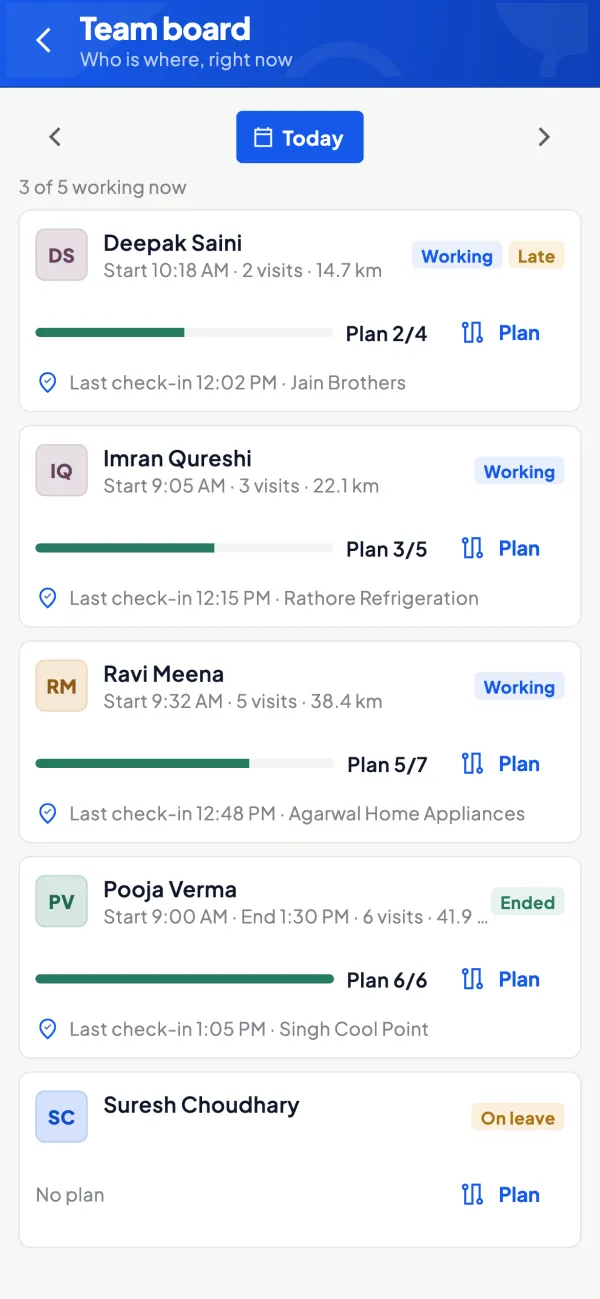
Sales force automation (SFA) is software that runs a field sales team's day on a phone: which shops to visit, check-in at each one, orders and collections taken there, and reports for the manager at the end of the day.
- Distributors and stockists
- FMCG and pharma suppliers
- Sales managers
- Field salespeople
- Owners with several salespeople
On this page 12
The day without SFA
A salesperson for an FMCG stockist leaves home at 9:30 with a diary. Visits 18 shops. Writes orders on paper, phones the big ones to the office, collects ₹38,000 in cash and cheques. In the evening, the office types the orders, sometimes the next morning. The owner asks how many shops were covered and gets a number from memory. Two orders are entered wrong because the handwriting was unclear.
Nothing here is unusual. The cost shows up as late deliveries, wrong items, missing collections and no way to judge which salesperson is actually productive.
What SFA puts on the phone
- Today's plan: the beat or route for the day, with shops in a sensible order.
- Check-in with location: proof that the visit happened at the shop.
- Customer context: what the shop bought last time, what it owes, any pending order.
- Order booking: items with the right price for that shop, quantities, scheme or discount.
- Collections: cash, cheque or UPI collected, recorded against the customer.
- Notes and photos: display, competitor activity, complaints.
- Leave and attendance for the field team.
What the manager or owner gets
| Report | Question it answers |
|---|---|
| Visits vs plan | Did the salesperson cover the planned shops? |
| Productive calls | How many visits led to an order? |
| Order value by salesperson | Who is selling, and how much? |
| Collections by salesperson | Is money being collected as well as orders? |
| Shops not visited | Which customers are being neglected? |
The guide on measuring salesperson performance explains which of these to use for incentives.
Making it work with your team
Field teams often resist tracking. A rollout that works:
- Start with what helps them. Show the salesperson they can see a shop's outstanding and last order before walking in. That saves them embarrassment.
- Keep the app simple. If booking an order takes longer than writing it, they will go back to paper.
- Be clear about location. Tell the team location is captured at check-in for visit proof. Being open about it avoids distrust.
- Pilot with two willing salespeople for a month, fix the problems they find, then roll out.
- Stop accepting paper orders after a fixed date.
Choosing the right measures
SFA produces a lot of numbers, and the wrong ones drive the wrong behaviour. If you pay incentives on visits alone, salespeople make quick, useless visits. If you pay only on order value, they push stock that dealers cannot sell and collections suffer. A balanced weekly view uses four measures together: planned visits completed, productive calls (visits that led to an order), order value, and collections against that salesperson's dealers' overdue bills.
Compare each salesperson with their own last month first, and with each other second. Territories differ; a salesperson covering a rural area with long distances will always make fewer visits than one in a dense market.
Collections in the field
Collections are where SFA often pays for itself. When a salesperson records ₹12,000 collected in cash at a shop, the office knows to expect it the same evening, and the dealer gets confidence that the payment is acknowledged. Make it a rule that cash handed to the office is matched daily against collections recorded in the app; differences are followed up the next morning, not at month end.
Common pitfalls
- Orders that do not reach the books. If an SFA order must be retyped into accounts, you have only moved the typing.
- Wrong prices. If the app shows a single price list, salespeople override it and margins leak.
- Too many mandatory fields. Every extra field at check-in is a reason to skip the check-in.
- Using it only to police. If the app is seen only as surveillance, data quality drops.
SFA connected to Tally
Cashflow OS includes a staff app with a "Today" screen for salespeople: customers to attend, visits, orders and collections. Field force tools add dealer locations, areas and route plans, recommended visits, check-in with location, visit notes and photos, leave and a performance view for the owner. A salesperson sees items and their own customers, not the company's accounts. Orders can require approval and are then posted as sales orders into Tally. See field force tracking and the staff app.
Avoid these
Common mistakes
- MistakePaying incentives on visits aloneDo this instead
Use visits, productive calls, order value and collections together, so quick, useless visits do not pay.
- MistakeRetyping SFA orders into accountsDo this instead
Choose a setup where field orders go into the books as sales orders, so there is no second round of typing.
- MistakeToo many mandatory fields at check-inDo this instead
Keep check-in to what you will actually use; every extra field is a reason to skip it.
- MistakeUsing the app only to police the teamDo this instead
Show salespeople what helps them, like a shop's dues and last order, and be open about when location is captured.
Keep handy
Checklist
Sales force automation explained — 8 checks. Tick them as you go.
In Cashflow OS
How Cashflow OS helps
Cashflow OS puts your TallyPrime books on every phone in the team. Where it fits this topic:
A Today screen for salespeople
The staff app lists customers to attend, visits, orders and collections. Salespeople see items and their own customers, not the company's accounts.
See Staff app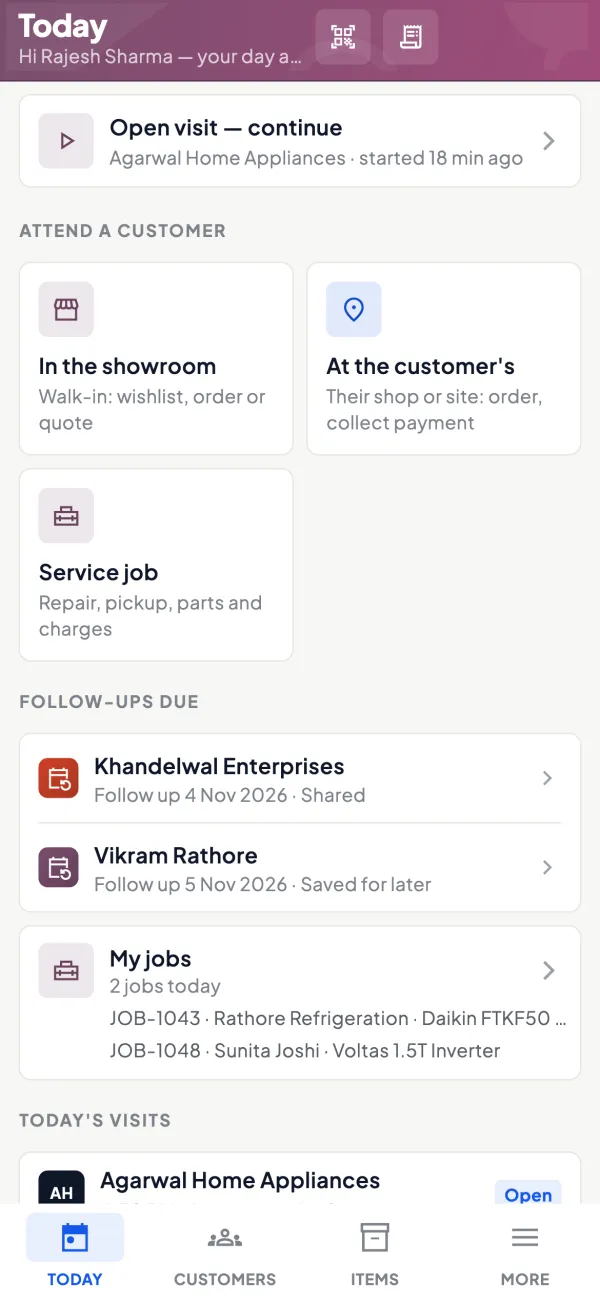
Orders that land in Tally
Orders can need approval and are then posted to Tally as sales orders through the connector, so the office does not retype them.
See Sales orders to Tally
Questions people ask
Is SFA only for large companies?
Will SFA track my salespeople all day?
How long does it take a field team to adopt SFA?
Does the salesperson need internet?
What is the difference between SFA and CRM?
Should the salesperson see a shop's outstanding?
How do I stop unapproved discounts in the field?
What should I measure in the first month?
This page is general information for Indian businesses, not tax, legal or financial advice. Rules and rates change — check the official portals or your CA before acting.