Service centres
Cashflow OS for service centres
A service centre sells time and parts, not just goods. Every job has a customer, a device or machine, a promise date and a bill that grows as parts are added. Cashflow OS lets you record repair and pickup jobs, add items or service charges, and close each job into an invoice, with your accounts in TallyPrime.
- Job cards that don't get lost
- Every part used gets billed
- Technicians on the app
- Bills and stock stay in Tally
Start free trialBook a free demo
Works with your TallyPrime14-day free trialJaipur team, call +91 70738 53555

Built for service centres
Who it’s for
- Mobile and laptop repairCounter drop-offs, parts and quick turnaround
- Appliance service centresWashing machines, fridges and TVs
- AC and RO techniciansHome visits, installations and AMCs
- Two-wheeler workshopsJob cards, spares and labour
- Printer, copier and IT serviceOffice clients billed monthly
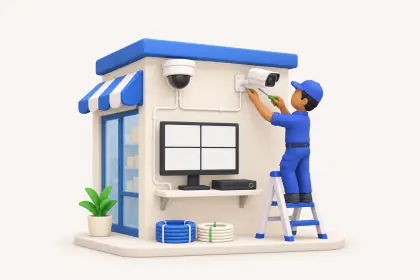
- CCTV and security installersSite installations and service calls
- Solar and inverter serviceBattery checks and panel cleaning visits
- Industrial machine serviceBreakdown calls at factories
Pain → fix
The problems we fix
The everyday headaches of service centres, and what changes when the books are on every phone.
- The problemPaper job card lost between counter and workshop
The customer comes back with a slip number nobody can find.
With Cashflow OSJob opened in the app against the customerOpen a repair, installation or pickup job for the customer and track it to closing.
See how it works - The problemParts fitted but never added to the bill
A ₹450 capacitor on a busy day; ten of those a month is ₹4,500 gone.
With Cashflow OSParts from Tally stock added to the job as usedItems on a job are your Tally stock items, so parts used and parts billed can be matched.
See how it works - The problemNo record of which technician went where
A customer says nobody came; the technician says he did.
With Cashflow OSTechnician visits logged with location and photosWith field force on, technicians check in at the site with their location and add notes and photos.
See how it works - The problemBig repair estimates written by hand
Customers and corporate clients want a proper estimate before approving work.
With Cashflow OSQuotations with your letterhead on WhatsAppEstimates and AMC proposals with your logo, letterhead and UPI details, shared as a PDF.
See how it works - The problemAMC and corporate clients pay late
Monthly service bills pile up while the office is busy at the counter.
With Cashflow OSAgeing of what corporate clients oweBill-wise receivables with ageing from Tally, and statements on WhatsApp.
See how it works - The problemSpare parts hard to find in the store
Similar-looking parts get mixed up and the wrong one is fitted.
With Cashflow OSBarcode labels on parts, scanned by phonePrint labels for spares and scan them with the phone camera when adding to a job.
See how it works
Features
How Cashflow OS works for service centres
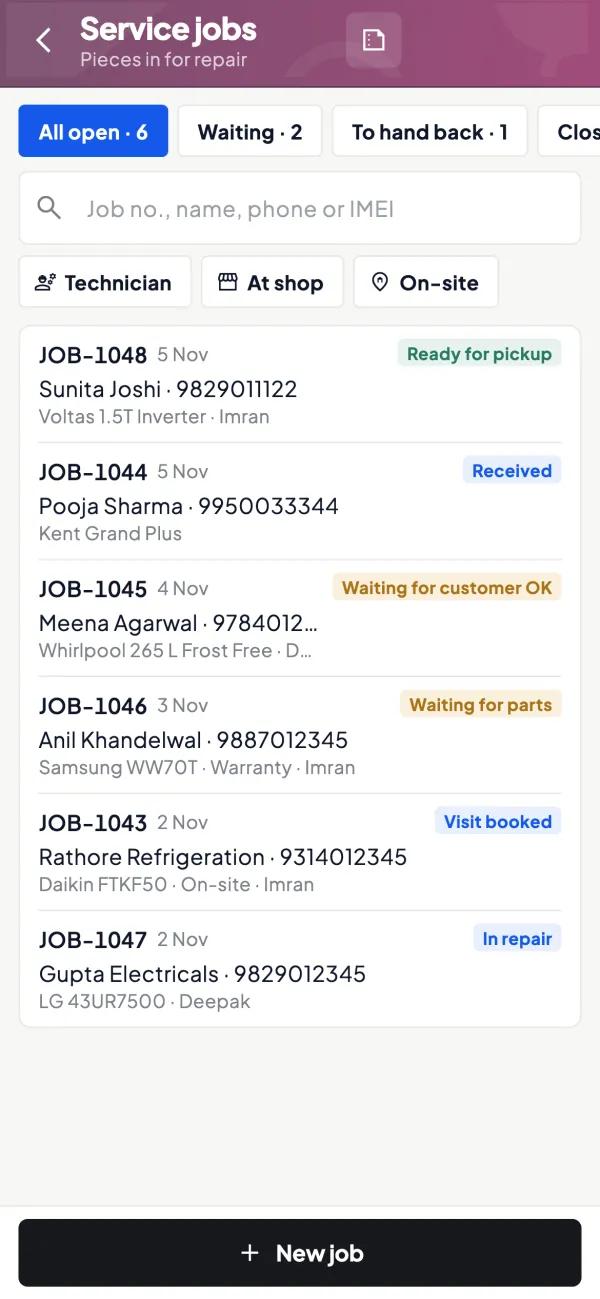
Job cards from opening to invoice
How it works. Open a repair, installation or pickup job, dispatch a technician, add items or service charges as the work goes on, then close and invoice it.
- No paper slips between counter and workshop
- Parts and labour on the same job record
- Customer's past jobs in front of the technician
In practiceA washing machine comes in for a drain fault. The job collects ₹300 inspection, a ₹1,450 drain pump, a ₹120 clamp set and ₹400 fitting: ₹2,270 before GST.
Estimates and AMC quotations
How it works. Make a quotation or proforma with your branding for larger repairs or annual maintenance proposals, and share it on WhatsApp or email.
- Approval in writing before costly work
- Your bank and UPI details on every estimate
- Converts into a sales order or Tally invoice
In practiceAn office in Indore asks for an AMC on 18 printers. The quotation goes the same afternoon with the yearly charge and visit terms.

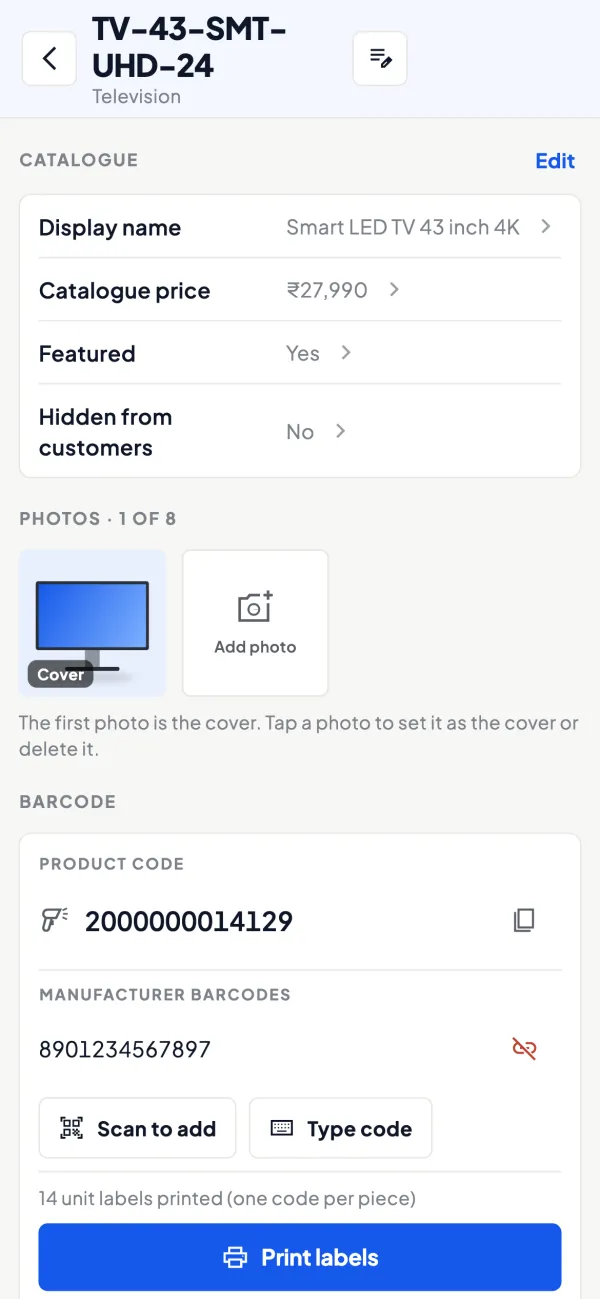
Spare parts with labels
How it works. Print barcode labels per item or per piece, on thermal or A4, and scan with the phone camera.
- Right part, first time
- Faster adding of parts to a job
- Stock is the same as in Tally
In practiceA mobile repair counter labels its display and battery bins; technicians scan the part when they pick it, and it lands on the job.
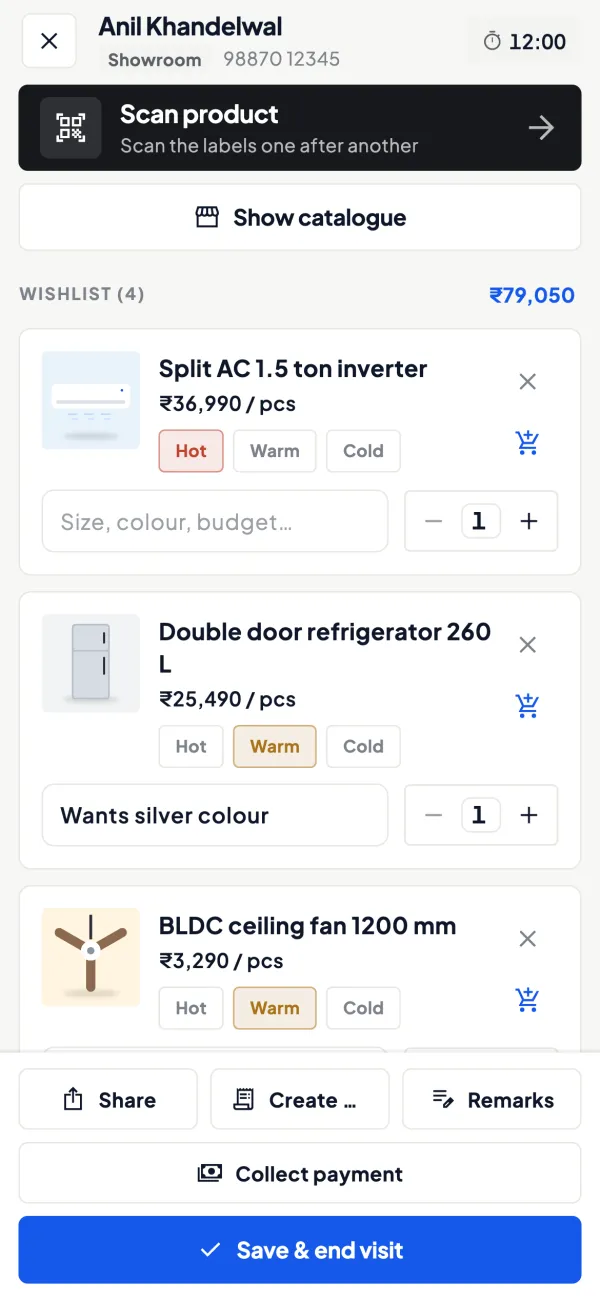
Technicians on site visits
How it works. With field force on, technicians check in at the customer's site with their location and add notes and photos of the work done.
- Proof of visit for disputes
- Photos of the installation kept with the visit
- Owner sees the team's visits
In practiceAn AC technician checks in at a Noida flat, photographs the outdoor unit after cleaning, and the job is closed the same evening.
Corporate and AMC dues
How it works. Receivables with ageing for business customers who pay monthly, from your Tally books.
- Know which clients are 60+ days overdue
- Statements in Tally format on WhatsApp
- Follow up before renewing an AMC
In practiceBefore renewing a hospital's RO AMC, the owner sees ₹42,000 still pending from last year's quarterly bills.

Know your trade
A guide for service centres
How the business works, where money gets stuck, and the GST points to watch.
How service and repair businesses run
Service centres come in many shapes: mobile and laptop repair counters, appliance service centres, AC and RO technicians, two-wheeler workshops, printer and CCTV service teams. The common thread:
- A job is opened when the customer drops off an item or books a visit or pickup.
- A technician diagnoses it and gives an estimate.
- Parts are used from stock and labour is charged.
- The job is closed, the customer is billed and the item is handed over.
Many also sell products and run annual maintenance contracts. See running an after-sales service business for the bigger picture.
The usual problems
- Paper job cards that go missing or cannot be read.
- Unbilled parts: a ₹450 capacitor fitted on a busy day and never added to the bill. Ten of those a month is ₹4,500 gone.
- Status calls: the counter spends the afternoon answering "is my phone ready?"
- Separate systems: jobs in a register or a basic app, invoices and stock in Tally, and the two never quite match.
Service jobs in Cashflow OS
The service jobs module, switched on per company, covers the job from opening to bill:
- Open a repair or pickup job for a customer.
- Add items, which come from your Tally stock items, or service charges as the work goes on.
- Close the job and invoice it.
Because items are the same ones you keep in Tally, a part used on a job is the same stock item your stock summary shows. Accounts, GST and stock stay in TallyPrime; the job record sits in Cashflow OS next to them.
A worked example of one job
A customer drops off a washing machine that will not drain. Here is how the bill builds up:
| Line | Type | Amount before GST |
|---|---|---|
| Inspection and diagnosis | Service charge | ₹300 |
| Drain pump | Spare part (stock item) | ₹1,450 |
| Hose clamp set | Spare part (stock item) | ₹120 |
| Fitting and testing | Service charge | ₹400 |
The total before tax is ₹2,270. If the technician had fitted the hose clamps and forgotten to add them, the bill would still look complete to the customer, which is exactly why parts should be added to the job as they are used, not remembered at closing. When the job is recorded against the customer's name and number, the next visit starts with this history in front of the technician: the same pump failing twice in six months tells you something about the machine, or about the part.
Repeat this for 20 or 30 jobs a day and the difference between a job record and a paper slip becomes obvious at month-end, when parts consumed should roughly match parts billed.
Billing and GST points to keep in mind
A repair bill often mixes goods (spare parts) and a service (labour), which can carry different HSN or SAC codes and sometimes different GST rates. Keep parts as stock items and labour as a service in Tally so each line is taxed correctly. GST is worked out from the item and the party's state when a voucher is created from the app. Our guide on GST for service and repair businesses explains the common cases. This is general information, not tax advice.
Other tools a service centre can use
- Quotations and proforma invoices with your logo, letterhead and UPI details, shared on WhatsApp, for larger repairs or AMC proposals.
- Party ledgers and statements for business customers who pay monthly.
- Receivables with ageing to follow up corporate clients.
- Field force tools if technicians go out on visits: check-in with location, visit notes and photos.
- Barcodes and labels for spare parts, scanned with the phone camera.
Setting it up
- Install the connector on the Tally PC and link the company by scanning the QR from the app.
- Make sure spare parts are stock items in Tally and labour charges have a proper service ledger or item.
- Switch on the service jobs module for the company.
- Invite counter staff and technicians with roles that fit; a salesperson-type role sees items and their own customers, not the accounts.
- Switch writing into Tally on only after you have tested a few jobs end to end.
For job card design, see job card and service invoice.
This page is general information for Indian businesses, not tax, legal or financial advice. Rules and rates change — check the official portals or your CA before acting.
Set-up
Up and running in 4 steps
No new software to learn for your accountant — Tally stays as it is.
- 1
Install the Tally Connector on the PC where TallyPrime runs
- 2
Sign in to the app with your mobile number and scan the connector's QR
- 3
Keep spare parts as stock items and labour as a service in Tally
- 4
Switch on service jobs and invite counter staff and technicians
Buyer’s checklist
What to look for in software for service centres
Whatever you choose, check these before you commit.
- Job cards that can't go missing between counter and workshop
- Parts used on a job taken from the same stock as your accounts
- Labour and parts on one bill, with correct GST for each line
- A record of which technician visited, when and where
- Estimates on your letterhead before costly repairs
- Customer history by job, so repeat faults are spotted
- Receivables ageing for corporate and AMC clients
- Staff access that doesn't open your accounts
Plans
Simple yearly plans
- 14-day free trial on your own books
- 3-year term saves up to 25%
- Premium modules (catalogue, field force, price lists, store…) priced extra
Start free trialGet the price for your business
Compare all plans- Growth₹3,000/year + GSTBooks, reports, outstanding and sharing
- Pro₹5,000/year + GSTEverything in Growth, plus entries into Tally
- Pro+₹7,000/year + GSTEverything in Pro, plus e-invoice and e-way bill
Why Cashflow OS
Why service centres choose Cashflow OS
- Jobs next to your Tally booksParts are your Tally stock items; accounts, GST and stock stay in TallyPrime.
- Nothing fitted goes unbilledItems and service charges are added to the job as the work happens.
- Technician dispatch and visitsAssign jobs and see site visits with location, notes and photos.
- Estimates that look professionalQuotations and proformas with your branding, on WhatsApp.
- Start smallUse jobs and the read-only books first; writing into Tally stays off until you switch it on.
- 14-day free trialRun real jobs on your own Tally data before you pay.