Business software & ERP Business software
Keeping your accounting data secure
Most data leaks in small businesses come from shared passwords, open computers and staff who leave with access, not from hackers. A few habits close most of the gaps.
- Business owners
- Accountants
- Office managers
- Teams using business apps on phones
- Businesses with field staff
On this page 12
What is at risk
Your books show who your customers are, what rates they get, your margins, your bank balances and your suppliers. In the wrong hands that is valuable: a departing salesperson can take your dealer list and rates to a competitor; a careless share can expose a customer's statement to another; a compromised PC can lead to fraudulent payments. Security for a small business is mostly about keeping each piece of data with the people who need it.
Passwords and logins
- One person, one login. Never share the owner's or administrator's login with staff. Shared logins make it impossible to know who did what.
- Strong, different passwords for the accounting software, email, banking and the PC itself.
- Two-step sign-in wherever offered, especially for email and online banking.
- Change passwords when someone with access leaves, and when you suspect any leak.
- Do not write passwords on a note stuck to the monitor or in a WhatsApp chat.
Give each role only what it needs
| Role | Usually needs | Usually does not need |
|---|---|---|
| Data-entry operator | Create vouchers | Delete vouchers, change masters, see P&L |
| Accountant | Full entries, reports, GST | Bank login, owner-level settings |
| Salesperson | Items, own customers, own orders | Other customers, company accounts |
| CA or auditor | Read access to books and reports | Permanent editing rights |
The guide to user roles shows how to set these up step by step.
Protect the accounts PC
- Use a Windows login with a password; lock the screen when away.
- Keep Windows and antivirus updated.
- Do not use the accounts PC for personal browsing, games or downloads.
- Do not plug in unknown pen drives.
- Place the PC where customers and casual visitors cannot see the screen.
- Keep backups as described in backing up accounting data.
Phones are the new risk
Once owners and staff see business data on phones, a lost or shared phone becomes a door into the books. Use an app lock with fingerprint, face or PIN on any business app. Make sure each staff member signs in with their own mobile number, so their access can be removed alone. Avoid saving business PDFs to a phone gallery that syncs with a family account.
Watch for payment fraud
A common fraud on businesses is a message that appears to come from a regular supplier, saying their bank account has changed and asking you to pay the next bill to a new account. Another is a fake "urgent" request, seemingly from the owner, asking the accountant to transfer money. Set a firm rule: any change to a supplier's bank details is confirmed by a phone call to a number you already have, not one given in the message. Payments above a set amount need a second person's approval. These two rules cost nothing and stop the most damaging frauds small businesses face.
When someone leaves
- Remove their login to the accounting software, apps and email on their last day, not later.
- Change any password they knew, including shared Wi-Fi and the accounts PC.
- Collect company phones, SIMs and devices.
- Check recent activity for unusual deletions, rate changes or exports.
Questions to ask any software vendor
- Where is my data stored, and is it encrypted?
- Can I set different roles and limit what each person sees?
- Is there an app lock and a record of who did what?
- Can I remove one person's access instantly?
- Can I export or delete my data if I leave?
Cashflow OS, for example, has roles per company (owner, admin, accountant, staff, salesperson), with salespeople limited to items and their own customers, app lock with fingerprint, face or PIN, QR sign-in for the web app from the phone, and a view of the team's activity for the owner. See team roles.
Avoid these
Common mistakes
- MistakeSharing the owner's login with staffDo this instead
Give each person their own login with the rights they need, so you can see who did what and remove one person alone.
- MistakePaying a supplier's 'new' bank account from a messageDo this instead
Confirm bank-detail changes by phone on a number you already have, and keep two-person approval above a set amount.
- MistakeRemoving a leaver's access weeks laterDo this instead
Remove logins to software, apps and email on the last day, change passwords they knew and collect devices.
- MistakeBusiness apps on phones with no lockDo this instead
Use an app lock with fingerprint, face or PIN, and keep business PDFs out of galleries that sync to family accounts.
Keep handy
Checklist
Keeping your accounting data secure — 8 checks. Tick them as you go.
In Cashflow OS
How Cashflow OS helps
Cashflow OS puts your TallyPrime books on every phone in the team. Where it fits this topic:
Roles per company
Owner, admin, accountant, staff and salesperson roles control access; a salesperson sees items and their own customers, not the company's accounts.
See Team roles and access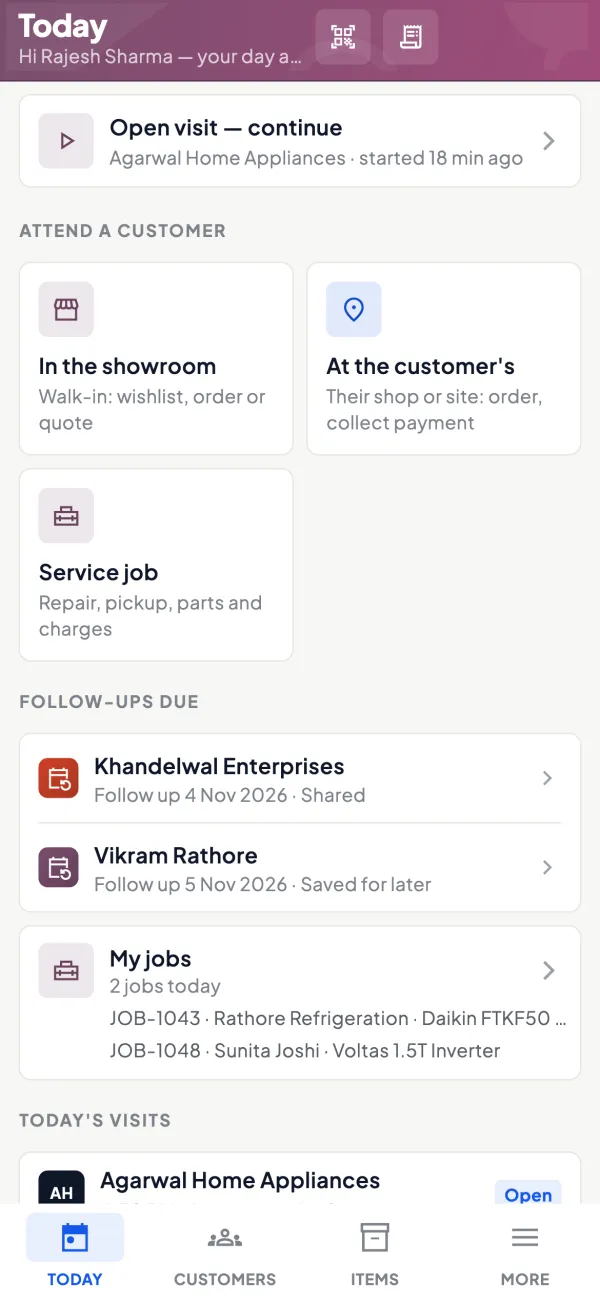
App lock and QR sign-in
The app locks with fingerprint, face or PIN, the web app opens by scanning a QR with the phone instead of a password, and the owner can see the team's activity.
See Tally on the web
Questions people ask
Is it safe to keep accounting data in the cloud?
Should my accountant know the owner password?
What should I do if I suspect a data leak?
How do I know if someone changed old entries?
Should salespeople have access to the full books?
How often should passwords be changed?
Is sending ledgers on WhatsApp a security risk?
What should I do if a phone with business apps is lost?
This page is general information for Indian businesses, not tax, legal or financial advice. Rules and rates change — check the official portals or your CA before acting.