AI for inventory and demand planning
AI demand planning estimates how much of each item you will sell and when, so you can set reorder levels, avoid stock-outs and stop money getting stuck in slow stock, but it depends on accurate stock records and needs a person to judge the exceptions.
- Distributors and wholesalers
- Retail shops and showrooms
- Hardware and building material traders
- Purchase managers
- Businesses with festive peaks

On this page 12
The two costly mistakes
Every trader knows both. Too little stock of a fast item means lost sales and customers who try another shop. Too much stock of a slow item means money locked up, space used, and eventually discounts or write-offs. In many businesses, a large share of stock value sits in items that barely move, while the fast items keep running out. Demand planning is about moving money from the first group to the second.
What AI does in demand planning
- Estimates demand per item from past sales, adjusting for season and trend.
- Suggests reorder levels from demand and supplier lead time.
- Flags slow and dead stock by days since last sale and months of cover.
- Prepares draft purchase orders for a buyer to review.
- Spots items that sell together, useful for stocking a new branch or planning a catalogue.
Reorder level: a worked example
A hardware distributor sells a 25 mm PVC pipe:
- Average sales: 40 lengths a day
- Supplier lead time: 6 days
- Safety stock for variation in sales and delivery: 4 days, that is 160 lengths
Reorder level = (40 × 6) + 160 = 400 lengths. When stock falls to 400, place the order. If AI sees that sales jump to 60 a day from March to May for plumbing season, it can suggest a seasonal reorder level of (60 × 6) + 240 = 600. At ₹180 a length, the extra 200 lengths is ₹36,000 of stock, which is the price of not running out in peak season. See reorder levels and safety stock.
Finding slow and dead stock
| Category | Rule of thumb | Action |
|---|---|---|
| Fast | Sold every week | Watch reorder levels |
| Slow | No sale in 60–90 days | Stop reordering, push through sales team |
| Dead | No sale in 180+ days | Return to supplier, clearance price, or write down |
Adjust the days to your trade; for seasonal goods, compare with the same season last year. Ask the AI: “List items with closing stock value above ₹20,000 and no sale in the last 120 days, with their last purchase date.” The answer is often the fastest way to free cash. More in inventory turnover and dead stock.
Festive and seasonal planning
For festive buying, ask AI to compare last year's festive weeks with normal weeks per item group, then plan this year's purchase from that ratio, adjusted for current trend. Place orders early enough for the supplier's lead time in peak season, which is often longer than usual. Our festive season stock planning guide has a timeline.
Where AI demand planning goes wrong
- Book stock differs from shelf stock. If billing is pending, returns are not entered or counts are old, every suggestion is off. Do regular stock counts.
- Stock-outs hide demand. An item that was out of stock for three weeks shows low sales; the model then suggests buying less.
- Same item, many names. Duplicate item masters split the history.
- One big order. A single bulk sale to a project inflates the average; tell the tool to exclude it.
- New items. No history means no forecast; use judgement.
- Supplier terms ignored. A suggested quantity of 37 boxes is useless if the supplier sells in cases of 24, or if a scheme rewards buying 100.
A monthly look at suggestions against what actually sold shows whether the planning is getting better or just getting faster.
Prompts to try
- “Which items have less than 10 days of stock at current sales rates?”
- “For each stock group, how many months of stock do we hold at the last three months' sales rate?”
- “Draft a purchase list for supplier X: items below reorder level, with suggested quantities for 30 days of sales.”
Review every draft purchase list. The buyer knows about rate changes, minimum order quantities and schemes the data does not show.
Stock data from Tally with Cashflow OS
Cashflow OS shows stock and item summaries from your Tally data on phone and web, with items organised by Tally stock groups. Its AI assistant can answer stock questions from the synced books, such as which items have not sold in 90 days. Purchase orders can be created from the phone and posted to Tally once writing back is switched on. Planning decisions stay with you.
Avoid these
Common mistakes
- MistakePlanning from book stock that does not match the shelfDo this instead
Enter pending bills and returns and do regular stock counts, so suggestions start from real stock.
- MistakeBuying less of an item that was simply out of stockDo this instead
Mark weeks when the item was out of stock; low sales then reflect supply, not demand.
- MistakeLetting one bulk project order inflate the averageDo this instead
Exclude one-off bulk sales when working out normal daily demand and reorder levels.
- MistakeOrdering odd quantities the supplier will not sellDo this instead
Round suggestions to the supplier's case or pack size and account for schemes before placing the order.
Keep handy
Checklist
AI for inventory and demand planning — 7 checks. Tick them as you go.
In Cashflow OS
How Cashflow OS helps
Cashflow OS puts your TallyPrime books on every phone in the team. Where it fits this topic:
Stock by Tally group on your phone
Stock and item summaries from your Tally data, organised by stock groups; the AI assistant can list items that have not sold in 90 days.
See AI assistant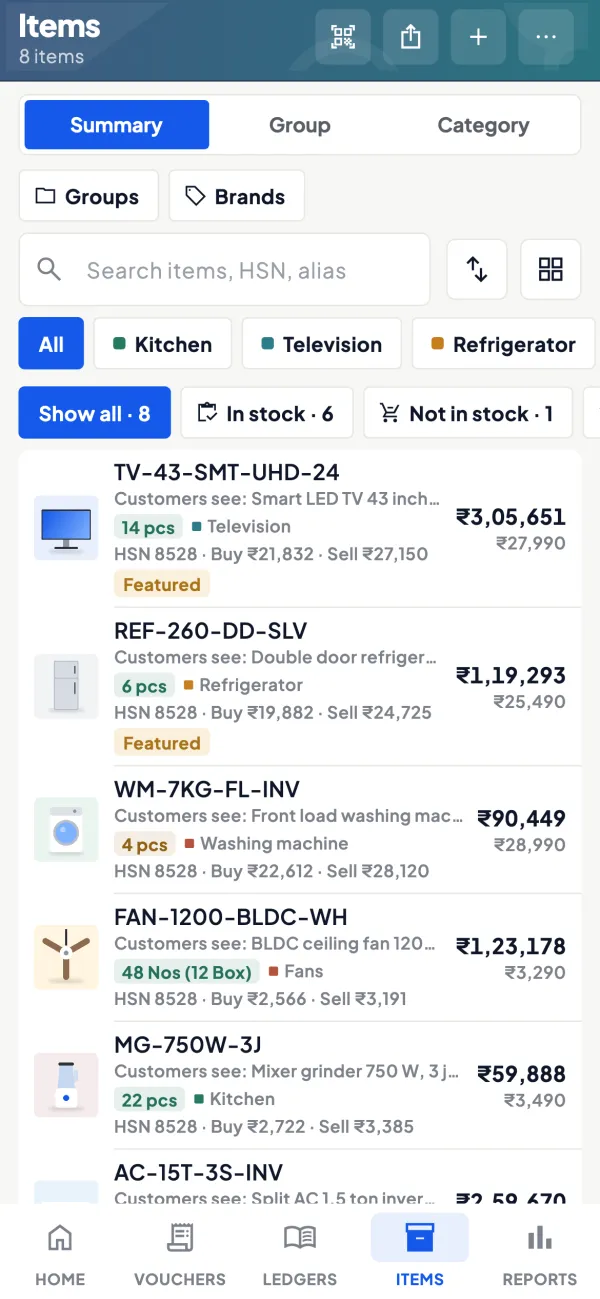
Purchase orders into Tally
Once writing back is switched on, purchase orders can be created from the phone and posted to Tally. Planning decisions stay with you.
See Purchase orders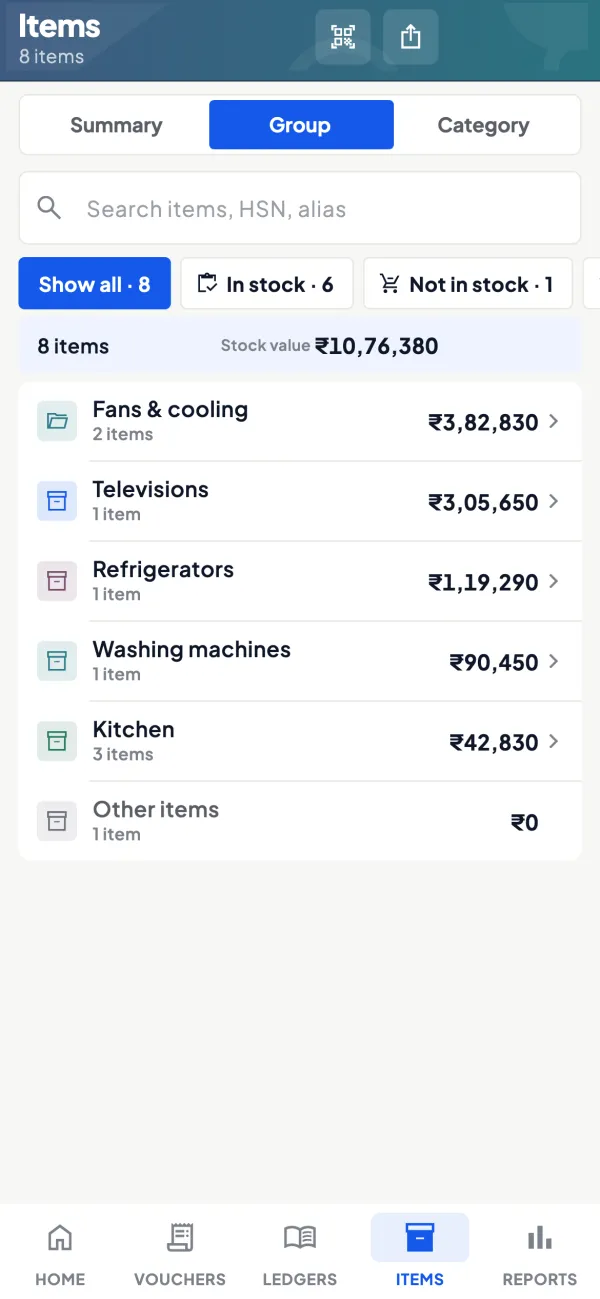
Questions people ask
Do I need special software for demand planning?
How often should reorder levels change?
Can AI tell me the right price for clearing dead stock?
What is safety stock?
How do I plan stock for the festive season?
How can AI plan for a new item with no sales history?
What is months of cover?
What should I do with dead stock?
This page is general information for Indian businesses, not tax, legal or financial advice. Rules and rates change — check the official portals or your CA before acting.