
Uttar Pradesh · GST state code 09
Tally on mobile for Noida businesses
Noida and Greater Noida host many of India's mobile phone, television and electronics assembly plants, along with component suppliers, IT companies and media houses.
- Serial numbers on every handset
- IT and CCTV quotes on the phone
- Install jobs tracked to invoice
- Dealer dues across NCR
Start free trialBook a free demo
Works with your TallyPrime14-day free trialSupport on call and WhatsApp in Hindi or English, +91 70738 53555
 GST state code09
Local trade
Trades in Noida
Noida and Greater Noida host many of India's mobile phone, television and electronics assembly plants, along with component suppliers, IT companies and media houses. The Noida SEZ and nearby sectors have long been home to garment and apparel exporters. Rapid office and housing growth also makes it a big market for building materials, IT hardware and security systems.
Known for
- Mobile phone and electronics manufacturing
- IT services
- Garment exports
- Media
Markets and industrial areas
- Noida Phase 2 (NSEZ)
- Sector 63
- Greater Noida industrial areas
Industries in Noida on Cashflow OS
 IndustryMobile phone shopsBarcodes for every accessory
 IndustryElectronics and appliance dealersWalk-ins followed up on WhatsApp
 IndustryIT hardware dealersCorporate quotes on letterhead
 IndustryGarment businessesDesigns shared as a catalogue
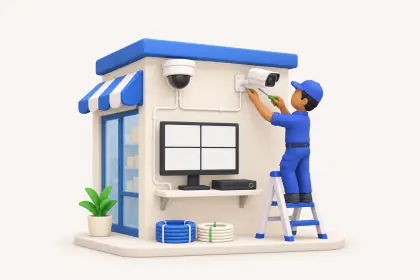 IndustryCCTV and security installersQuotes with cable by metre
Pain → fix
Problems Noida businesses tell us about
What gets stuck when the books are only on the Tally PC, and what changes with Cashflow OS.
- The problemMobile and electronics stock where every piece has a serial numberWith Cashflow OS
Items with serial numbers, barcodes and labels; scan with the phone camera when billing or checking stock.
Barcodes and labels - The problemCCTV and IT hardware projects that need quotes, then installationWith Cashflow OS
Quotation PDF with your branding, converted to a Tally sales order, then a service job for the installation.
Service jobs - The problemDealers in Delhi, Ghaziabad and Faridabad on mixed GST statesWith Cashflow OS
Party-wise outstanding for every dealer, and entries from the app work out GST from the party's state.
Outstanding receivables
How it works
How Cashflow OS works with your Tally
The same set-up for a business in Noida as anywhere else — your accountant keeps working in TallyPrime.
- 1
Install the connector on the Tally PCA small Windows app on the PC where TallyPrime runs. It reads the companies open in Tally.
- 2
Scan the QR with your phoneSign in to the app with your mobile number and scan the QR the connector shows. Your Tally companies sync.
- 3
Invite your teamSend each person a link. Owner, accountant, staff and salespeople each get their own role.
- 4
Entries go back into TallyOrders, receipts and vouchers made on the phone are posted into Tally by the connector, where Tally checks them.

Plans
Simple yearly plans
- 14-day free trial on your own books
- 3-year term saves up to 25%
- Premium modules (catalogue, field force, price lists, store…) priced extra
Start free trialGet the price for your business
Compare all plans- Growth₹3,000/year + GSTBooks, reports, outstanding and sharing
- Pro₹5,000/year + GSTEverything in Growth, plus entries into Tally
- Pro+₹7,000/year + GSTEverything in Pro, plus e-invoice and e-way bill
Why Cashflow OS
Why Noida businesses choose Cashflow OS
- Statements on WhatsAppParty statements, invoices and documents go out as a PDF in a couple of taps.
- The right GST on each entryCGST and SGST or IGST is picked from the item and the party's state when an entry is made.
- Dues before the visitBill-wise outstanding and ageing for every party, on the phone, before anyone walks in or calls.
- English and HindiEach person picks the app language — English or Hindi. Statements can go out in either.
- Each person sees their partA salesperson sees items and their own customers, not the company's accounts. The owner sets the roles.
- Support that speaks your languageOur Jaipur team helps you set up over call, WhatsApp or video — Hindi or English, +91 70738 53555.
Questions Noida businesses ask
Can mobile phone and electronics businesses in Noida use Cashflow OS?
My team covers Sector 63, Greater Noida and Delhi. Can they book orders?
What GST state code does Noida use?
How is setup done for a Noida office?
More places
Nearby and in Uttar Pradesh
Nearby cities
 DelhiDelhiWholesale trade for north India, spices and dry fruits, textiles and garments
 Uttar PradeshGhaziabadSteel and engineering, industrial areas, warehousing
 HaryanaFaridabadAuto components and tractors, engineering, forgings and fasteners
 Uttar PradeshMeerutSports goods, scissors, gold jewellery
More cities in Uttar Pradesh
LucknowChikankari embroidery, attar and perfumes, Awadhi food KanpurLeather and saddlery, leather footwear, textiles and hosiery
 AgraLeather footwear, petha sweets, marble inlay handicrafts
 VaranasiBanarasi silk saris, wooden toys and lacquerware, carpets from Bhadohi
 PrayagrajEducation and coaching, guava, Magh Mela and KumbhBareillyZari and zardozi embroidery, bamboo and cane furniture, surma
 AligarhLocks, hardware and builder fittings, brass statues
 MoradabadBrass and metal handicrafts, metalware exports, aluminium and iron decor items
