Preparing your business data for AI
Before AI can give useful answers about your business, the underlying data has to be complete, consistent and current: one ledger per party with the right group and GSTIN, bills tracked bill-wise, items named and grouped properly, and entries made on time.
- Business owners using Tally
- Accountants
- Distributors and traders
- Owners trying AI tools
- Multi-branch businesses

On this page 12
Why data quality matters more than the tool
Every AI answer is built from your records. If a customer appears under two names, its sales are split. If receipts are not matched to bills, the overdue list is wrong. If entries are a week behind, every answer is a week old. Switching to a cleverer tool does not fix any of this. An afternoon spent on masters often improves answers more than months of trying different tools.
Checklist 1: party ledgers
- One ledger per customer and supplier; merge duplicates such as “Gupta Electricals” and “Gupta Electrical Co.”.
- Customers under Sundry Debtors, suppliers under Sundry Creditors, and loans, staff and partners in their own groups.
- GSTIN, state and registration type filled for every registered party. See GSTIN.
- Bill-wise details switched on for credit parties, with credit days where you have terms.
- Mobile number and area or route filled, if you want answers by route or for reminders.
Checklist 2: items and stock
- One item master per product; no “misc item” used for many products.
- Stock groups that match how you buy and sell, such as by product type, with categories for brand if needed.
- Correct units and alternate units (box and piece) so quantities add up.
- HSN and GST rate set at item or group level.
- Godowns used if you have more than one stock location.
- A recent stock count, so book stock matches shelf stock.
Checklist 3: entries and timeliness
- Sales, purchases, receipts and payments entered daily, or at least weekly.
- Receipts and payments linked to bills, not left on account.
- Bank reconciled monthly.
- Credit notes and debit notes entered against the original bills.
- Opening balances correct when a new financial year starts.
- Salesperson or branch tagged on entries (through cost centres or voucher types) if you want answers by person or branch.
A worked example of the difference
An owner asks: “Which customers owe more than ₹50,000 for over 60 days?”
| Data state | Answer |
|---|---|
| Receipts on account, two duplicate ledgers | Lists 14 customers, including three who have actually paid and missing one whose dues are split across two ledgers |
| After matching receipts to bills and merging duplicates | Lists 9 customers, each with the right oldest bill |
The tool did not change. The data did. Our guide to Tally bill-wise details explains the clean-up.
Checklist 4: privacy and access
- Decide which data AI tools may see: accounts, stock, customer contact details, salaries.
- Keep salary, personal and bank details out of general AI tools.
- Set roles so each person sees only what their job needs.
- Know where any AI provider stores your data and for how long.
- Keep backups of your books independent of any AI tool. See backing up accounting data.
A clean-up plan, and traps to avoid
Traps to avoid
- Deleting instead of merging. Removing a duplicate party ledger that has entries loses history. Move the entries or merge, following your accountant's advice.
- Changing closed years. Editing entries in a year whose returns are filed and books are audited creates mismatches. Fix forward from the current year unless your CA advises otherwise.
- Renaming without telling the team. If item or party names change, salespeople and the accountant should know, or new duplicates appear within weeks.
- One big push, then nothing. Clean data stays clean only with a daily routine and a monthly check of new masters.
A four-week plan
- Week 1: Merge duplicate parties; fix groups; fill GSTINs and states.
- Week 2: Switch on bill-wise details for credit parties; adjust on-account receipts against bills, starting with the largest customers.
- Week 3: Clean item masters and stock groups; set HSN; do a stock count of fast items.
- Week 4: Bring entries up to date; reconcile bank; agree a daily entry routine with the accountant.
Then try ten real questions with an AI tool and check each answer against the standard report. Where an answer is wrong, the cause is usually one more data fix.
Clean Tally data and Cashflow OS
Cashflow OS reads your TallyPrime companies through a connector and syncs them to a phone and web app, where its AI assistant answers questions from that data. Clean masters in Tally show up directly as better answers in the app. When writing back is switched on, ledgers, stock items, stock groups, units and cost centres can be created or altered in Tally from the app, which helps keep masters tidy. The assistant does not file returns or give tax advice.
Avoid these
Common mistakes
- MistakeDeleting duplicate party ledgers that have entriesDo this instead
Move the entries or merge the ledgers on your accountant's advice, so history is not lost.
- MistakeLeaving receipts and payments on accountDo this instead
Link each receipt and payment to bills; this makes outstanding, ageing and collection answers reliable.
- MistakeEditing closed, filed years to tidy upDo this instead
Fix forward from the current year unless your CA advises otherwise; changing filed years creates mismatches.
- MistakeRenaming items and parties without telling the teamDo this instead
Tell salespeople and the accountant about name changes, and check new masters monthly so duplicates do not return.
Keep handy
Checklist
Preparing your business data for AI — 8 checks. Tick them as you go.
In Cashflow OS
How Cashflow OS helps
Cashflow OS puts your TallyPrime books on every phone in the team. Where it fits this topic:
Ask questions about your synced books
Digit, the assistant in Cashflow OS, answers questions from the data synced from Tally. It is read-only: it does not post entries, file returns or give tax advice.
See AI assistant
Tidy masters from the app
When writing back is switched on, ledgers, stock items, stock groups, units and cost centres can be created or altered in Tally from the app.
See Tally on mobile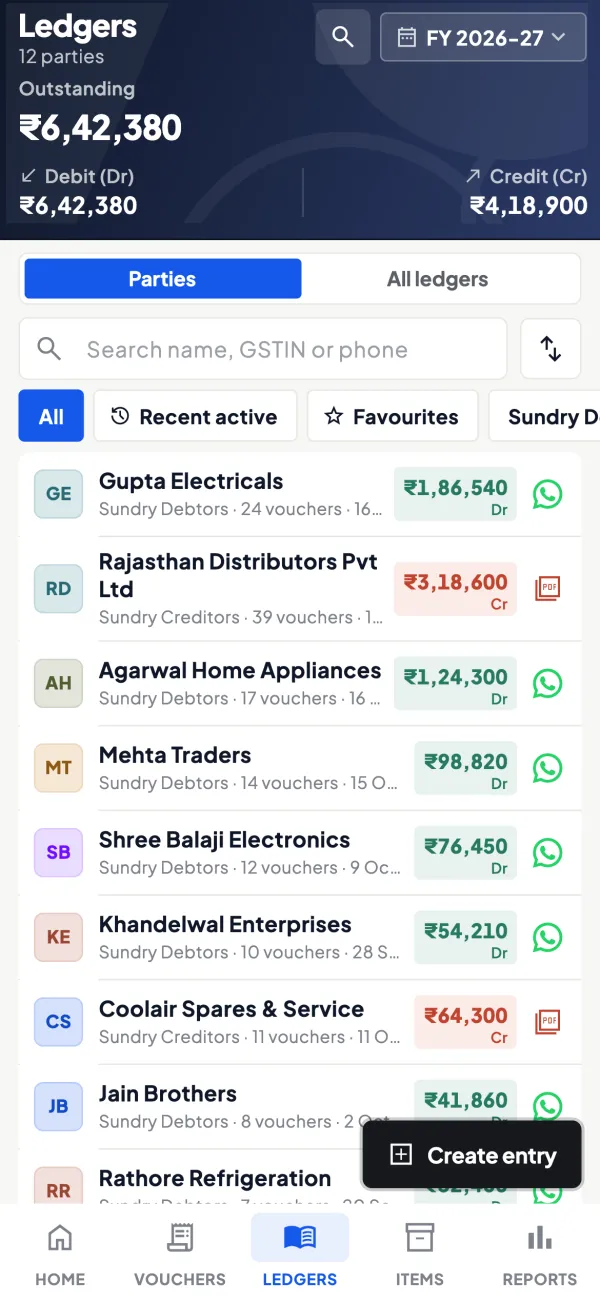
Questions people ask
How long does it take to clean up books for AI?
Do I need to clean every old year's data?
What is the single most useful fix?
Will AI fix messy books by itself?
How do I check whether an AI answer is right?
Should staff see everything an AI tool can see?
Do cost centres help AI answers?
What should I keep separate from any AI tool?
This page is general information for Indian businesses, not tax, legal or financial advice. Rules and rates change — check the official portals or your CA before acting.