ChatGPT for accounting: the limits you should know
ChatGPT and similar general chat tools are useful for explaining accounting ideas, drafting messages and working with data you give them, but they do not know your books, can be wrong or out of date on Indian tax, and should not receive sensitive financial data without care.
- Business owners
- Accountants and CAs
- Accounts staff
- Founders exploring AI tools
- Students of accounting

On this page 12
What a general chat tool is, and is not
ChatGPT is a general-purpose AI chat tool. It has learned from a very large amount of text, including accounting textbooks and tax articles, so it can explain concepts fluently. But by default it:
- has no access to your Tally data, bank or GST portal;
- may not know about recent notifications or rate changes;
- can produce answers, figures or references that sound right and are not;
- keeps whatever you paste according to its provider's data settings, which you should check.
Treat it like a bright assistant who has read a lot but has never seen your office and may have missed the last year's circulars.
Good uses
- Explaining concepts: “Explain the difference between GSTR-1 and GSTR-3B for a trader, in simple Hindi.”
- Drafting: payment reminders, letters to suppliers asking for a ledger confirmation, a credit policy note for the sales team.
- Working with data you paste: “Here are 30 rows of my sales; group by state and total the tax.” Check the result.
- Spreadsheet help: writing an Excel formula for ageing buckets or a lookup between your purchase register and GSTR-2B.
- Preparing questions for your CA: “What information will my CA need to decide whether ITC is available on this purchase?”
Where it fails
| Ask | Typical problem |
|---|---|
| “What is the GST rate on X?” | May give a pre-2025 rate or a wrong classification |
| “When is GSTR-3B due this month?” | Misses an extension or the QRMP difference |
| “Which section covers TDS on contractors?” | May quote the old Act's section, not the Income-tax Act, 2025 numbering |
| “What were my sales last month?” | Has no access; may still produce a number |
| “Calculate interest on late GST payment” | Arithmetic and rule errors are common in long calculations |
| “Cite the notification for this rule” | Can invent a notification number |
Every rate, date, section and notification from a general chat tool must be checked on gst.gov.in, cbic-gst.gov.in or incometax.gov.in.
This is general information, not tax advice.
Numbers: the arithmetic trap
Language models are not calculators. They usually get simple sums right, but errors creep into long lists, percentages and multi-step calculations. If you paste 200 rows and ask for totals, check the totals in a spreadsheet. Better still, ask it to write the spreadsheet formula and run the formula yourself. For anything that goes into a return or a party statement, the figure must come from your books.
Privacy before you paste
- Read the tool's data settings: whether chats are stored and used for training, and whether you can turn that off.
- Do not paste full ledgers, bank statements, salary sheets, PAN or Aadhaar details, or customer phone lists.
- For drafting, replace real names and figures with placeholders, then fill them in yourself.
- Remember that GSTINs identify businesses; removing names does not make GST data anonymous.
Prompts that get better answers
- Give context: “I am a GST-registered distributor in Rajasthan filing monthly.”
- Ask for uncertainty: “If you are not sure, or the rule may have changed, say so and tell me where to verify it.”
- Ask for steps, not verdicts: “What should I check to decide this?” instead of “Is this allowed?”
- Ask for structure: a table, a checklist, a draft with placeholders.
General chat tool vs an assistant connected to your books
| General chat tool | Assistant connected to your books | |
|---|---|---|
| Knows your balances | No | Yes, from the synced data |
| Explains concepts | Yes | Often |
| Risk of invented figures about your business | High | Lower, and checkable against reports |
| Data handling | Depends on what you paste | Depends on the provider; access by role |
More on the second kind in what an AI accounting assistant can do.
An assistant that reads your Tally books
If the question is about your own numbers, such as who owes what, last month's sales or freight spend this quarter, a general chat tool cannot answer it. Cashflow OS has an AI assistant inside its app that answers from the books synced from your TallyPrime companies, so you can check its answers against the same reports. Like any AI, it does not file returns or give tax advice.
Avoid these
Common mistakes
- MistakeTaking a GST rate from a chat answer as finalDo this instead
Confirm the rate and classification on cbic-gst.gov.in or with your CA; rates change by notification.
- MistakePasting a full ledger or salary sheet into a chatDo this instead
Share only what the task needs, use placeholders for names and amounts, and check the tool's data settings first.
- MistakeTrusting totals of a long pasted listDo this instead
Ask for the spreadsheet formula and run it yourself, or check totals in a spreadsheet before using them.
- MistakeAsking 'is this allowed?' and acting on the verdictDo this instead
Ask what to check to decide, then verify the rule on the official portal or with your CA.
Keep handy
Checklist
ChatGPT for accounting: the limits you should know — 7 checks. Tick them as you go.
In Cashflow OS
How Cashflow OS helps
Cashflow OS puts your TallyPrime books on every phone in the team. Where it fits this topic:
Questions answered from your own books
Digit, the assistant in the Cashflow OS app, answers questions about your synced TallyPrime data, read-only. It does not post entries, file returns or give tax advice.
See AI assistant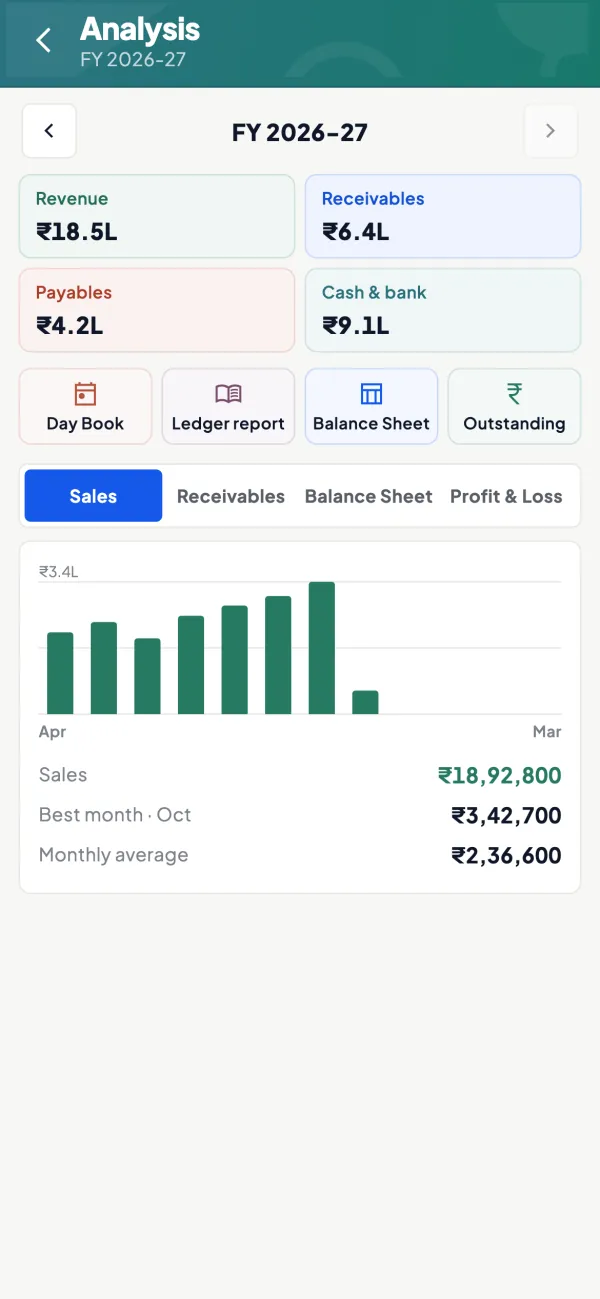
Reports to check the answers
The same synced data sits in reports such as P&L, Day Book and outstanding, so any answer can be checked against the report.
See Financial reports from Tally
Questions people ask
Can ChatGPT do my accounts?
Is ChatGPT reliable for GST rates?
Is it safe to upload my Tally export to ChatGPT?
Can ChatGPT write Excel formulas for accounts?
Can ChatGPT read my Tally data directly?
Is it fine to use ChatGPT to draft payment reminders?
Why does ChatGPT quote old tax sections?
Can an AI assistant replace my accountant?
This page is general information for Indian businesses, not tax, legal or financial advice. Rules and rates change — check the official portals or your CA before acting.