AI in accounting in India: a practical view for small businesses
AI tools can already read bills, summarise ledgers and answer plain-language questions about your numbers, but they still make confident mistakes, so Indian businesses get the most from them by using AI to find and explain, and people and the books to decide.
- MSME owners
- In-house accountants
- Practising CAs
- Distributors and traders
- Businesses on TallyPrime

On this page 11
What “AI” means in an accounts office
When people say AI in accounting today, they usually mean one of three things:
- Reading documents: turning a photo or PDF of a purchase bill into fields such as supplier, GSTIN, invoice number, items and tax.
- Finding patterns: flagging duplicate bills, unusual payments, customers who have started paying late, or items whose sales are dropping.
- Answering questions in plain language: a chat-style assistant that you can ask “Who owes me more than ₹50,000 for over 60 days?” instead of opening three reports.
None of these replace double-entry bookkeeping, GST law or the judgement of an accountant. They sit on top of your books and save time on the reading, sorting and summarising.
Where AI already helps Indian MSMEs
The useful jobs are the repetitive ones that eat an accountant's day:
- Purchase bill entry. Extracting data from supplier bills so the entry is pre-filled, then checked by a person.
- Collections follow-up. Listing overdue parties, drafting polite reminders in English or Hindi, and summarising a party's history before a call.
- Report reading. Explaining why this month's profit fell, which expense heads moved, which customers bought less.
- Checks before filing. Pointing out invoices with missing GSTINs, odd tax rates, or a big gap between your purchase register and the input credit shown on the portal.
- Owner questions. Letting a busy owner ask about sales, stock or dues on the phone without learning report menus.
Where it goes wrong
The biggest risk is not that AI refuses to answer. It is that it answers wrongly and sounds sure.
- Made-up numbers. A general chat tool asked “What were my October sales?” without access to your books may produce a figure anyway. Any number that is not traced to your ledgers should be treated as fiction.
- Out-of-date tax answers. GST rates, thresholds, due dates and income-tax provisions change by notification. The Income-tax Act, 2025 that applies from 1 April 2026 renumbered familiar sections. A model trained on older text can confidently quote the old position.
- Misread documents. A blurred bill can turn ₹18,000 into ₹13,000, or swap two digits of a GSTIN.
- Privacy. Pasting a full ledger or bank statement into a free online tool may send customer names, amounts and GSTINs to a service you do not control.
Our page on the risks of AI in finance goes deeper into each one.
A simple rule: AI finds, people decide
A safe pattern for a small business looks like this:
| Task | Let AI do | Keep with a person |
|---|---|---|
| Purchase bills | Read the bill and pre-fill the entry | Check GSTIN, amount and tax before saving |
| Collections | List overdue parties, draft reminders | Decide who to call, approve the message |
| GST returns | Flag mismatches and missing data | Final figures, filing and tax positions |
| Reports | Summarise and explain changes | Business decisions |
| Tax questions | Explain general concepts | Advice from your CA, current rules from the portal |
Questions worth asking an AI about your own books
When an assistant is connected to your actual accounts, these are good starting points:
- “Which ten customers owe the most, and how much of it is over 90 days?”
- “Compare this month's sales with the same month last year, by stock group.”
- “Which expense heads grew more than 20% over last quarter?”
- “List purchase bills above ₹1 lakh this month with their suppliers.”
For each answer, open one or two of the underlying entries and check that they match. If the tool cannot show where a number came from, do not rely on it.
Getting your data ready
AI is only as good as the books it reads. Party ledgers with correct GSTINs and states, bill-wise details on customers and suppliers, consistent item names and stock groups, and entries made on time all matter more than which AI tool you pick. Our guide on preparing business data for AI has a checklist.
Using AI with Tally and Cashflow OS
For businesses that keep books in TallyPrime, Cashflow OS includes an AI assistant inside the app. You type a question about your books, and it answers from the data synced from your Tally companies, such as sales, outstanding, ledgers and stock. Tally stays the books of record. The assistant does not file GST returns and does not give tax advice; for those, use the GST portal and your CA. More on this in using AI with Tally data.
Avoid these
Common mistakes
- MistakeAsking a general chat tool for your own sales figuresDo this instead
Only trust numbers from a tool connected to your books, and open one or two underlying entries to check them.
- MistakeQuoting a tax section or rate from an AI answerDo this instead
Confirm on the official portal or with your CA; rules change by notification and sections were renumbered from 1 April 2026.
- MistakeUploading full ledgers to a free online toolDo this instead
Use tools whose data handling you understand, and avoid sharing full ledgers, bank statements or customer lists.
- MistakeStarting AI on everything at onceDo this instead
Pick one repetitive task, try it for a month with a person checking every output, then extend.
Keep handy
Checklist
AI in accounting in India: a practical view for small businesses — 7 checks. Tick them as you go.
In Cashflow OS
How Cashflow OS helps
Cashflow OS puts your TallyPrime books on every phone in the team. Where it fits this topic:
An assistant that reads your Tally books
The AI assistant inside the app answers questions from data synced from your Tally companies: sales, outstanding, ledgers and stock. It does not file returns or give tax advice.
See AI assistant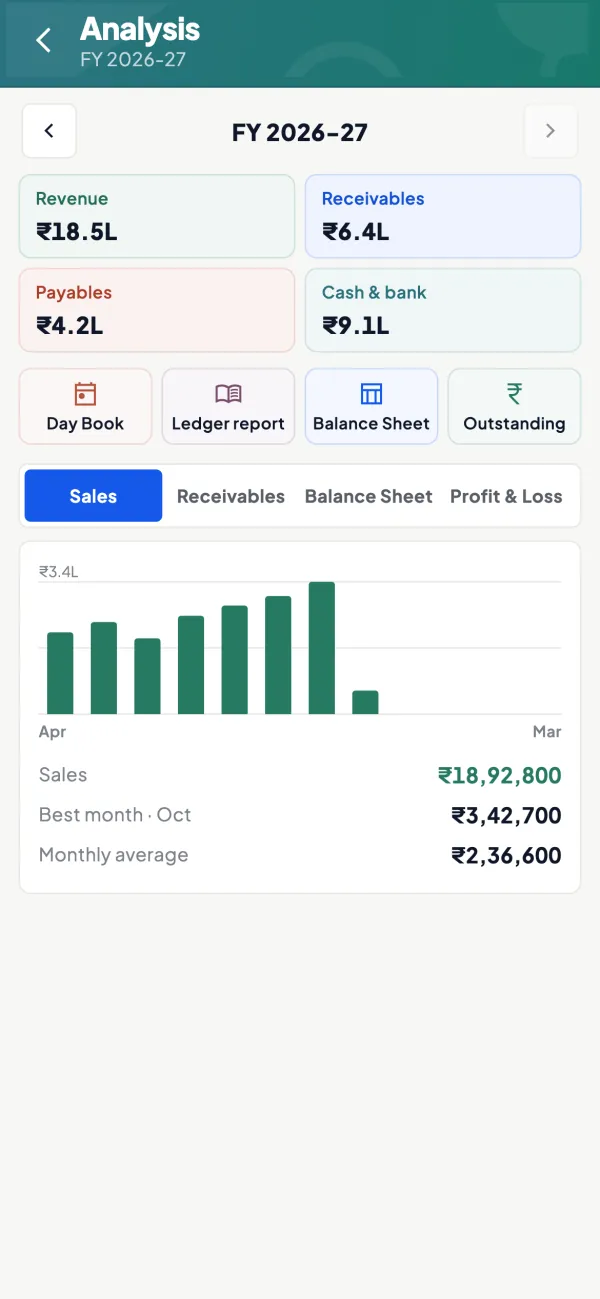
The same books on phone and web
Ledgers, outstanding and reports synced from Tally, so you can open the entries behind any answer. Tally stays the books of record.
See Tally on mobile
Questions people ask
Will AI replace accountants in India?
Can I trust an AI's answer about a GST rate?
Is it safe to upload my ledgers to an AI tool?
What is the cheapest way to start?
What is the difference between AI reading documents and AI answering questions?
Can AI explain why my profit fell this month?
Does AI change GST or income-tax rules for my business?
What should I do when an AI tool cannot show where a number came from?
This page is general information for Indian businesses, not tax, legal or financial advice. Rules and rates change — check the official portals or your CA before acting.