AI for small business bookkeeping
AI can take much of the typing and sorting out of bookkeeping for a small business, provided every AI-suggested entry is still checked against the source document before it goes into the books.
- Small traders with one accountant
- Accounts assistants
- Owners who do their own books
- Retailers and distributors
- Bookkeepers serving several clients

On this page 11
Where bookkeeping time actually goes
In a typical trading business with one accountant, most of the day is spent on a few jobs: keying in purchase bills, entering receipts and payments from the bank statement, matching payments to the right bills, tagging expenses to the right heads, and answering the owner's questions about who owes what. AI is useful exactly where the work is high in volume and low in judgement. It is not useful where a decision needs knowledge of the business, the party or the law.
A useful test before handing a job to AI: if a new junior could do it correctly from a written instruction sheet, AI can probably help. If it needs the owner's or the CA's judgement, AI can at most prepare the information for that person.
Five jobs AI can help with
1. Reading purchase bills
A document-reading tool can pull supplier name, GSTIN, bill number, date, items, taxable value and GST from a PDF or photo. The accountant checks and saves. Our guide on AI invoice data extraction covers accuracy checks.
2. Suggesting ledgers for bank lines
Bank narrations such as “UPI/ RAJ FREIGHT/ 9,800” can be matched to the right party or expense ledger based on past entries. The tool learns your patterns; you confirm each suggestion.
3. Matching receipts to bills
When a customer pays a round ₹75,000 against three bills, AI can suggest which bills it most likely settles, oldest first or by exact sums. You approve the split.
4. Tagging expenses
Classifying petty cash and card spends into heads such as travel, repairs, office or staff welfare, and flagging ones that look personal.
5. Summaries for the owner
A short note each week: sales, collections, payments, new overdue parties, unusual entries. Written in plain English or Hindi.
A daily routine that keeps you safe
- Collect the day's bills and bank statement lines in one place.
- Let the AI tool extract and suggest entries.
- Check each suggestion against the document: party, GSTIN, amount, tax and ledger.
- Post in your accounting software yourself, or approve the posting.
- At day end, look at the Day Book and compare totals with the bank and cash.
The important step is the third one. AI shortens the typing; it should not remove the check.
Prompts that work, and ones that do not
Good prompts give the tool your data and ask for a structured output:
- “From this bill, give supplier name, GSTIN, invoice number, date, taxable value, CGST, SGST, IGST and total as a table. If any field is unclear, write UNCLEAR.”
- “Here are 40 bank lines and my ledger list. Suggest a ledger for each line and mark low-confidence ones.”
- “Draft a WhatsApp message in Hindi to a customer whose bill of ₹42,500 dated 3 September is now 45 days overdue. Polite, short, no threats.”
Weak prompts ask the tool to know things it cannot:
- “What is my GST liability this month?” to a tool that has not seen your books.
- “Is this expense allowed under income tax?” without your CA's view of the facts.
Asking the tool to write UNCLEAR rather than guess is one of the simplest ways to cut errors.
Errors to watch for
| Error | How it shows up | Check |
|---|---|---|
| Digit misread | ₹18,700 read as ₹13,700 | Bill total = taxable value + tax |
| GSTIN typo | One wrong character | State code and PAN match the party master |
| Wrong tax type | IGST where CGST + SGST was charged | Supplier's state vs yours |
| Duplicate bill | Same bill posted twice | Bill number and party already exist |
| Wrong ledger | Capital item booked as repairs | Review high-value expense entries |
For more on catching these, see AI for spotting errors and fraud.
What to keep away from AI
Some things stay with a person: deciding whether an item is capital or revenue, taking a GST position on a doubtful supply, writing off a bad debt, approving payments, and anything the CA will sign. Also keep sensitive data out of tools you have not checked. A customer list with mobile numbers, a full bank statement or salary details should not be pasted into a public chat tool.
Asking questions of Tally books with Cashflow OS
If your bookkeeping is in TallyPrime, Cashflow OS syncs the books to a phone and web app, and its built-in AI assistant answers questions from that synced data, for example “Which customers have not paid anything this month?” or “What did we spend on freight last quarter?” It reads your books; entries still go through Tally, which validates each voucher. It does not file returns or give tax advice.
Avoid these
Common mistakes
- MistakePosting AI suggestions without checking the billDo this instead
Check party, GSTIN, amount, tax and ledger against the document; AI shortens typing, it should not remove the check.
- MistakeAsking a tool your GST liability when it has not seen your booksDo this instead
Give it your data and ask for a structured output; any number not traced to your ledgers should not be used.
- MistakeBooking a capital item to repairs because AI suggested itDo this instead
Review high-value expense entries yourself, and take capital vs revenue questions to your CA.
- MistakePasting full bank statements or salary data into a public chat toolDo this instead
Keep sensitive data out of tools you have not checked, and share only the lines a task needs.
Keep handy
Checklist
AI for small business bookkeeping — 7 checks. Tick them as you go.
In Cashflow OS
How Cashflow OS helps
Cashflow OS puts your TallyPrime books on every phone in the team. Where it fits this topic:
Ask questions of your Tally books
The AI assistant answers from the synced Tally data, for example which customers have not paid this month or what was spent on freight last quarter.
See AI assistant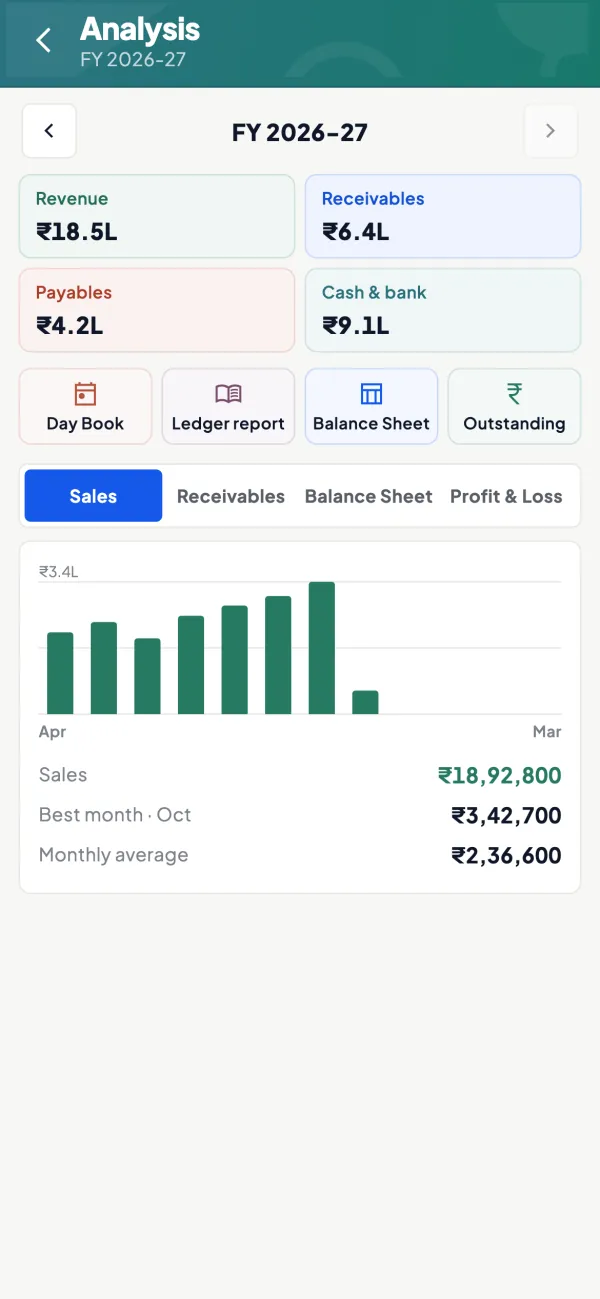
Entries go through Tally's checks
Authorised users can create vouchers from the phone or web once writing is switched on; Tally validates each one and returns its reason if refused.
See Create Tally vouchers from your phone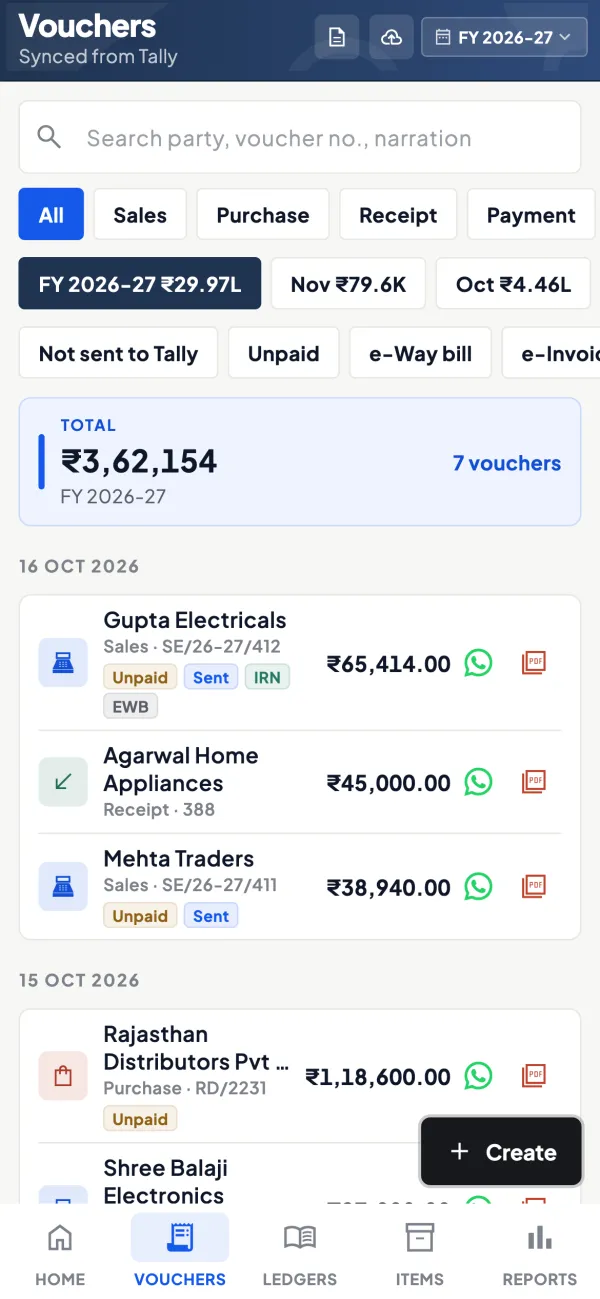
Questions people ask
Can AI do my bookkeeping on its own?
Do I need clean books before using AI?
Is AI bookkeeping allowed for GST and audit?
Which bookkeeping job should I try AI on first?
How do I check an AI-read bill quickly?
Can AI suggest which bills a lump-sum receipt settles?
Can AI write a weekly summary for the owner?
What makes AI bookkeeping suggestions more accurate?
This page is general information for Indian businesses, not tax, legal or financial advice. Rules and rates change — check the official portals or your CA before acting.