AI for spotting errors and fraud in your books
AI is good at scanning every entry for patterns a person would miss, such as duplicate bills, unusual payments or discounts creeping up, but every flag is only a question to look into, not proof that something is wrong.
- Owners who cannot read every voucher
- Firms with one or two accounts staff
- Distributors with many credit notes
- Multi-branch businesses
- Internal auditors and CAs

On this page 12
Why small businesses need this
In a small business, one or two people often enter, approve and pay. That is efficient, and it also means mistakes and misuse can go unnoticed for months. Owners rarely have time to read every voucher. AI can read every one, every day, and surface the few worth a look. Our guide on internal controls for small business covers the basic controls this sits on top of.
Errors AI catches well
| Pattern | What it may mean |
|---|---|
| Same supplier, same amount, same or near date | Bill entered twice |
| Same supplier invoice number on two entries | Duplicate, or a typing slip |
| Payment with no matching bill | Advance not recorded, or payment to wrong party |
| Receipt on account for months | Bills not settled, ageing wrong |
| Expense far above its usual monthly level | Wrong ledger, wrong amount, or something to ask about |
| Sale below cost | Rate typed wrong, or unapproved discount |
| Cash balance negative on any day | Entries missing or in wrong order |
Patterns that may point to misuse
These are not proof of fraud. They are the patterns that are worth a quiet look:
- New supplier, quick payment. A supplier created recently, paid soon after, with round amounts and no stock received.
- Bank details changed on a regular supplier just before a large payment.
- Discounts or credit notes rising for particular customers or entered by one user, especially just after month-end.
- Cash sales falling while stock moves out at the usual pace.
- Edits and deletions of old vouchers, especially after a period was reviewed.
- Payments just under an approval limit, repeated.
Treat a flag as a reason to ask, politely and with the document in hand. Most turn out to have a simple explanation.
A weekly review routine
- Run duplicate checks on purchase bills and payments for the week.
- Review the top ten payments by amount, with the bill behind each.
- Look at credit notes and discounts, by customer and by user.
- Check any new parties created and any changes to existing party bank details.
- Compare cash in the books with the cash box.
- Look at deleted or altered vouchers.
An owner can do this in half an hour if the flags are prepared. The Day Book is the base report for most of it; see the Tally Day Book.
Example
A distributor's AI check flags that credit notes for “rate difference” have grown from about ₹15,000 a month to ₹1,10,000 over three months, almost all to six customers on one salesperson's route, and all entered in the last two days of each month. The owner pulls the notes. Some are genuine scheme adjustments that were never approved in writing; a few are not supported by any scheme. The fix is a rule: rate-difference notes above ₹5,000 need the owner's approval, and schemes are set in writing before the month starts. See managing dealer schemes and discounts.
False alarms and how to cut them
- Monthly rent of the same amount is not a duplicate. Tell the tool which payments recur.
- Festive season spikes are not anomalies. Compare with the same month last year, not last month.
- Bulk orders from a new customer may look odd and be perfectly normal.
Too many false alarms and people stop reading them. Tune the checks so the weekly list is short enough to act on. A list of five items that someone reads every Monday is worth more than a list of fifty that nobody opens.
Limits
AI only sees what is in the books. It cannot see goods that were never billed, cash that was never entered, or a deal agreed on the phone. Physical stock counts, bank reconciliation, and separating who enters from who approves remain the basic defences. If you suspect fraud, speak to your CA before confronting anyone, and preserve the records.
Checking Tally books with Cashflow OS
Cashflow OS gives owners the Day Book, ledgers, outstanding and reports from their Tally data on the phone, so the weekly review can happen anywhere. The owner can also see the team's activity in the app. Its AI assistant answers questions from the synced books, such as “list credit notes over ₹10,000 this month” or “which suppliers were paid more than ₹1 lakh this week”. Deleting a voucher in Tally from the app needs a reason and an authorised user.
Avoid these
Common mistakes
- MistakeTreating an AI flag as proof of fraudDo this instead
Ask politely with the document in hand; most flags have a simple explanation. If you suspect fraud, speak to your CA first and keep the records.
- MistakeLetting the weekly flag list grow to fifty itemsDo this instead
Tune the checks, mark recurring payments and compare with last year's season, so the list is short enough to act on.
- MistakePaying after a supplier's bank details change without checkingDo this instead
Confirm any bank detail change with the supplier through a known contact before a large payment.
- MistakeLetting one person enter, approve and payDo this instead
Separate who enters from who approves, and set an approval limit for credit notes and large payments.
Keep handy
Checklist
AI for spotting errors and fraud in your books — 7 checks. Tick them as you go.
In Cashflow OS
How Cashflow OS helps
Cashflow OS puts your TallyPrime books on every phone in the team. Where it fits this topic:
Alerts when vouchers change in Tally
Owners get a push notification when vouchers are added, changed or deleted in Tally, and can open the Day Book, ledgers and reports on the phone.
See Tally on mobile
Questions answered from the books
The AI assistant answers from the synced data, for example credit notes over ₹10,000 this month. The owner can also see the team's activity in the app.
See AI assistant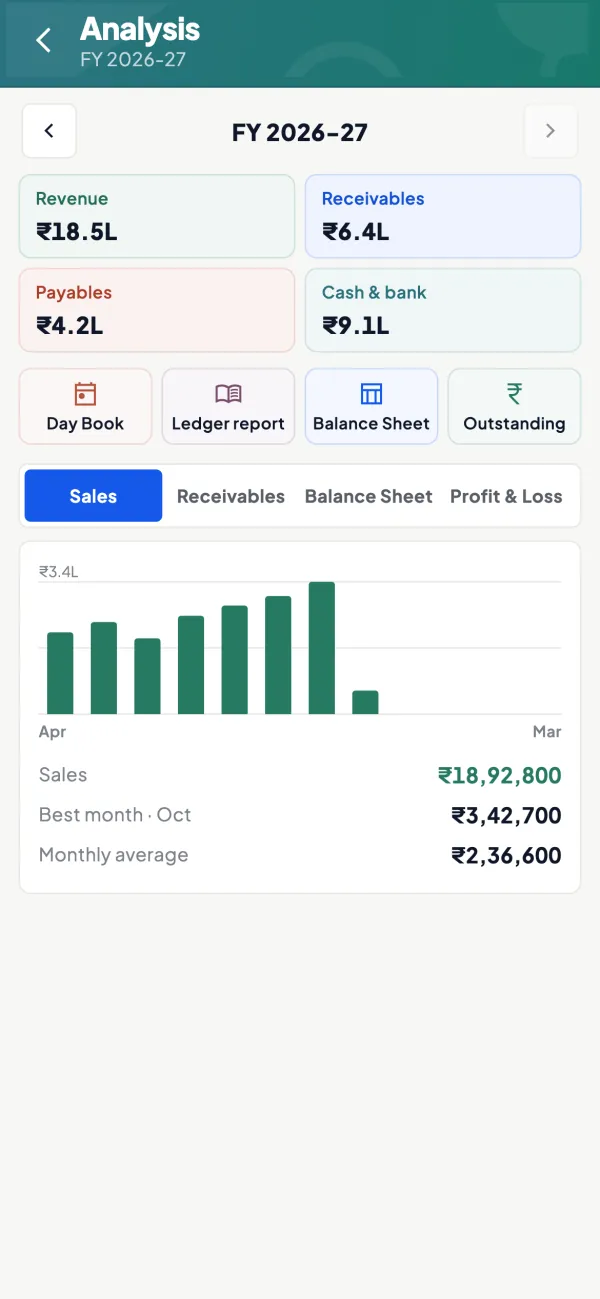
Questions people ask
Can AI detect fraud on its own?
What is the most common error AI finds?
How often should I run these checks?
What is a red flag in supplier payments?
How do I reduce false alarms from AI checks?
What can AI not see?
What should I do if I suspect fraud?
Why look at edits and deletions of old vouchers?
This page is general information for Indian businesses, not tax, legal or financial advice. Rules and rates change — check the official portals or your CA before acting.