
Odisha · GST state code 21
Tally on mobile for Rourkela businesses
Rourkela is built around a large public sector steel plant and is surrounded by iron ore and mineral mining areas of Sundargarh district. Ancillary units supply the steel plant with fabrication, castings and services.
- Steel traders' dues on mobile
- Orders from engineering units
- Lubricant stock by item
- Statements in one tap
Start free trialBook a free demo
Works with your TallyPrime14-day free trialSupport on call and WhatsApp in Hindi or English, +91 70738 53555
 GST state code21
Local trade
Trades in Rourkela
Rourkela is built around a large public sector steel plant and is surrounded by iron ore and mineral mining areas of Sundargarh district. Ancillary units supply the steel plant with fabrication, castings and services. The city is also the commercial centre for northern Odisha and nearby parts of Jharkhand and Chhattisgarh.
Known for
- Rourkela Steel Plant
- Engineering ancillaries
- NIT Rourkela
- Mining belt
Industries in Rourkela on Cashflow OS
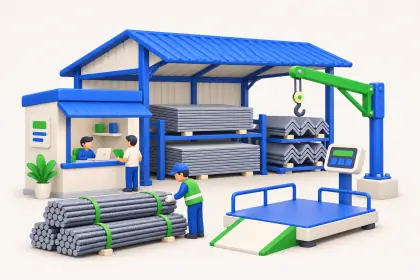 IndustrySteel and iron tradersRates and weights in writing
 IndustryHardware and sanitarywarePlumber dues bill by bill
 IndustryLubricant distributorsPacks from 1 L to 210 L barrels
 IndustryElectrical goods distributorsDealer rates fill themselves
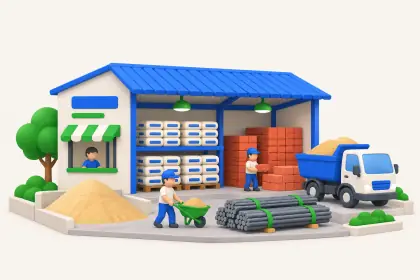 IndustryCement and building material dealersContractor dues before dispatch
Pain → fix
Problems Rourkela businesses tell us about
What gets stuck when the books are only on the Tally PC, and what changes with Cashflow OS.
- The problemAncillary units around the steel plant pay late, bill by billWith Cashflow OS
Bill-wise receivables with ageing for every party, so you know exactly which invoice is overdue.
Outstanding receivables - The problemHardware and electrical orders come by phone and get missedWith Cashflow OS
Book sales orders on the phone or web; they go into Tally once you approve.
Sales orders to Tally - The problemQuotations for steel and building material made in WordWith Cashflow OS
Quotations with your letterhead, rates and GST, shared as PDF and converted into a Tally invoice later.
Quotations
How it works
How Cashflow OS works with your Tally
The same set-up for a business in Rourkela as anywhere else — your accountant keeps working in TallyPrime.
- 1
Install the connector on the Tally PCA small Windows app on the PC where TallyPrime runs. It reads the companies open in Tally.
- 2
Scan the QR with your phoneSign in to the app with your mobile number and scan the QR the connector shows. Your Tally companies sync.
- 3
Invite your teamSend each person a link. Owner, accountant, staff and salespeople each get their own role.
- 4
Entries go back into TallyOrders, receipts and vouchers made on the phone are posted into Tally by the connector, where Tally checks them.

Plans
Simple yearly plans
- 14-day free trial on your own books
- 3-year term saves up to 25%
- Premium modules (catalogue, field force, price lists, store…) priced extra
Start free trialGet the price for your business
Compare all plans- Growth₹3,000/year + GSTBooks, reports, outstanding and sharing
- Pro₹5,000/year + GSTEverything in Growth, plus entries into Tally
- Pro+₹7,000/year + GSTEverything in Pro, plus e-invoice and e-way bill
Why Cashflow OS
Why Rourkela businesses choose Cashflow OS
- Statements on WhatsAppParty statements, invoices and documents go out as a PDF in a couple of taps.
- Orders land in TallyA sales order taken on a visit or at the counter goes into Tally through the connector, with rates and GST.
- Help in Hindi or EnglishSet-up help and support on call, WhatsApp or video from our Jaipur team, +91 70738 53555.
- Know who owes whatBill-wise outstanding and ageing from Tally, so collections start with the right number.
- The whole team, own rolesOwner, accountant, staff and salespeople each see what their role allows — the owner decides.
- Alerts on changes in TallyA push notification when vouchers are added, changed or deleted, and an evening summary of the day.
Questions Rourkela businesses ask
Can steel and iron traders in Rourkela use Cashflow OS?
We supply lubricants and electricals to the mining belt. Can field staff book orders?
Our customers are also in Jamshedpur and Ranchi. Does interstate GST work?
How do I start from Rourkela?
What is the GST state code for Rourkela?
Can I get set-up help and support in Rourkela, in Hindi or English?
More places
Nearby and in Odisha
Nearby cities
 OdishaSambalpurSambalpuri ikat saris, Hirakud dam, aluminium and power in the region
 JharkhandRanchiHeavy engineering (HEC), state capital, lac and forest produceJharkhandJamshedpurTata Steel, commercial vehicles, auto components at Adityapur
