Tally how-tos TallyPrime
Godowns and multi-location stock in Tally
Godowns in Tally let you track stock by location: a main warehouse, a shop counter, a second godown, even a delivery van. Every inward and outward entry names the location, and transfers move stock between them without counting as sales.
- Shops with a back godown
- Multi-warehouse distributors
- Manufacturers with depots
- Businesses using job workers
- Van sales operations

On this page 12
When you need godowns
- Stock is kept in more than one place: shop and warehouse, two warehouses, or a factory and a depot.
- You want to know what is at the counter versus in the back godown before promising a customer.
- Stock is held at a third party, such as goods at a job worker or consignment stock at a dealer.
- You run vans for delivery or van sales and want to track what each van carries.
If everything is in one room, skip godowns; they add a field to every entry. A short definition is in the godown glossary entry.
Setting them up
- Enable multiple godowns in the company's inventory features.
- Create a godown for each location with a clear name: "Main Godown - Sitapura", "Shop Counter - MI Road", "Van 1".
- Group them if useful, for example all godowns of one branch under a parent.
- Enter opening stock per item per godown. The total must match your overall opening stock.
Recording movements
| Movement | How it is usually entered |
|---|---|
| Purchase received at the warehouse | Purchase or receipt note, godown = warehouse |
| Sale from the shop | Sales invoice, godown = shop |
| Warehouse to shop | Stock journal transfer: out of warehouse, into shop |
| Goods sent to a job worker | Material out / job work vouchers or a transfer to a "job worker" godown, as your setup uses |
| Physical count difference | Physical stock voucher for that godown |
A transfer changes where stock is but not how much you have, so it should never be a sale and a purchase between your own locations under the same GSTIN.
GST: same GSTIN or different?
Moving stock between godowns registered under the same GSTIN, typically within one state, is not a supply and is recorded as an internal transfer. Moving stock between locations under different GSTINs, typically in different states, is generally treated as a supply between distinct persons and needs a tax invoice, even though it is your own stock. That is usually handled as sales and purchases between separate Tally companies or GSTIN setups. Read GST on stock transfer between branches and confirm with your CA. Movements of goods may also need an e-way bill depending on value and distance. This is general information, not tax advice.
Reports to use
- Godown summary: stock in each location, item by item or by group.
- Item-wise location view: for one item, how much is in each godown. The question counter staff ask most.
- Stock transfers: what moved between godowns in a period, to check the shop is being replenished properly.
Worked example: shop and warehouse
A kitchenware trader has a shop and a warehouse 4 km away. On Monday the warehouse holds 240 pressure cookers of one model and the shop 12. Saturday's sale clears 10 at the shop. Without godowns, the system shows 242 in stock and staff assume plenty; with godowns, the shop's figure of 2 prompts a transfer of 30 from the warehouse on Monday morning by stock journal. The shop never runs out on a busy day, and total stock stays at 242 until the next sale.
Stock counts by location
Count one location at a time, ideally when it is closed, and record differences with a physical stock entry for that godown. Count the shop and the warehouse on different days if needed, but freeze transfers between them during the count. Differences at the shop are often unrecorded sales or breakages; differences at the warehouse are often transfers entered wrongly. See the stock audit checklist.
Who is responsible for each location
Godowns work best when each location has a named person responsible for its stock. That person confirms goods received, signs off transfers out, and explains differences at the count. When the shop in-charge knows the system shows 2 cookers and can see a transfer of 30 is on its way, they stop calling the warehouse to ask. When the warehouse in-charge knows every outward movement must have an entry, goods stop leaving "temporarily" without a record.
Location stock on the phone
Cashflow OS shows stock and item summaries from your synced Tally data, so staff and the owner can check availability before promising a customer, and stock journals can be created from the app and posted to Tally once writing is switched on. See Tally on mobile.
Avoid these
Common mistakes
- MistakeRecording own-location transfers as salesDo this instead
Under one GSTIN, use a stock journal transfer; it changes where stock is, not how much you have.
- MistakeOpening stock not split by godownDo this instead
Enter opening stock per item per godown and check the total matches overall opening stock.
- MistakeTransfers during a stock countDo this instead
Freeze transfers between locations while each one is being counted.
- MistakeNo one responsible for a locationDo this instead
Name a person per location to confirm receipts, sign off transfers and explain count differences.
Keep handy
Checklist
Godowns and multi-location stock in Tally — 7 checks. Tick them as you go.
In Cashflow OS
How Cashflow OS helps
Cashflow OS puts your TallyPrime books on every phone in the team. Where it fits this topic:
Check stock before you promise
Stock and item summaries from synced Tally data let staff and the owner check availability on the phone before promising a customer.
See Tally on mobile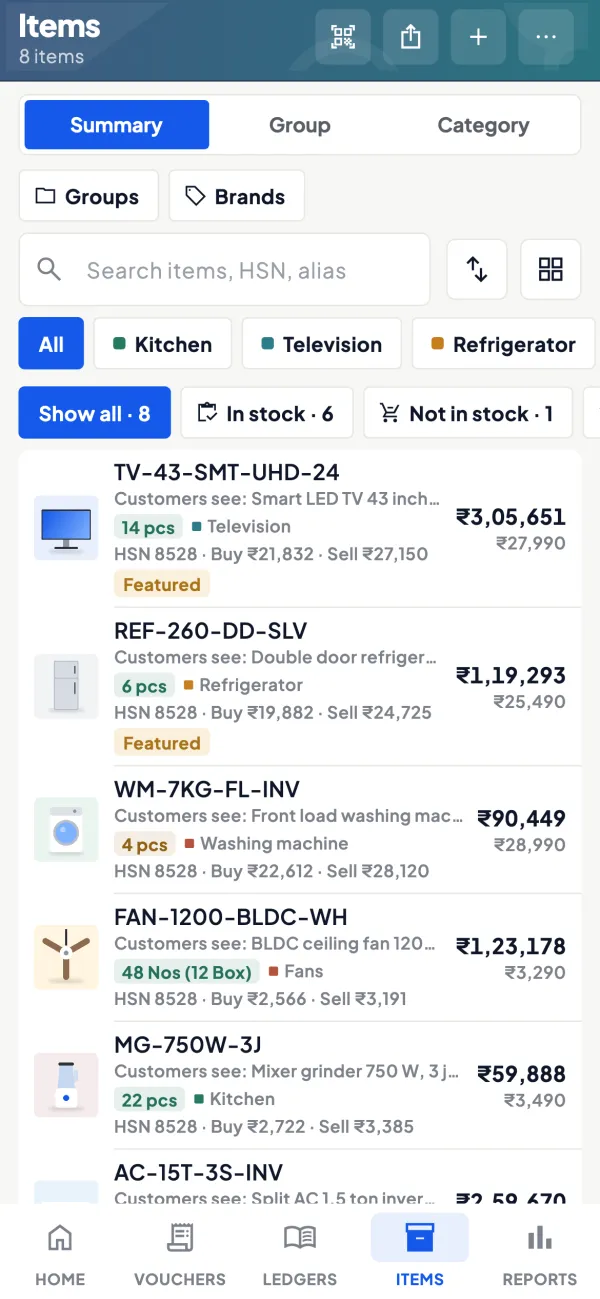
Transfers from the phone
Stock journals can be created in the app and posted to Tally once writing is switched on.
See Create Tally vouchers from your phone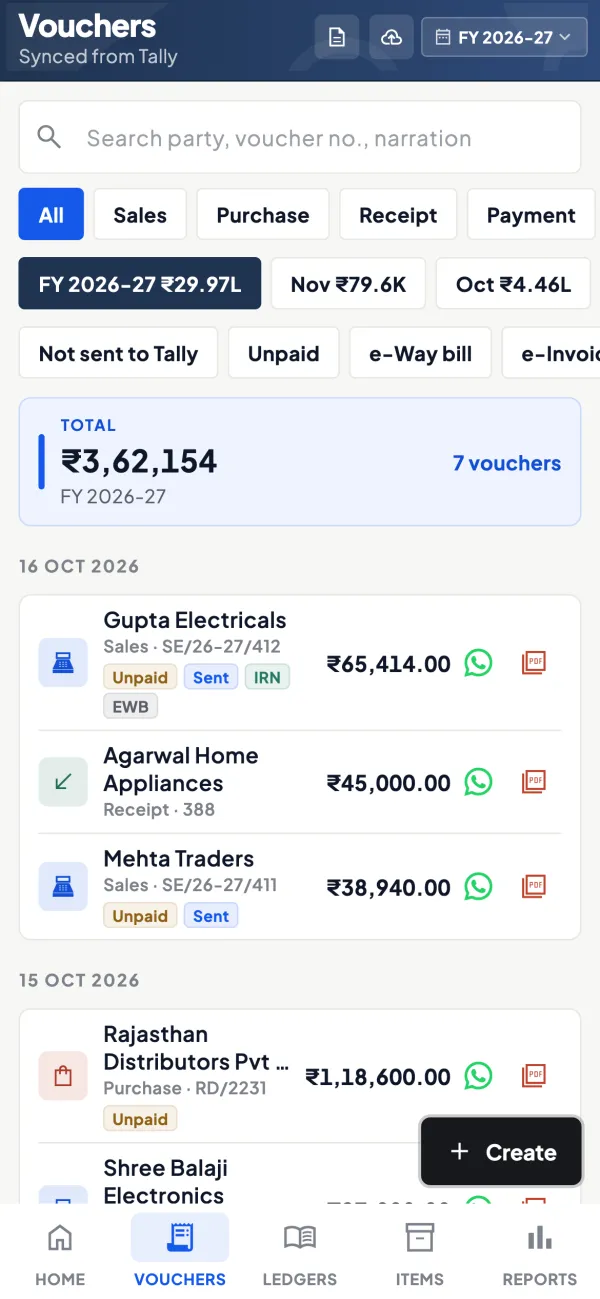
Questions people ask
Is a godown transfer a sale?
Can I track stock lying with a job worker?
Can different godowns have different selling prices?
Do I need a godown for each van?
Should damaged stock have its own godown?
Does a rented warehouse need anything under GST?
How do I handle stock loaded on a van?
Does a godown transfer need an e-way bill?
This page is general information for Indian businesses, not tax, legal or financial advice. Rules and rates change — check the official portals or your CA before acting.