Tally how-tos TallyPrime
Tally cost centres for salespeople
Cost centres let you tag income and expense entries in Tally with a person, branch or project. Create one cost centre per salesperson, allocate each sale and related expense to it, and Tally can show sales and costs by salesperson.
- Businesses with salespeople
- Distributors and wholesalers
- Accountants using Tally
- Sales managers
- Owners paying incentives

On this page 12
What a cost centre is
A cost centre is a label you attach to amounts in a voucher. The ledger still records the amount as normal; the cost centre adds a second dimension, such as "this ₹50,000 of sales belongs to Ravi". Cost centres can be grouped under cost categories, so you can track salespeople under one category and branches under another at the same time. The cost centre glossary entry has a short definition.
Why use them for salespeople
- Sales by salesperson without a separate spreadsheet.
- Discounts given by each salesperson, which often explains margin differences.
- Travel, fuel and allowances per salesperson, so you see the cost of each person's sales.
- A basis for incentives that comes straight from the books, not from memory.
Setting it up
- In the company's features, enable cost centres (and cost categories if you want more than one way of tagging).
- Create a cost category such as "Salespeople", if using categories.
- Create one cost centre per salesperson under that category. Add one called "House" or "Office" for sales without a salesperson.
- On the sales ledgers, discount ledgers and expense ledgers you want to track, enable cost centre allocation.
- Agree with the billing team that every invoice gets a cost centre allocation, every time.
Cost centres in Tally are designed for income and expense ledgers. Party ledgers and outstanding are not split by cost centre this way, so for receivables by salesperson you need another approach, such as assigning parties to salespeople.
Allocating in a sales voucher
When a sales invoice of ₹84,000 taxable value is entered, Tally asks for the cost centre allocation of the sales ledger amount. You allocate ₹84,000 to "Ravi". If two salespeople share a sale, you can split it: ₹50,000 to Ravi and ₹34,000 to Sunita. The tax ledgers do not need allocation. Expenses work the same way: a fuel bill of ₹2,400 is allocated to the salesperson who incurred it.
Reports to read
| Report | Answers |
|---|---|
| Cost centre break-up | All income and expenses tagged to one salesperson |
| Category summary | All salespeople side by side for the period |
| Ledger break-up by cost centre | How one ledger, such as Sales or Discount, splits across salespeople |
Look at sales and discount together. A salesperson with ₹40 lakh of sales and ₹2.4 lakh of discount (6%) may be less valuable than one with ₹34 lakh and ₹68,000 of discount (2%). The salesperson performance guide covers what else to look at.
A monthly review routine
Once allocations are consistent, a 20-minute monthly review with each salesperson works better than a long quarterly meeting. Open the category summary for the month and look at four numbers per person: net sales after returns, discount as a percentage of sales, expenses charged to their cost centre, and their customers' overdue amount. Compare each with their own last three months. A rising discount percentage or expenses growing faster than sales are early signals worth discussing before they become habits. Share the figures with the salesperson; when the numbers come from the books, the conversation is about improving, not about disputing the data.
Common mistakes
- Allocation skipped on busy days. Unallocated amounts make every report incomplete. Make allocation mandatory in your process.
- Cost centres for departed salespeople deleted. Keep them; old reports need them. Rename with "(left)" instead.
- Too many categories. Start with salespeople only; add branches or projects later if needed.
- Credit notes not allocated. Returns should reduce the salesperson's sales, so allocate them to the same cost centre.
Collections by salesperson
Sales without collections are only half the story. Since outstanding is tracked on party ledgers, a simple practice is to assign every customer to one salesperson and review bill-wise outstanding party by party for that salesperson's customers. Many businesses pay incentives only on collected sales, which pushes salespeople to follow up as well as sell.
Cost centres with Cashflow OS
Cashflow OS can create cost centres in Tally through the connector once writing is switched on, and its field tools record each salesperson's own customers, visits, orders and collections, with a performance view for the owner. Salespeople see items and their own customers, not the company's accounts. See field force tracking.
Avoid these
Common mistakes
- MistakeSkipping allocation on busy daysDo this instead
Make allocation a required step for every invoice and expense, so the reports are complete.
- MistakeDeleting cost centres of salespeople who leftDo this instead
Keep them for old reports and rename them with "(left)" instead.
- MistakeSetting up too many categories at onceDo this instead
Start with salespeople only; add branches or projects later if you need them.
- MistakeCredit notes not allocatedDo this instead
Allocate returns to the same cost centre, so they reduce that salesperson's sales.
Keep handy
Checklist
Tally cost centres for salespeople — 7 checks. Tick them as you go.
In Cashflow OS
How Cashflow OS helps
Cashflow OS puts your TallyPrime books on every phone in the team. Where it fits this topic:
Create cost centres from the app
Once writing is switched on, cost centres can be created in Tally from the app through the connector.
See Create Tally vouchers from your phone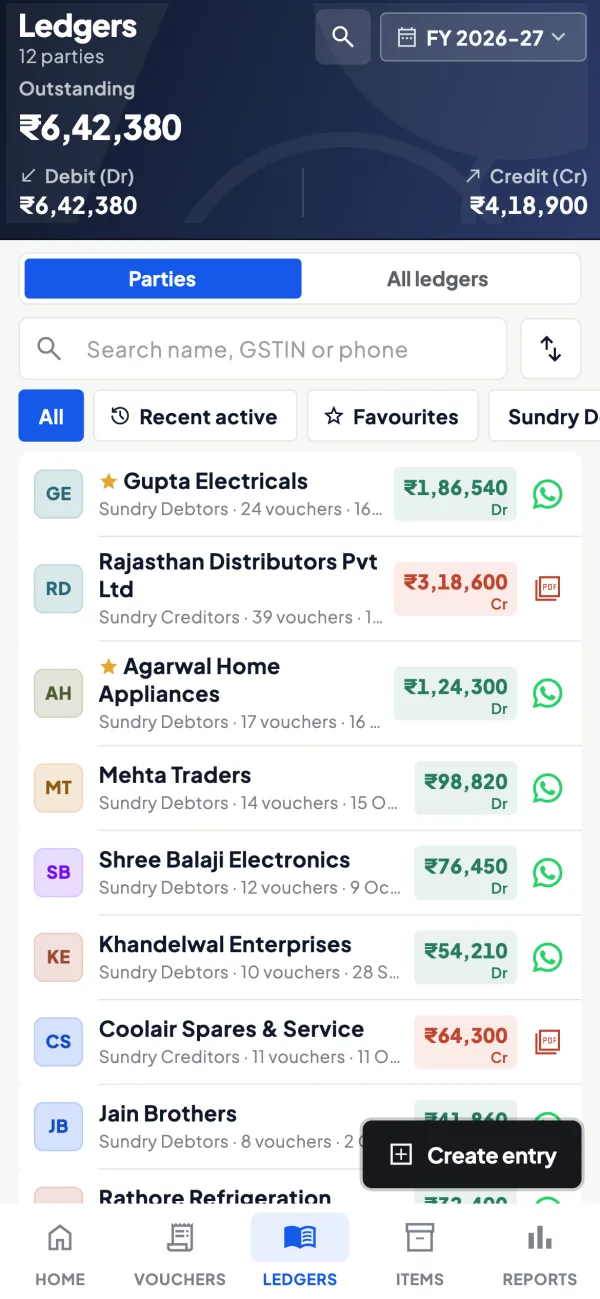
Each salesperson's customers and visits
Field tools record each salesperson's own customers, visits, orders and collections, with a performance view for the owner.
See Field force tracking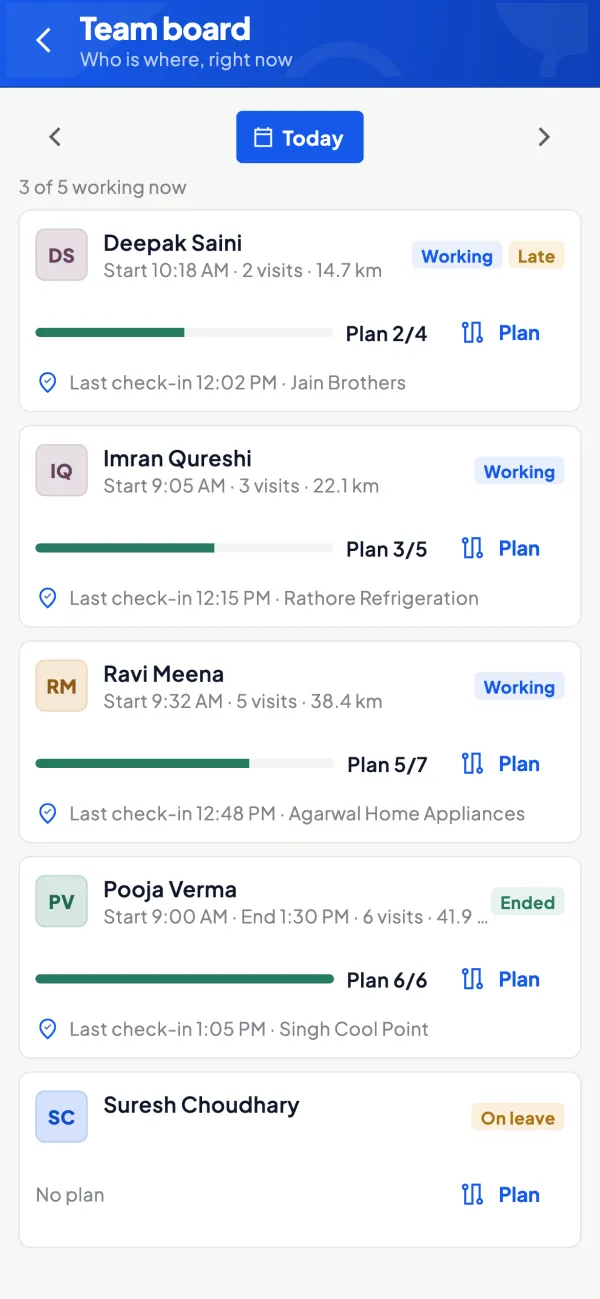
Questions people ask
Can a cost centre be used for branches instead?
Do I need cost centres if I have only two salespeople?
Can I add cost centres to old entries?
Does GST change because of cost centres?
Can one sale be split between two salespeople?
Do GST ledgers need cost centre allocation?
What is the difference between a cost centre and a cost category?
Can cost centres show outstanding by salesperson?
This page is general information for Indian businesses, not tax, legal or financial advice. Rules and rates change — check the official portals or your CA before acting.