Feature
Delivery challans
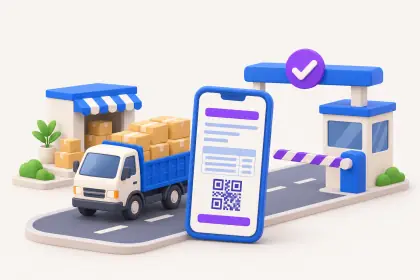
Goods often leave before the bill does: on approval, for a job, to a site in parts, or between your own locations. Cashflow OS lets you make a delivery challan that carries your logo, letterhead and signature, share it as a PDF on WhatsApp or by email, and, where you want the stock movement in Tally, post a delivery note through the connector.
- Your logo, letterhead and sign
- PDF on WhatsApp or email
- Items and units from Tally
- Converts into a Tally invoice
Start free trialBook a free demo
Works with your TallyPrime14-day free trialJaipur team, call +91 70738 53555

Who it’s for
Who uses delivery challans
- Dispatch and godown staffA clean document with every vehicle
- Distributors and stockistsGoods moved between godowns and shops
- ManufacturersMaterial sent to job workers for processing
- Project suppliersSite deliveries in lots before the final bill
- WholesalersGoods sent on approval, part of which may come back
- Building material dealersTruckloads to contractors' sites
- ShowroomsFurniture, appliances or fittings delivered before settlement
Pain → fix
The problems delivery challans solves
What goes wrong without it, and what changes with Cashflow OS.
- The problemHandwritten slips that get lost or torn
The only record of what left the godown is a carbon copy in a drawer.
With Cashflow OSA branded challan PDF for every loadEach challan carries your logo, letterhead and signature and goes out as a PDF on WhatsApp or by email.
Quotations - The problemGoods delivered but never billed
Approval goods stay with the customer and three months later nobody invoices them.
With Cashflow OSConvert challans into a Tally invoiceChallans made in Cashflow OS convert into Tally sales orders or invoices, so delivered goods end up on a bill.
Sales orders to Tally - The problemStock summary shows goods still in the godown
The challan went out, but Tally's stock moves only when the final bill is made.
With Cashflow OSPost a delivery note so Tally's stock movesWith writing on, a delivery note goes into Tally through the connector on the day the goods leave.
Create Tally vouchers from your phone - The problemArguments over how many boxes reached the site
Was lot two 700 boxes or 650? Weeks later, nobody is sure.
With Cashflow OSChallan on WhatsApp the moment the truck leavesThe site engineer and the buyer's office get the PDF at dispatch, and a 'received' reply is a useful record.
- The problemEvery staff member's challan looks different
Some use a printed book, some a Word file, some a plain slip.
With Cashflow OSLogo, colours, letterhead and signature set onceChallans share the look of your quotations, proforma invoices and purchase orders.
Proforma invoices - The problemMore goods sent while old bills sit unpaid
Challans keep going to a party whose earlier invoices are long overdue.
With Cashflow OSCheck the party's dues before the next dispatchBill-wise outstanding and ageing from Tally are on the phone at the loading bay.
Outstanding receivables
What it does
What you can do with delivery challans
A challan in your own format
How it works. Set your logo, colours, letterhead and signature once for the company, and add bank and UPI details if you want them. Every challan then looks like your other documents.
- Same look as quotations and proforma invoices
- Signature and letterhead without a printed book
- PDF ready to share from phone or web
In practiceSaini Steel sends 4.2 tonnes of TMT bars to a site in Ajmer; the challan carries its logo and signature and reaches the site engineer on WhatsApp before the truck leaves.

Items and quantities from Tally
How it works. The items on the challan are your Tally stock items, so names and units match your books and the invoice that follows.
- No retyped item names that differ from Tally
- Units as they are stocked
- The later invoice reads the same as the challan
In practiceA lighting dealer adds 40 panel lights and 12 drivers using the Tally items, so the challan and the month-end invoice list them identically.

A delivery note in Tally for the stock
How it works. Where the stock movement must show in Tally, post a delivery note through the connector once writing is switched on. Tally checks it like any other entry.
- Stock leaves the godown in Tally on the right day
- Stock summary stays true between challan and bill
- Refused entries come back with Tally's reason
In practiceGoods worth ₹1,80,000 sent on approval to a showroom in Bikaner are posted as a delivery note, so the stock summary shows them gone that day.

From challans to an invoice at month-end
How it works. List the month's challans, mark each billed, returned or open, and convert the billed ones into a Tally invoice, quoting the challan numbers.
- Nothing delivered stays unbilled for months
- Part returns settled before the bill
- The party's dues stay visible bill by bill
In practiceOn 30 November, three challans for Sharma Constructions, DC-121, DC-126 and DC-133, become one invoice of ₹2,46,000 + GST.

Guide
Delivery challans: the full guide
How it works day to day, who does what, and the points to watch.
When a challan is the right document
A delivery challan records that goods moved, not that a sale was billed. Indian businesses use one in situations like these:
- Goods sent on approval, where the customer may return part of them.
- Material sent to a job worker for processing.
- A large order delivered to a site in several lots before the final invoice.
- Stock moved between your own godowns or shops.
- Samples or replacement goods sent before the paperwork is settled.
Whether a challan is enough under GST, or whether a tax invoice is needed at the time of removal, depends on the case. Our guides on delivery challans under GST and when a challan is required go through the common situations. This is general information, not tax advice; check current rules on cbic-gst.gov.in.
What Cashflow OS gives you
- Your own look: logo, colours, letterhead and signature on every challan, set once for the company.
- Bank and UPI details printed on the document, as on your other documents, if you want them there.
- Items from Tally: the items on the challan are your Tally stock items, so names and units match your books.
- Sharing: send the challan as a PDF on WhatsApp or by email, straight from the phone or the web app.
- The Tally side: delivery notes are one of the voucher types Cashflow OS can create in Tally through the connector, once the owner switches writing on.
The challan is part of the same documents set as quotations, proforma invoices and purchase orders, so all your paperwork looks like it comes from one business.
A worked example: a site delivered in three lots
A tiles dealer has an order for a housing project: 1,800 boxes of floor tiles, delivered as the floors are ready. The billing is agreed at the end, but the builder's site engineer needs a document with every truck.
| Date | Challan | Boxes | Running total |
|---|---|---|---|
| 4 Nov | DC-101 | 600 | 600 |
| 12 Nov | DC-108 | 700 | 1,300 |
| 21 Nov | DC-117 | 500 | 1,800 |
Each challan goes on WhatsApp to the site engineer and the builder's office the moment the truck leaves, so nobody argues later about whether lot two was 700 or 650 boxes. If the dealer also posts each lot as a delivery note in Tally, the stock summary shows the boxes as gone from the godown on the right day, not on the day the final bill is made.
From challan to invoice
The risk with challans is not the challan; it is the bill that never follows. Goods go out on approval, the customer keeps most of them, and three months later nobody remembers to invoice. A short month-end routine prevents this:
- List every challan issued in the month.
- Mark each as billed, returned, or still open.
- For open ones, call the customer and agree what will be billed and what will come back.
- Raise the invoice in Tally, or from the app if writing is switched on, and quote the challan numbers on it.
A quick figure shows why this matters. If a business sends goods on approval worth ₹4,00,000 a month and even 5% slips through unbilled, that is ₹20,000 of stock gone every month with no receivable behind it. Over a year it adds up to a figure that usually surfaces only at the stock audit, when it is hardest to recover.
Who uses it
- Dispatch and godown staff who need a clean document for each vehicle.
- Distributors and stockists moving goods between locations.
- Manufacturers sending material to job workers.
- Showrooms delivering furniture, appliances or fittings before the final settlement.
Tips for clean challans
- Number them in one series and do not reuse numbers; it makes reconciliation with invoices far easier later.
- Put the vehicle and the receiver's name in the notes where your format allows, so the proof of delivery is clear.
- Ask for an acknowledgement on WhatsApp when the goods arrive; a reply of "received" against the PDF is a useful record.
- Close the loop. Every challan should end up either billed, returned or explained. Review open ones at month-end.
- Keep Tally in step. If goods leave stock, post the delivery note so the stock summary stays true.
What it does not do
- The challan is not an e-way bill. Where the movement needs one, generate it on the portal as usual, or from the synced Tally voucher on plans that include e-way bills. If a movement needs one, generate it on the e-way bill portal.
- It does not decide whether a challan or a tax invoice is legally required; that depends on the transaction.
- It does not write into Tally unless the owner has switched writing on and the connector is running.
- It is not a transport or route-tracking system for vehicles.
This page is general information for Indian businesses, not tax, legal or financial advice. Rules and rates change — check the official portals or your CA before acting.
Set-up
Start using delivery challans in 4 steps
Works on top of your TallyPrime — nothing to migrate, no second set of books.
- 1
Install the Tally Connector so items and parties sync from TallyPrime
- 2
Switch on the documents module for the company
- 3
Set your logo, colours, letterhead and signature once
- 4
Make a challan, share the PDF, and post a delivery note if needed
Buyer’s checklist
What to look for in delivery challans software
Whatever you choose, check these before you commit.
- Challans carry your logo, letterhead and signature, not a plain template
- Items and units come from your stock master, so the challan matches the bill
- PDF sharing on WhatsApp and email straight from the phone
- Option to record the stock movement in the books on the day goods leave
- A clear path from challan to invoice, so nothing stays unbilled
- Same look as your quotations, proforma invoices and purchase orders
- Usable from the phone at the loading bay, not only from the office PC
- Keeps the challan separate from the e-way bill, which is generated on its own
Plans
Simple yearly plans
- 14-day free trial on your own books
- 3-year term saves up to 25%
- Premium modules (catalogue, field force, price lists, store…) priced extra
Start free trialGet the price for your business
Compare all plans- Growth₹3,000/year + GSTBooks, reports, outstanding and sharing
- Pro₹5,000/year + GSTEverything in Growth, plus entries into Tally
- Pro+₹7,000/year + GSTEverything in Pro, plus e-invoice and e-way bill
Why Cashflow OS
Why use delivery challans in Cashflow OS
- Looks like your businessLogo, colours, letterhead and signature on every challan, set once.
- Tally items and unitsWhat is on the challan matches your stock items and the bill that follows.
- Stock moves in TallyPost a delivery note through the connector when the stock must show as gone.
- Challan to invoiceChallans convert into Tally sales orders or invoices, without retyping.
- One set of documentsQuotations, proforma invoices, purchase orders and challans all look alike.
- 14-day free trialMake challans on your own Tally items before you pay anything.